
KotiSyamala
Level 5
February 23, 2025
Solved

Dataset lookup error in fragments

  • February 23, 2025
  • 1 reply
  • 780 views

When I try to save a visual fragment with the dataset lookup function, it throws the below error but works fine in email templates.


{{datasetLookup datasetId="1234567890" id="101" result="store" required=false}} Product details: Name:{{store.productName}} Description:{{store.productDescription}} Amount: {{store.productListPrice.amount}} Conversion Date: {{store.productListPrice.conversionDate}} Currency: {{store.productListPrice.currencyCode}}


There are no errors in the expression

But when I try to save the fragment, I get the below error, but the same is working fine in the email template.
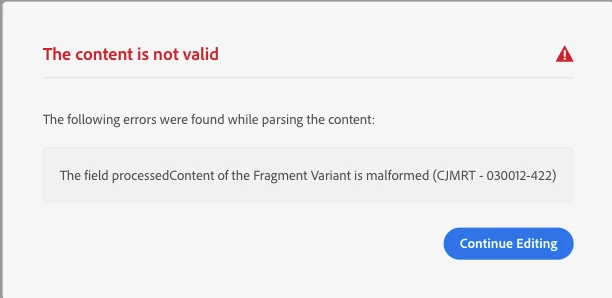
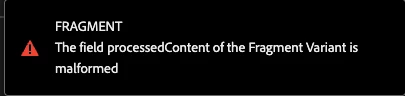
 

Is anyone on the same page? any solutions would be helpful.
This post is no longer active and is closed to new replies. Need help? Start a new post to ask your question.
Best answer by Mohan_Dugganab

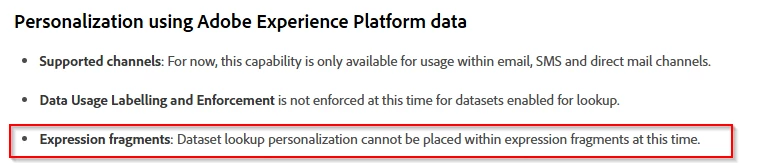
Kindly take a look at the following note https://experienceleague.adobe.com/en/docs/journey-optimizer/using/content-management/personalization/lookup-aep-data 


Dataset lookup is currently not supported in fragments. 


1 reply

Mohan_Dugganab
Adobe Employee
Mohan_DugganabAdobe EmployeeAccepted solution
Adobe Employee
February 24, 2025

Kindly take a look at the following note https://experienceleague.adobe.com/en/docs/journey-optimizer/using/content-management/personalization/lookup-aep-data 


Dataset lookup is currently not supported in fragments. 


KotiSyamala
Level 5
February 24, 2025

That's right, @mohan_dugganab . I'm not using an expression fragment; it's a visual fragment. But still not working.


Is this applicable to visual fragments as well?

Mohan_Dugganab
Adobe Employee
Adobe Employee
February 24, 2025

Yes, it is