Clarification on Custom "Mail-To" Unsubscribe Logic & Profile Attribute Updates | Community
Skip to main content
Silvio6
Level 5
March 2, 2026
Solved

Clarification on Custom "Mail-To" Unsubscribe Logic & Profile Attribute Updates

  • March 2, 2026
  • 1 reply
  • 36 views

Hi everyone,

I'm configuring the List-Unsubscribe Mail-To feature in AJO for a subdomain and need to clarify two points:

  • Keyword Support: Does the Adobe-managed unsubscribe address support manual keywords (e.g., "REMOVE" in the body), or does it only process requests triggered by the automated headers in the email client? If so, can you show me an example of how the mail to button is shown in UI?
  • Profile Sync: Does an unsubscribe via this Mail-To method automatically update the Consent Schema (choice set to opt-out) in the profile, or is manual synchronization required?

Looking to confirm if this is fully automated when "Adobe Managed" is selected in the channel configuration.

Thanks!

    Best answer by SatheeskannaK
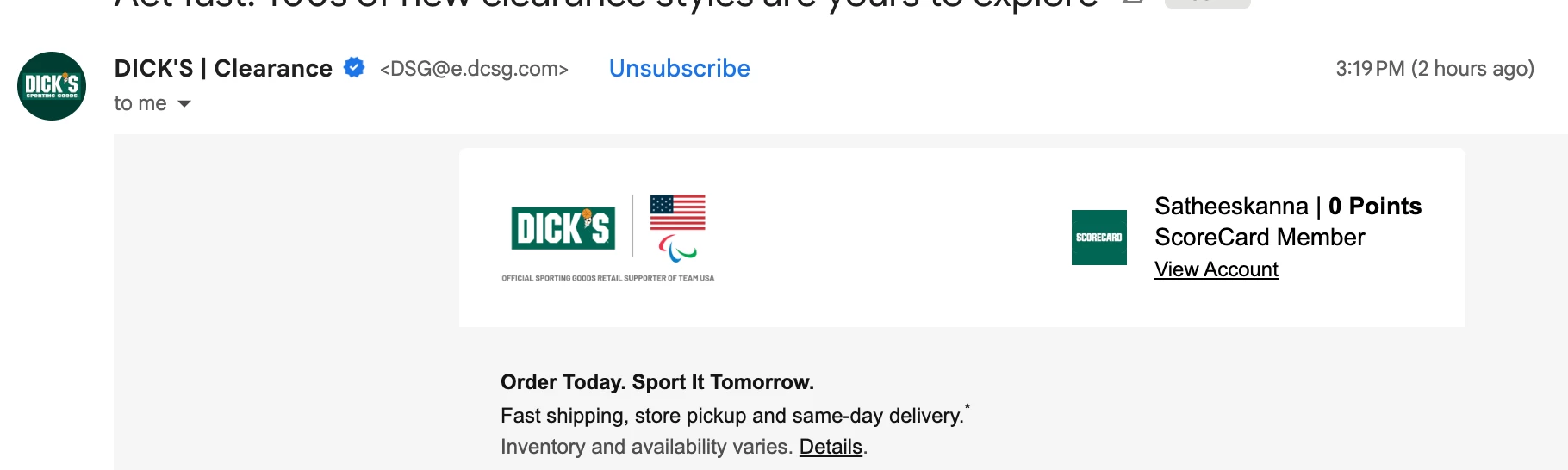
    • Keyword Support: Does the Adobe-managed unsubscribe address support manual keywords (e.g., "REMOVE" in the body), or does it only process requests triggered by the automated headers in the email client? If so, can you show me an example of how the mail to button is shown in UI? - It handles unsubscribe requests automatically when they come directly from an email client's interface. Doesn’t support keywords specified in the body. Here’s an example of unsubscribe option showing on the email header,
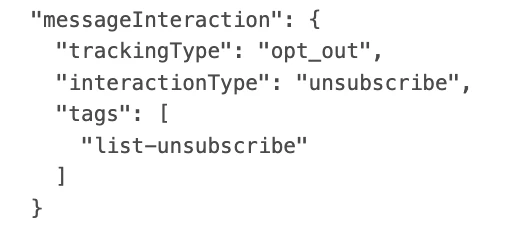
    • Profile Sync: Does an unsubscribe via this Mail-To method automatically update the Consent Schema (choice set to opt-out) in the profile, or is manual synchronization required? - Yes, automatically updates the consent (consent.marketing.email.val = n) for the profile. No manual sync required. Screenshot of event will look like on the profile,


    • Looking to confirm if this is fully automated when "Adobe Managed" is selected in the channel configuration. - Yes. It’s fully automated when using adobe managed list unsubscribe header.


    1 reply

    SatheeskannaK
    Community Advisor
    SatheeskannaKCommunity AdvisorAccepted solution
    Community Advisor
    March 2, 2026
    • Keyword Support: Does the Adobe-managed unsubscribe address support manual keywords (e.g., "REMOVE" in the body), or does it only process requests triggered by the automated headers in the email client? If so, can you show me an example of how the mail to button is shown in UI? - It handles unsubscribe requests automatically when they come directly from an email client's interface. Doesn’t support keywords specified in the body. Here’s an example of unsubscribe option showing on the email header,
    • Profile Sync: Does an unsubscribe via this Mail-To method automatically update the Consent Schema (choice set to opt-out) in the profile, or is manual synchronization required? - Yes, automatically updates the consent (consent.marketing.email.val = n) for the profile. No manual sync required. Screenshot of event will look like on the profile,


    • Looking to confirm if this is fully automated when "Adobe Managed" is selected in the channel configuration. - Yes. It’s fully automated when using adobe managed list unsubscribe header.


    Thanks, Sathees
    Silvio6
    Silvio6Author
    Level 5
    March 3, 2026

    Thanks! Understood but now what's the diference between one click unsubscribe and mailto if both are header unsubscription?

    SatheeskannaK
    Community Advisor
    Community Advisor
    March 3, 2026

    @Silvio6 

    • Depends on the email client support for unsubscribe methods varies; some email clients only allow the mailto method, while others support only one-click unsubscribe. Reason Adobe recommends to implement both the methods (from the documentation).

    “If you have toggled on the Enable List-Unsubscribe option in the email configuration settings, we recommend that you enable both methods - Mailto (unsubscribe) and One-Click Unsubscribe URL. Not all email clients support the HTTP method. With the Mailto list-unsubscribe feature provided for you to select an alternative, your sender reputation can be better protected and all your recipients are able to have access to use the unsubscribe functionality.”

    • For example, One-Click Unsubscribe (HTTP Method) supported by Gmail and Yahoo. Mailto supported by Outlook desktop and Apple Mail.
       
    Thanks, Sathees