AJO Journey Condition | Community
Skip to main content
February 16, 2023
Solved

AJO Journey Condition

  • February 16, 2023
  • 1 reply
  • 1118 views

Hi, how do I get access to all the "Attributes" from the Unified Customer Profile in a Journey "Orchestration: Condition"?
I don't seem to be able to go beyond the basics
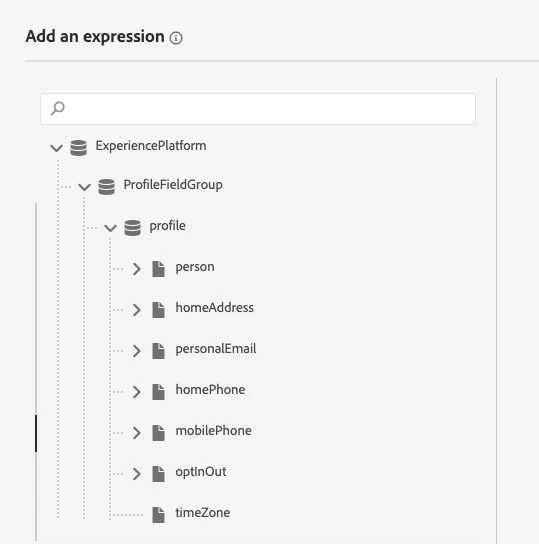
I have 5 other fields under Customer Profile "Attributes" that I cannot access in a Condition

Thanks for the help

This post is no longer active and is closed to new replies. Need help? Start a new post to ask your question.
Best answer by SatheeskannaK

Hi @evuillequez,


You will have to enable the fields under Configurations -> Data Sources -> Experience Platform -> Profile Field Group. Once you enable the fields it should be available within journeys to configure. Remember to select the fields you want to include rather than selecting everything which may affect the journey performance.

1 reply

SatheeskannaK
Community Advisor
SatheeskannaKCommunity AdvisorAccepted solution
Community Advisor
February 16, 2023

Hi @evuillequez,


You will have to enable the fields under Configurations -> Data Sources -> Experience Platform -> Profile Field Group. Once you enable the fields it should be available within journeys to configure. Remember to select the fields you want to include rather than selecting everything which may affect the journey performance.

Thanks, Sathees
February 16, 2023

Thank you, it worked!