Working Library is showing red | Adobe Higher Education
Skip to main content
Level 2
November 13, 2019
Vraag

Working Library is showing red

  • November 13, 2019
  • 1 reactie
  • 7779 Bekeken

Hi Everyone,

I have setup a new library and created a data element . When I save the changes to data element using the library, the library shows me red instead green .
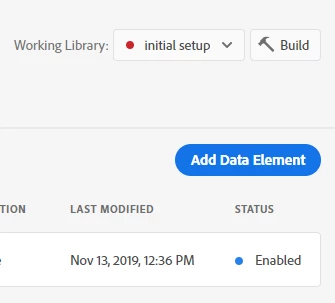
The failed error message is "The "Adobe Analytics" extension has been upgraded on this property. The upgraded version must be included in this library by selecting the "latest" revision. Add it to your library, then rebuild."
How can I fix it ?

Er kunnen geen reacties meer worden geplaatst op dit onderwerp.

1 reactie

Level 2
November 13, 2019

This is fixed now.

January 16, 2020

Hello, this is NOT fixed now. I just upgraded to Adobe Analytics v1.8.1 and I'm seeing the same error that you were seeing. Can you be more specific as to what action you took to fix this issue? All I did was click the Upgrade button in the Extensions section and changed an existing rule. 


The "Adobe Analytics" extension has been upgraded on this property. The upgraded version must be included in this library by selecting the "latest" revision. Add it to your library, then rebuild.


SOLUTION:

After upgrading Adobe Analytics, and after you make a change to a rule, you must go to Publishing > Resource Changes > Expand the rule that you changed > Select the Revision with the word "Latest" in parenthesis > Click "Select this Revision" and follow the prompts. You should be able to build successfully.