This post is no longer active and is closed to new replies. Need help? Start a new post to ask your question.
Best answer by bjoern-koth
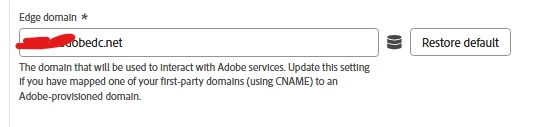
The CNAME is the classic best practice to hide the requests from potential ad blockers.
This will also write a 1st-party cookie on that domain. Meaning, your cname.domainA cookie won’t be readable from your cname.domainB domain anyway.
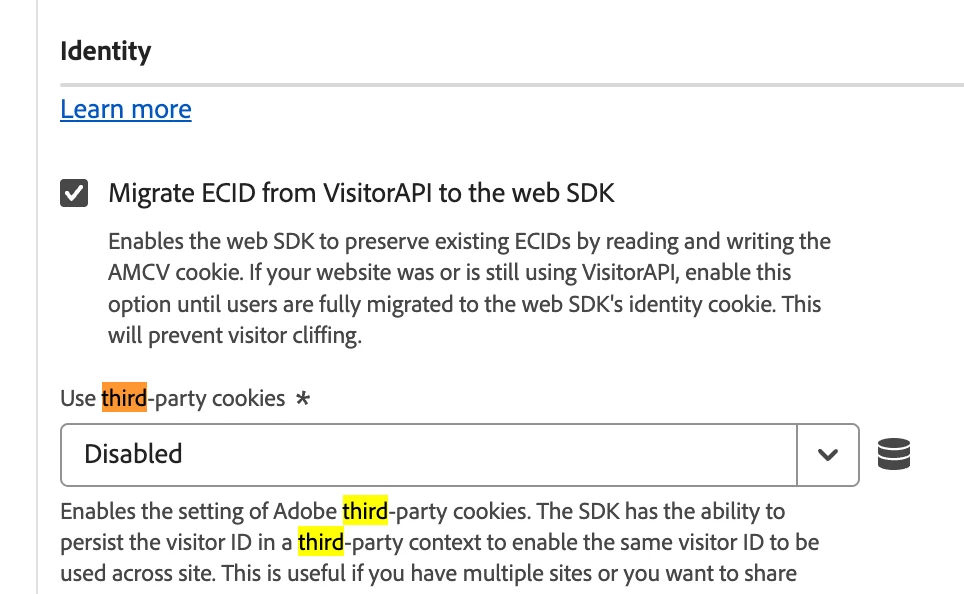
If you enable third-party cookies in the WebSDK, you will see a demdex call being made that will write kndctr cookies on that very domain, which will be readable across domainA and domainB, as long as both are within the same AdobeOrgID.
Web SDK 3rd Party Settings
The approach @arpan-garg mentions with the appendIdentityToUrl is slightly different and works without third-party cookies, but is limited to links from domainA to domainB.
So, if your visitor visits domainA and then directly enters domainB in his address bar, he will not be recognized,
Bottom line:
Main requirements
all domains must be under the same AdobeOrgID
CNAME
writes 1st-party cookies, not readble between domains
appendIdentityToUrl can help mitigate this by sending identity data in direct links (custom implementation)
Safari’s ITP detects CNAME not belonging to your website domain as 3rd party and will limit cookie lifetime
The CNAME is the classic best practice to hide the requests from potential ad blockers.
This will also write a 1st-party cookie on that domain. Meaning, your cname.domainA cookie won’t be readable from your cname.domainB domain anyway.
If you enable third-party cookies in the WebSDK, you will see a demdex call being made that will write kndctr cookies on that very domain, which will be readable across domainA and domainB, as long as both are within the same AdobeOrgID.
Web SDK 3rd Party Settings
The approach @arpan-garg mentions with the appendIdentityToUrl is slightly different and works without third-party cookies, but is limited to links from domainA to domainB.
So, if your visitor visits domainA and then directly enters domainB in his address bar, he will not be recognized,
Bottom line:
Main requirements
all domains must be under the same AdobeOrgID
CNAME
writes 1st-party cookies, not readble between domains
appendIdentityToUrl can help mitigate this by sending identity data in direct links (custom implementation)
Safari’s ITP detects CNAME not belonging to your website domain as 3rd party and will limit cookie lifetime
@Michael_Soprano - What @bjoern__koth said is absolutely correct, in our case all of the sister brands redirects to the main website when the user click on any booking link.