Unable to track Adobe Event Rule via CSS Selectors | Community
Skip to main content
haritikam738202
Level 2
January 31, 2019
Solved

Unable to track Adobe Event Rule via CSS Selectors

  • January 31, 2019
  • 2 replies
  • 2481 views

We are trying to find a third-party pixel on successful sign-up of the newsletter:

Newsletter | E! Online | The Rundown

We placed a Data Attribute on the successful sign-up which happens after clicking on Sign-up button and displays "Thank you for Subscribing" message:

  • data-omniture = "newsletter-signup-success"
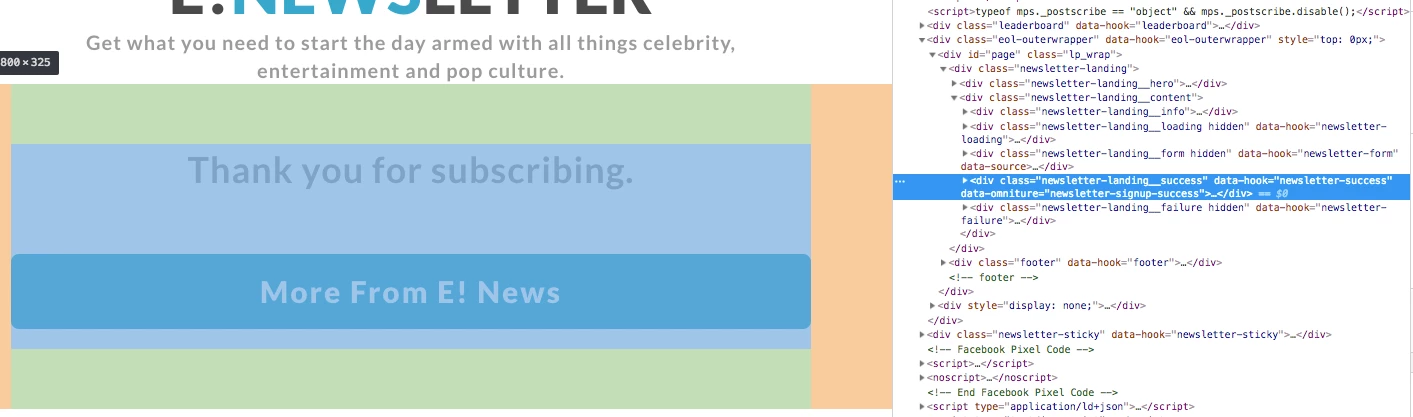
Now, I am placing an Event rule to fire when this data attribute occurs on the page on successful sign-up, but I am unable to make the script fire. Below shows my conditions:
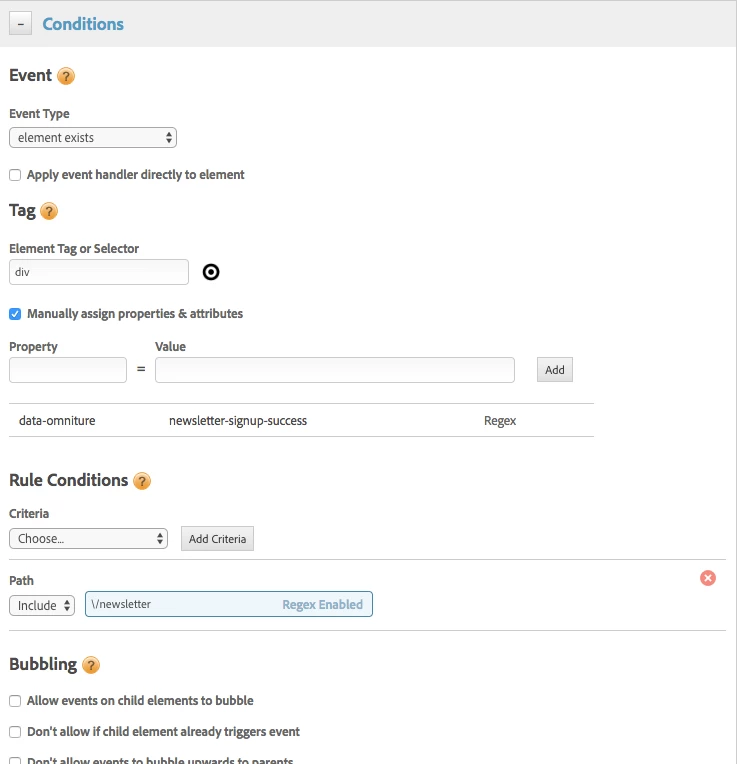
I'd appreciate any help in solving this and letting me know how to set the conditions correctly.

Thank you in advance!

This post is no longer active and is closed to new replies. Need help? Start a new post to ask your question.
Best answer by isinha

You may want to check the Path (it should be newsletter). Additionally, could you try using the following:

Event Type

element exists

Element Tag or Selector

.newsletter-landing__success

2 replies

isinhaAdobe EmployeeAccepted solution
Adobe Employee
January 31, 2019

You may want to check the Path (it should be newsletter). Additionally, could you try using the following:

Event Type

element exists

Element Tag or Selector

.newsletter-landing__success

haritikam738202
Level 2
January 31, 2019

Thank you! When I make those changes it fires before the sign-up because we have a class defined as below:

Can I do custom attribute for data-omniture = newsletter-signup-success which only exists when successfully signed up?