Hi @jane_12
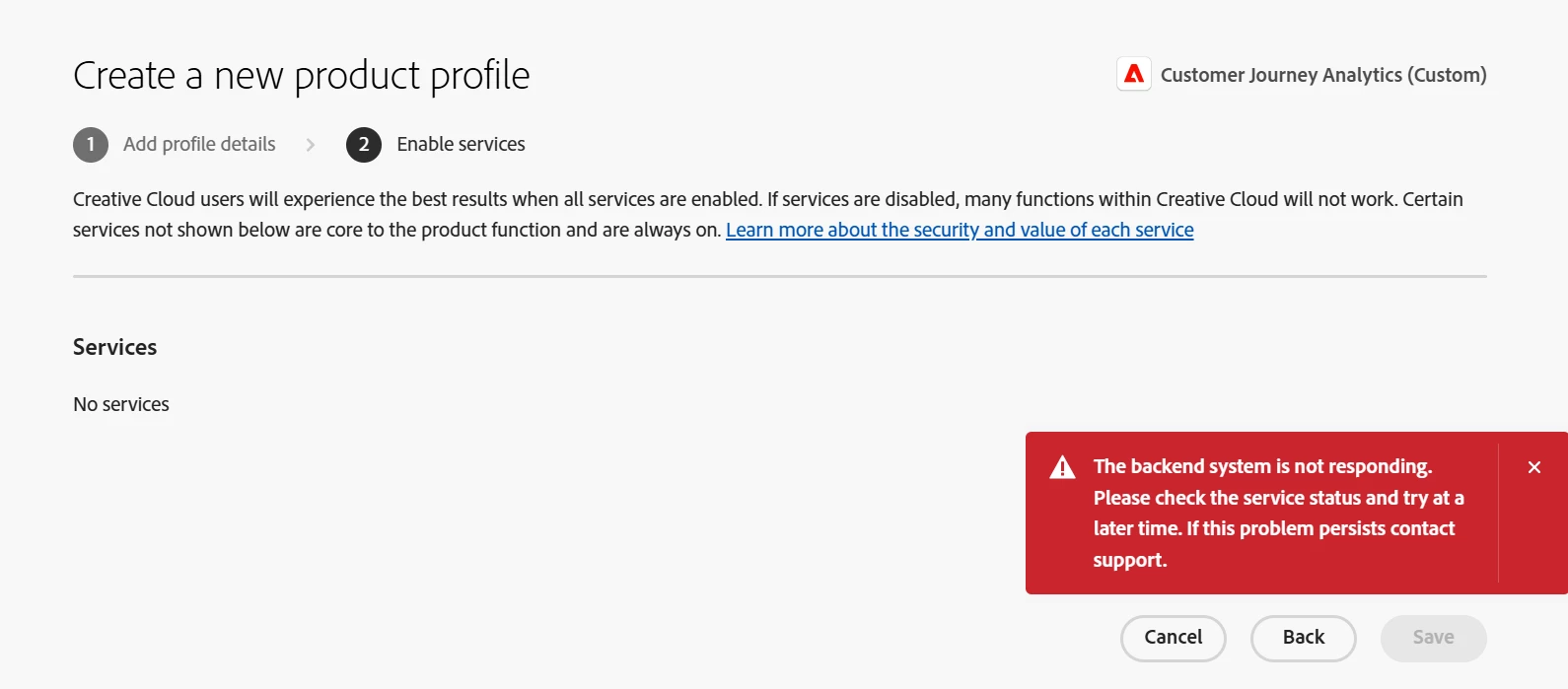
is a generic Admin Console error that usually means one of these:
1.Profile name is not unique
- The product profile name must be unique across the whole org, including:
- Other product profiles (any product)
- User groups (even old ones you don't see anymore)
- Try a completely new name, e.g. CJA-Profile-20260320-Jane (no commas, no trailing spaces, keep it simple ASCII).
2.Temporary backend / licensing issue
- Sometimes this appears during a short backend incident or if the product is not fully provisioned.
Try below steps:
1.Use a truly unique, simple name
- Rename the profile to something that cannot be reused anywhere else in the org.
- Avoid: commas, leading/trailing spaces, overly long names.
2.Double‑check your role
3.Retry with clean environment
- Try in a different browser and an incognito/private window.
- Log out of all Adobe tabs, log back in, then create the profile again.
4.If it still fails after that
- Check https://status.adobe.com for ongoing incidents.
- If status is green and all admins see the same error, this is almost certainly a backend provisioning/licensing issue that only Adobe can fix.
- In that case:
- Open a ticket from Admin Console > Support (or via Experience League support),
- Include: org ID, product, exact time, and a screenshot of the error.
There's unfortunately no hidden setting in the UI to "fix" this from your side—if a unique name + clean browser doesn't resolve it, escalate via Support.
Amit Vishwakarma - Adobe Commerce Champion 2025 | 17x Adobe certified | 6x Adobe SME