TypeError: this.settings.productCollectionPath.replace is not a function at r.getProductCollectionPath | Community
Skip to main content
Level 2
April 6, 2021
Solved

TypeError: this.settings.productCollectionPath.replace is not a function at r.getProductCollectionPath

  • April 6, 2021
  • 2 replies
  • 2022 views

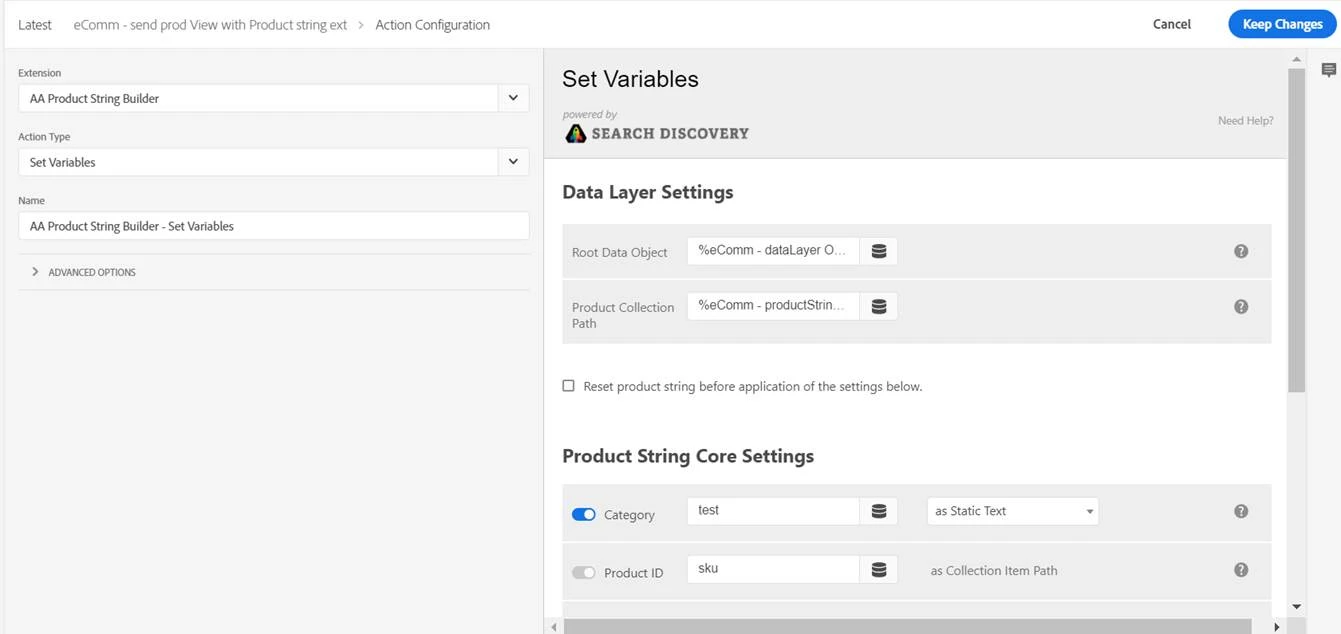
We are trying to generate “s.products” Adobe Analytics variable using AA Product String Builder via Launch. Unfortunately I am getting below errors on console.
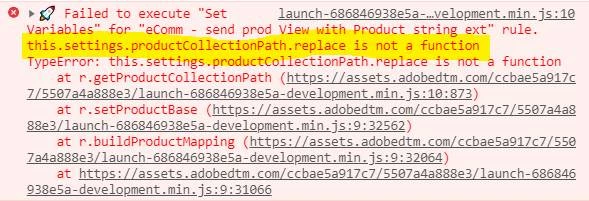

I am quoting necessary information below:

1. Rule structure on launch
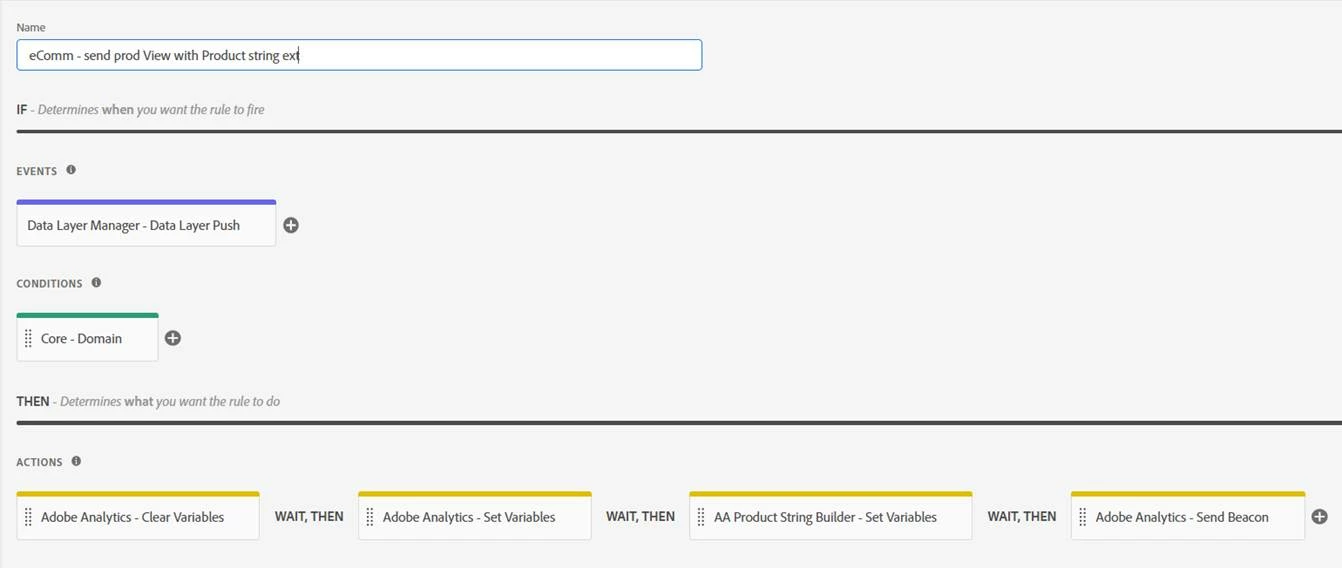
 

2. Action configuration for AA Product String Builder.
 

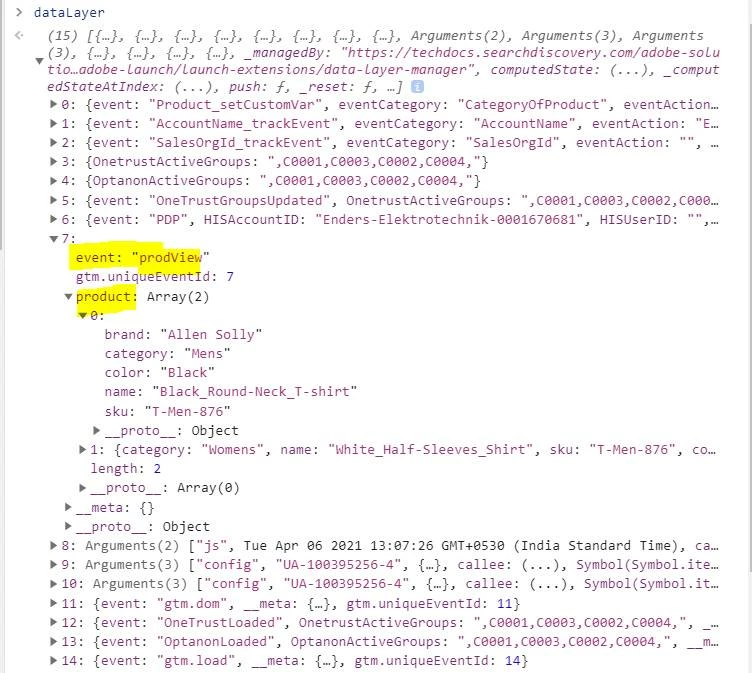
3. DataLayer structure
 

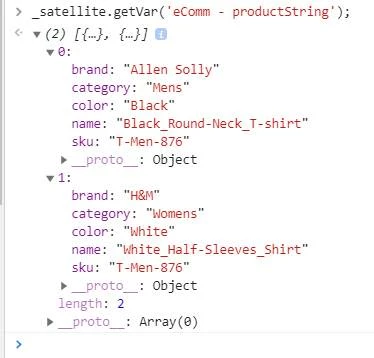
4. ‘Product collection path’ value passed by “eComm - productString” data elememt.

Could you please help me on this?

This post is no longer active and is closed to new replies. Need help? Start a new post to ask your question.
Best answer by Stewart_Schilling

Hi @digitaldarpan1 , 


I am the author and maintainer of the Data Layer Manager and AA Product String Builder extensions.  You are very close to seeing this configuration working.  There are just two things that I need you to verify. 

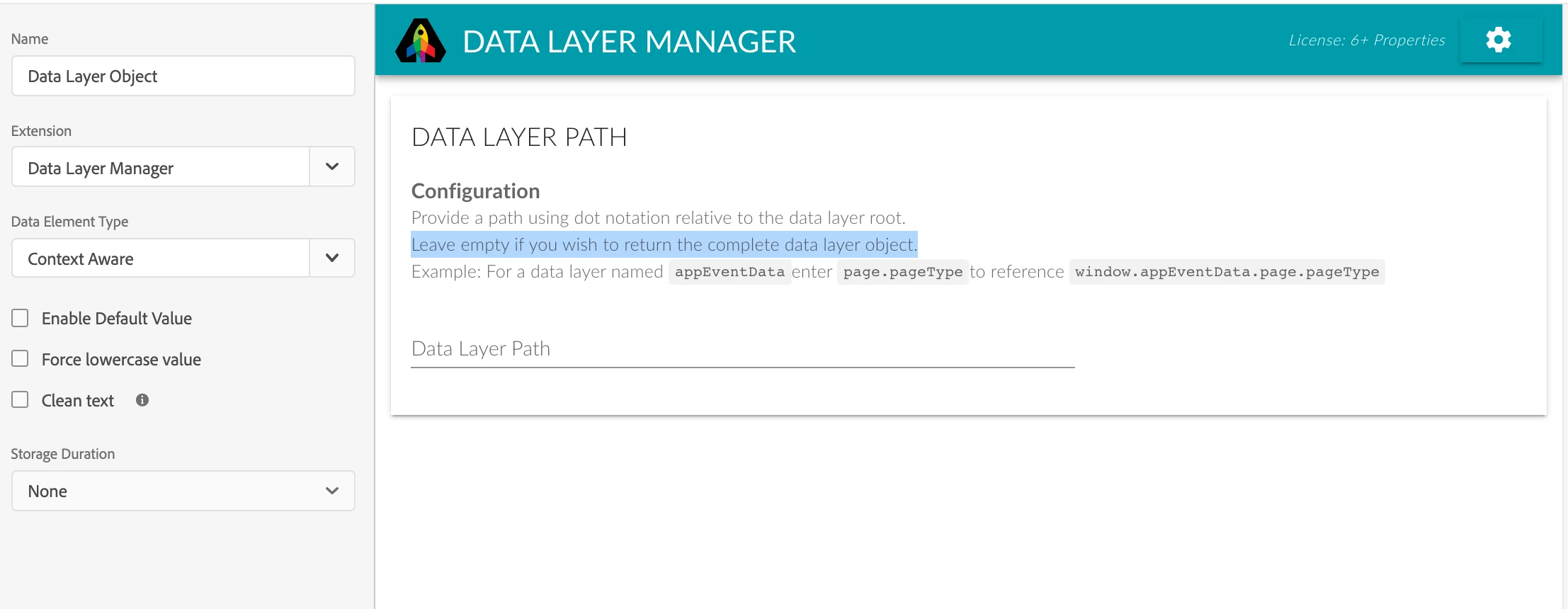
1).  Please verify that the data element that is providing "Data Layer Root" is a DLM Context Aware data element and is configured like this (note that the Data Layer Path field is left empty): 


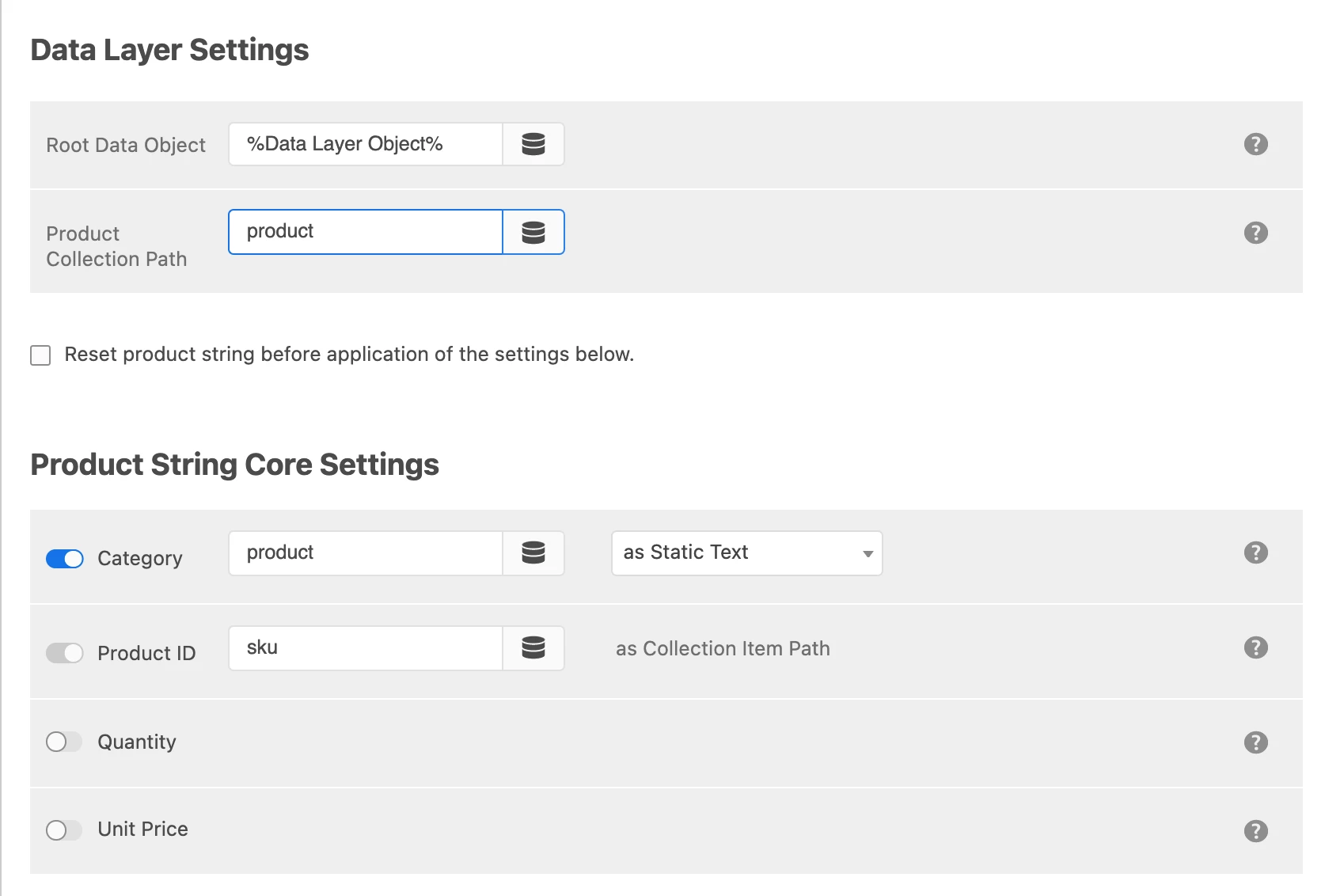
2) The Product Collection Path should be set to the string "product" as below: 


Everything else about your configuration looks just fine.   Please reply to let me know if this solved your issue. 

-Stew

2 replies

yuhuisg
Community Advisor
Community Advisor
April 7, 2021

Unfortunately, your setup isn't going to work.

AA Product String Builder expects your Root Data Object to look like this:


{ products: [ { id: '...', name: '...', price: ..., quantity: ... }, { id: '...', name: '...', price: ..., quantity: ... }, ... ] }


In that case, the Product Collection Path would be set to the static string "products".

One quick solution is to use a Custom Code data element to nest your products array inside a key-value object, e.g.


return { products: _satellite.getVar("eComm - productString"); };


Then use that Custom Code data element as your Root Data Object in the AA Product String Builder, and "products" as your Product Collection Path.

Level 2
April 23, 2021
This solution is not useful since I need to trigger product view event on dataLayer push event.
Stewart_Schilling
Community Advisor
Stewart_SchillingCommunity AdvisorAccepted solution
Community Advisor
April 12, 2021

Hi @digitaldarpan1 , 


I am the author and maintainer of the Data Layer Manager and AA Product String Builder extensions.  You are very close to seeing this configuration working.  There are just two things that I need you to verify. 

1).  Please verify that the data element that is providing "Data Layer Root" is a DLM Context Aware data element and is configured like this (note that the Data Layer Path field is left empty): 


2) The Product Collection Path should be set to the string "product" as below: 


Everything else about your configuration looks just fine.   Please reply to let me know if this solved your issue. 

-Stew

Level 2
April 23, 2021

Thanks @stewart_schilling!
Sorry to bother you again. I have one more doubt regarding purchase variable. My purchase event looks like below:

How should I send this data to Adobe Analytics? How can I capture total revenue from purchase?
Do i need to pass it on product varibale(s.products = "<Category>;<Product Name>;<Quantity>;<Price>;<Events>;<eVars>";) along with other details?