
Some rule components not loading on slow Internet connections | Community
Skip to main content
OscarMartinezM
Level 3
November 30, 2022
Solved

Some rule components not loading on slow Internet connections

  • November 30, 2022
  • 3 replies
  • 1738 views

Hi community,

I found some interesting in Adobe Launch.

These are the list of Rule Components loading using regular Internet connection:
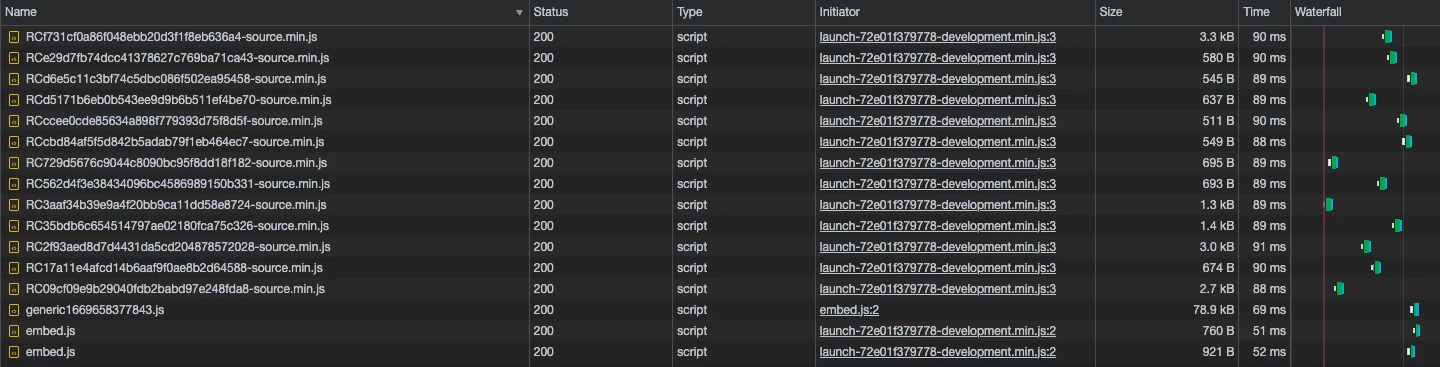
These are the list of Rule Components loading using slow 3G Internet connection:

You can see there are several Rule Component not loading when speec connectop is slow? Why this happend? How can we fix it?

Thank you!
This post is no longer active and is closed to new replies. Need help? Start a new post to ask your question.
Best answer by Serban_AndreiSt

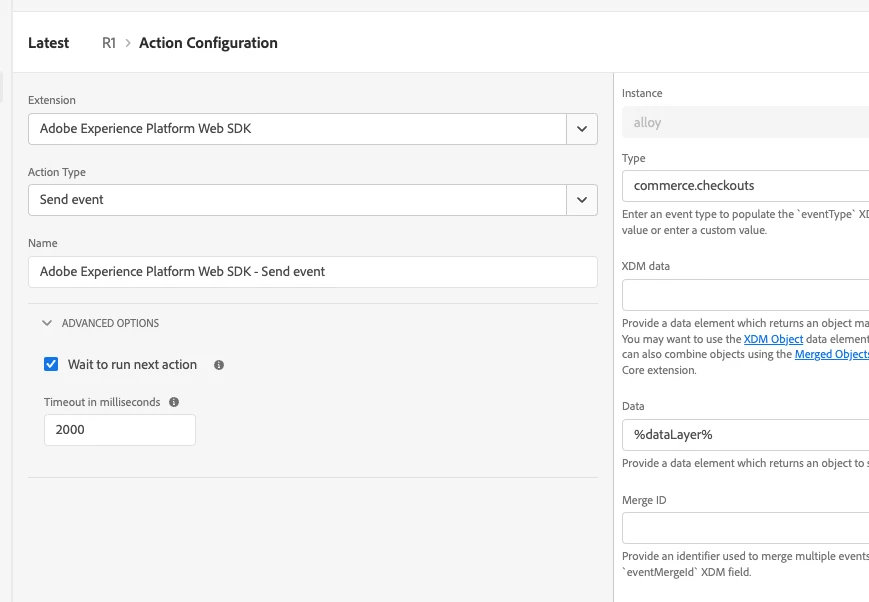
In the advanced section from each rule component there is a timeout field. The default value is 2s. You can increase that value.

3 replies

AtulChavan
Community Advisor
Community Advisor
December 5, 2022

Hi @oscarmartinezm , seems strange to me. May be switching network and reloading same rule components did not attempt to load them again. Could be a method to optimize calls that are happening when connection is slow. On solution part if it is really the case I would advise to be on good network to avoid time out errors and such unexpected behavior.  

ChetanyaJain-1
Community Advisor
Community Advisor
December 9, 2022

@oscarmartinezm did you try debugging? Here's a good way to troubleshoot - https://helpx.adobe.com/dtm/kb/troubleshooting---why-is-my-page-load-rule-firing-incorrectly--.html 


See if this helps you.

Serban_AndreiStAdobe EmployeeAccepted solution
Adobe Employee
December 9, 2022

In the advanced section from each rule component there is a timeout field. The default value is 2s. You can increase that value.

ChetanyaJain-1
Community Advisor
Community Advisor
December 9, 2022

Great point!