Showing Error while creating data elements | Community
Skip to main content
March 4, 2024
Solved

Showing Error while creating data elements

  • March 4, 2024
  • 3 replies
  • 1895 views

hi

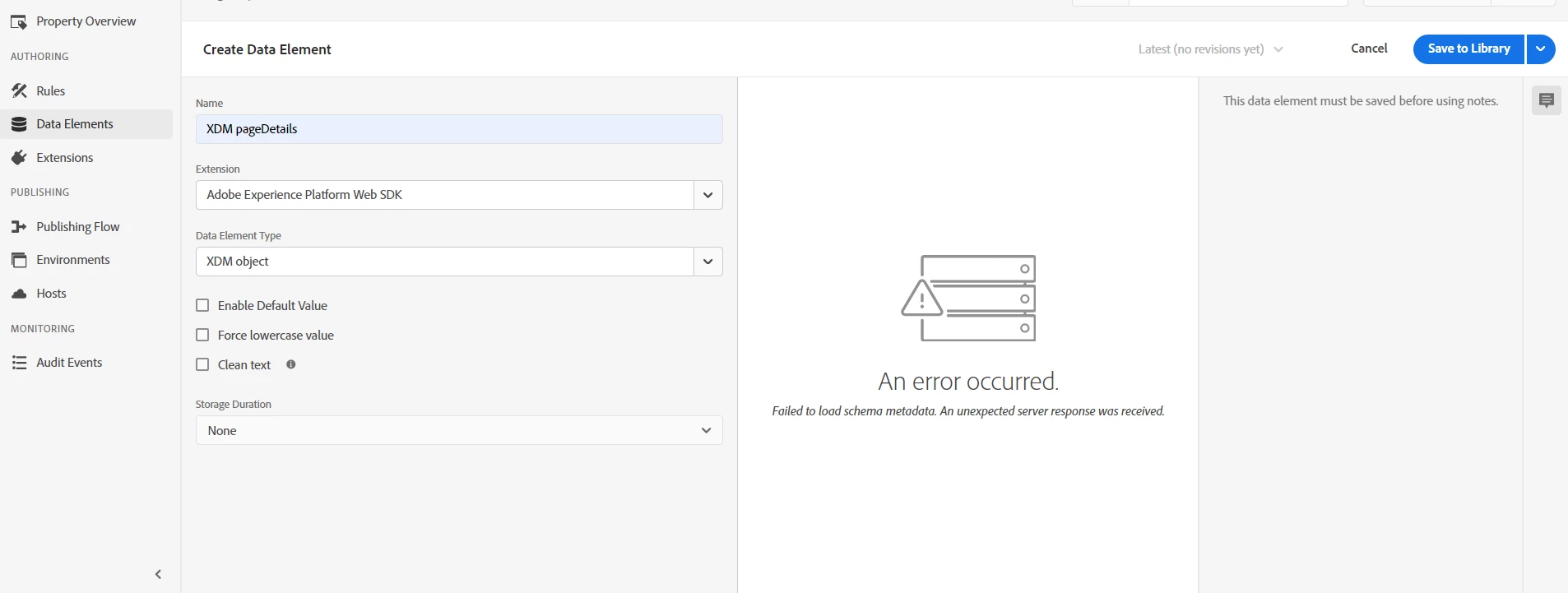
I'm trying to create Data element in Adobe Experience Platform Data collection but when I'm selecting XDM Object It showing An error occurred like " Failed to Load schema metadata. An unexpected server response was received" . Could you please help me figure out how to fix this error?

This post is no longer active and is closed to new replies. Need help? Start a new post to ask your question.
Best answer by yuhuisg

Sometimes, this happened to me too, but not because of any problem of mine. When this data element opens, it queries AEP for your XDM schema. Sometimes, that query took a long time to respond, resulting in the front-end script timing out and showing that error. This didn't happen all of the time, but when it did, there was nothing I could till I waited a while later to try again.

3 replies

Tof_Jossic
Adobe Employee
Adobe Employee
March 5, 2024

@sai_krishnada... a shot in the dark here but can you check if the 'Adobe Experience Platform Web SDK' extension you have installed has an available upgrade (if you check in the Extensions tab)? Please let me know - Thanks 

If not you may have to raise a Support ticket so the team can take a closer look at the logs for you

rajdsingh
Level 2
March 5, 2024

@sai_krishnada This may happen when you don't have certain permissions in AEP. Work with your system/product admin get the correct permissions.  

yuhuisg
Community Advisor
yuhuisgCommunity AdvisorAccepted solution
Community Advisor
March 31, 2024

Sometimes, this happened to me too, but not because of any problem of mine. When this data element opens, it queries AEP for your XDM schema. Sometimes, that query took a long time to respond, resulting in the front-end script timing out and showing that error. This didn't happen all of the time, but when it did, there was nothing I could till I waited a while later to try again.

Adobe Employee
April 1, 2024

Hi @yuhuisg,

If this is happening intermittently, try reloading the page and page cache by pressing Ctrl + Shift + R.


Regards,

Kumar Saurabh

yuhuisg
Community Advisor
Community Advisor
April 1, 2024

@kumar29917170hcyp yes, that is correct. I was pointing out that the main reason could be because of back-end querying taking too long to finish, which the user can do nothing about to overcome.