Schema Creation issue | Community
Skip to main content
Level 2
August 7, 2025
Solved

Schema Creation issue

  • August 7, 2025
  • 2 replies
  • 395 views

I have gone through the document and I am able to understand how to create a schema. I am practicing it on Sandbox.
Now I have added few fields which went under an Object datatype name : _adobecincoptrsd
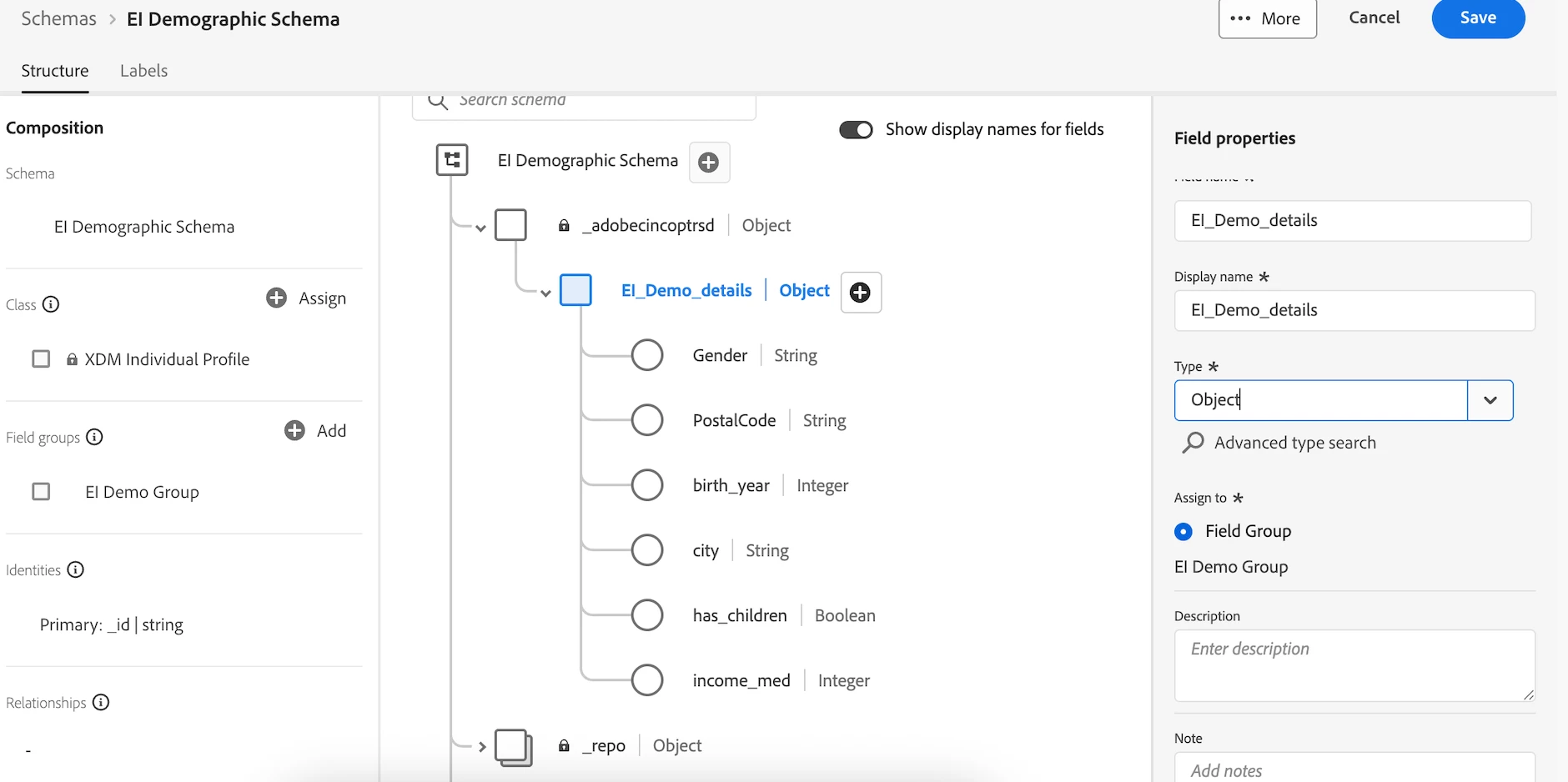
 

Once, I am able to ingest the data in the schema it is successful but when I query it, it give me something like this:
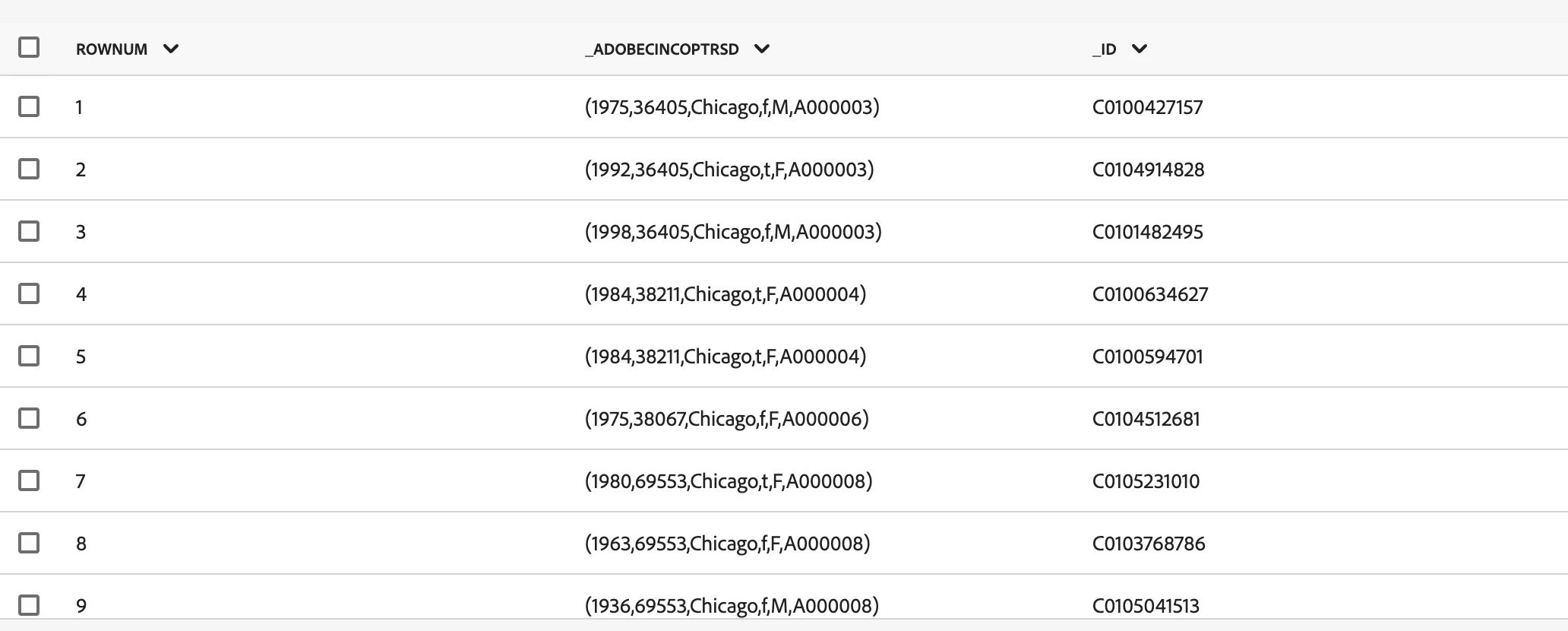

But as per my understanding this data is making no sense as a new user will not be able to understand this. 
What are the possible solutions to get this type of data in the form of rows and columns? 
Thanks! In Advance.

This post is no longer active and is closed to new replies. Need help? Start a new post to ask your question.
Best answer by arpan-garg

Hi @prabhakar_the_analyst  - Yes this is how you see the data in datasets when you query them. What do you mean by saying that the user will not be able to understand the data? Who is the user here?


Thanks,

Arpan

2 replies

arpan-garg
Community Advisor
arpan-gargCommunity AdvisorAccepted solution
Community Advisor
August 8, 2025

Hi @prabhakar_the_analyst  - Yes this is how you see the data in datasets when you query them. What do you mean by saying that the user will not be able to understand the data? Who is the user here?


Thanks,

Arpan

Level 2
August 11, 2025

I mean the say the analyst who in case query the table from query editor.
Thanks for the reply Arpan. 
The query has been resolved. Thank you so much!

Harveer_SinghGi1
Community Advisor and Adobe Champion
August 8, 2025

Hi @prabhakar_the_analyst ,

When you use query service and use "select *" in your query it returns the first level of hierarchies in the XDM. If there are multiple sub-fields under the first level hierarchy it will show up values from all the sub-fields in a curly brackets as shown in your screen shot.

To get any specific field you'd have to provide their complete path. In your example schema, if you are trying to read "Gender" then your query should have "select _adobecincoptrsd.EL_Demo_Details.gender" and so on for rest of the fields. With this each of these fields will show up as separate columns in query results.

Cheers!

Level 2
August 11, 2025

Hi @Harveer_SinghGi1, Thanks for this explanation. Got that.