


Run and Operate as a Community
You cannot operate alone what you did not build alone
Every engineering release is followed by a new question: is it actually working, right now, for this customer, with their data, at their scale?
Building is a moment. Running is a relationship. Run and Operate lives in the gap between "we shipped it" and "it is working for you".
What Run and Operate is
Run and Operate is a set of tools in Adobe Experience Platform, generally available since March 2026, that helps you operate and scale your AEP and Apps implementation with confidence. Two of them, Job Schedules and Health Checks, show why this work needs more than one team.
Job Schedules: see what runs and when
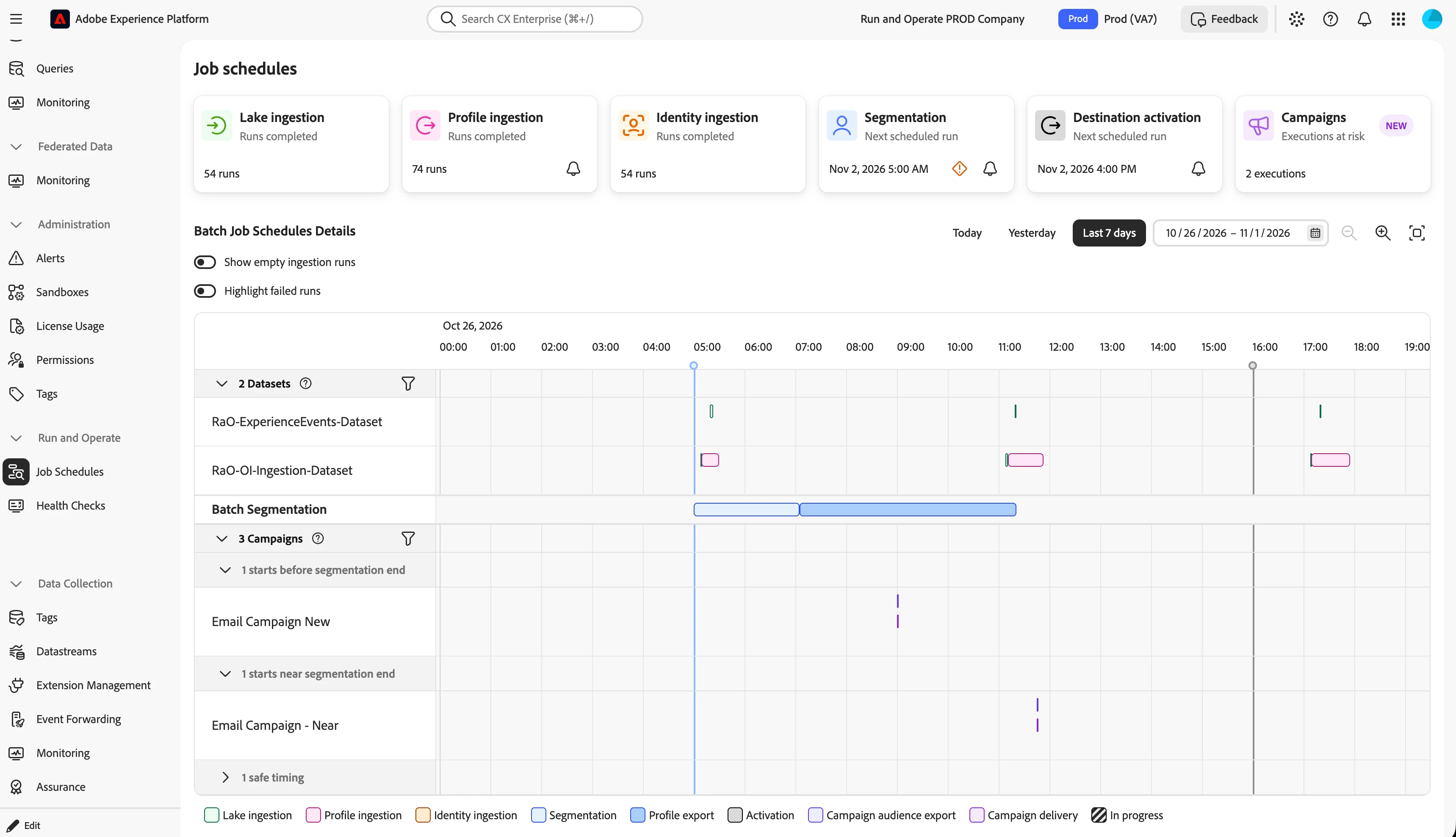
Job Schedules shows every scheduled batch job in a sandbox on one timeline, from ingestion and segmentation to destination activation and Journey Optimizer campaigns.
Individual jobs can each look healthy while the timing between them breaks. If the segmentation job finishes later than expected, the campaign might start before the audience is ready. With Job Schedules you notice that dependency before the send, along with anti-patterns such as schedule overlap and excessive batching.
Use it today: open Job Schedules in the Experience Platform left navigation, select a sandbox, and check for campaigns flagged as starting before segmentation completes or to investigate Real Time CDP destination activation. Requires View Job Schedules and View Profile Management permissions.
Health Checks: find issues before they become incidents
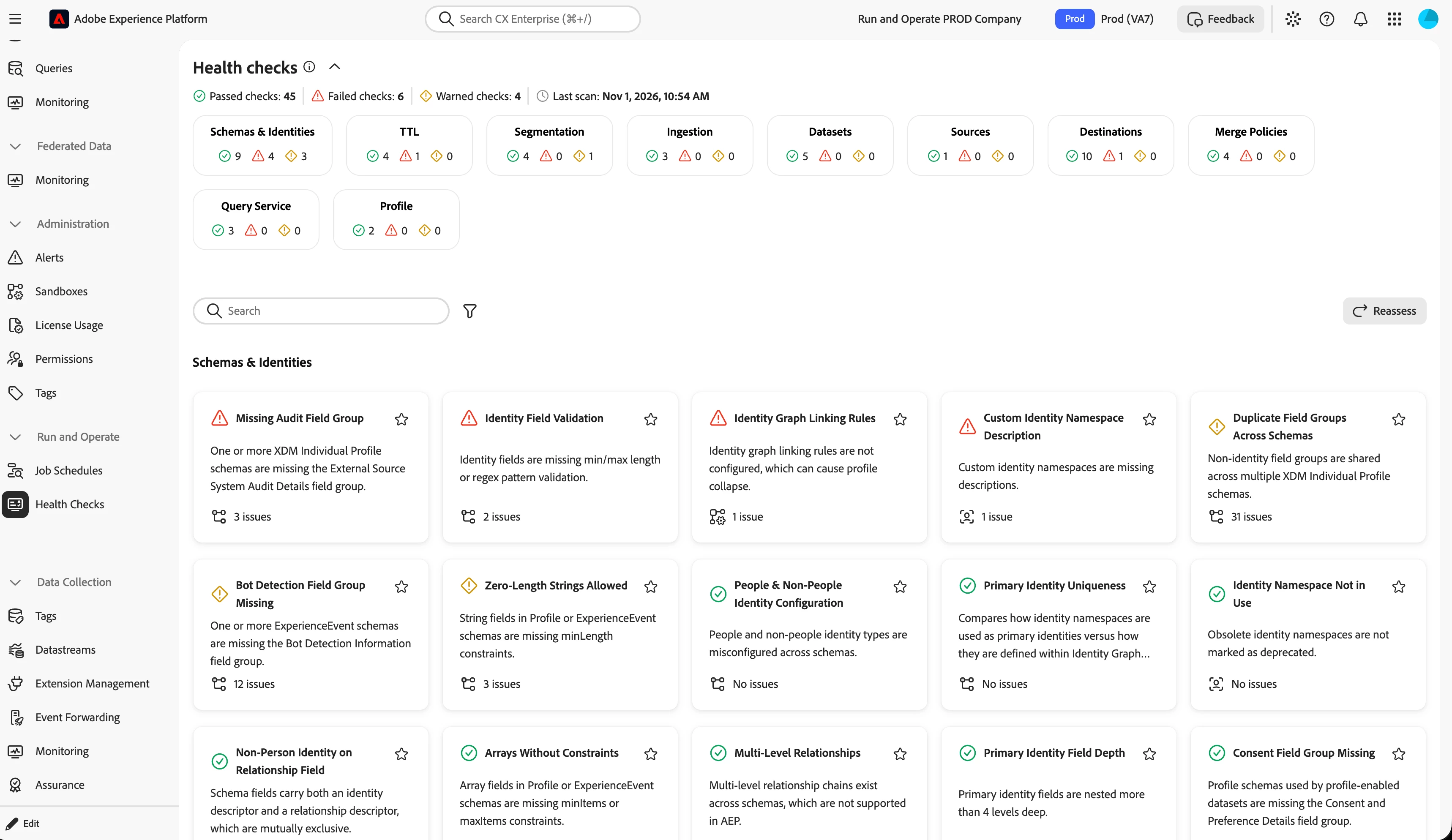
Health Checks scan your sandbox daily across ten areas, including schemas and identities, segmentation, ingestion, destinations, merge policies and profile. Each finding comes with guided remediation, so "something looks off" becomes a clear next step.
Use it today: open Health Checks, review the latest scan for your production sandbox, and resolve one finding using the guided remediation. Requires View Health Checks permission. Available in Experience Platform and Coworker.
Run and Operate is a cross-cutting concern - Why no single team owns this
“Is the platform working for customers?" has no single owner:
- Engineering builds the primitives, across Platform and the Apps on top of it.
- Solution and enterprise architects know what it takes to operate these solutions in real customer environments.
- Customer Support Engineering sees the failure patterns first. When something says "completed" but the data is not there, they hear about it.
- Technical Account Managers know which customers are ready to scale and who can be strong partners for early feedback.
- Customers tell us what actually matters to them.
What co-innovation teaches us
One of the things we have learned from our alpha programs is how important it is to involve customers early. We can spend months discussing what we believe customers need, but the most valuable insights often come when we put something in their hands and listen to what they tell us. Especially when that feedback challenges our assumptions.
Sometimes the feature we were proud of barely moves the needle, while the small thing we almost cut is the one they cannot live without.
You do not learn that from a requirements document. You learn it by showing up with something unfinished and being open to being wrong.
What comes next
We are bringing the Run and Operate operational knowledge into Coworker, so you can explore the health of your implementation and act on it from one place.
Help us shape Run and Operate for 2027
We are planning 2027 now and want to build it with you. Tell us in the comments:
- What is the one operational question you still cannot answer quickly about your implementation?
- What would you want to ask Coworker about the health of your sandbox?
- How do you start your day in the Coworker world? What is something you want to Ask, something to Collaborate on and something to Delegate in your operational world.
We read every reply.
There is still a lot to explore, and we are looking forward to sharing more about this journey in a future article. 😉
Learn more: Run and Operate overview | Job Schedules | Job Schedules anti-patterns | Health Checks