Rules Sequencing for Launch Mobile Property | Community
Skip to main content
Level 2
November 21, 2024
Question

Rules Sequencing for Launch Mobile Property

  • November 21, 2024
  • 3 replies
  • 1690 views

In Web Launch properties, it's obvious how to sequence rules per this blog post: https://experienceleaguecommunities.adobe.com/t5/adobe-experience-platform-data/rule-component-sequencing/ba-p/362099


But in Mobile Launch Properties, when creating a rule, the Advanced Options just says, "Rule component sequencing disabled" with instructions to enable it in the Property Settings.
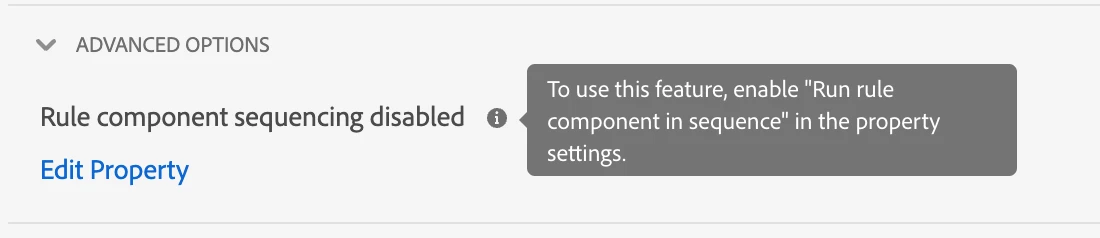
 

But when looking in the Property Settings, no such feature is available to enable.

Is it possible to sequence rules in Mobile Properties? If not, in what order do rules run? 

This post is no longer active and is closed to new replies. Need help? Start a new post to ask your question.

3 replies

gkalyan
Community Advisor and Adobe Champion
November 22, 2024

@ptmurphy Are you looking into ordering the rules themselves or ordering actions inside the rule? As this property does the latter. Conditions and actions are evaluated within each rule.

If this property is disabled, when an event is triggered at runtime, the rule’s conditions are immediately evaluated. Multiple conditions are evaluated in parallel.

ptmurphyAuthor
Level 2
December 2, 2024

I am looking to order the rules themselves. Or at least understand how Launch (Tags) decides to order these rules. 

For example, if two rules have the same conditions but different actions, which one is executed first (or last)?

gkalyan
Community Advisor and Adobe Champion
December 2, 2024

@ptmurphy Check this Adobe link which will help you understand the rule ordering and settings

https://experienceleague.adobe.com/en/docs/experience-platform/tags/ui/rules#rule-ordering


Exceprt from the above link - "Event settings will differ based on the event type. Some events don’t have any settings that need to be configured."


RiteshY18
Community Advisor
Community Advisor
December 2, 2024

@ptmurphy 

@ptmurphy  there are three parts to it 

  • Event: The SDK listens for predefined events and each event is evaluated against the rules configured in Launch.
  • Rule : rules in Adobe can be assigned a priority level to determine the execution order when the same event triggers multiple rules.
  • Action: If an event trigger and rule executed [considering the condition defined ]  which in turn triggers action/ action order is applied here/ meaning more than one action can occur considering the in order they defined, 1st goes and last goes last

So in your case to control the rule , options could be use a priority or a condition which comes after priority in order of execution but condition is optional is not required 

ptmurphyAuthor
Level 2
December 2, 2024

Thanks for your response but there is no priority level on rules in a Mobile Property, hence my question.

It is clear that it is possible to order the actions inside of a rule, but order of execution on the rules themselves is not clear.

RiteshY18
Community Advisor
Community Advisor
December 3, 2024

@ptmurphy  sure what mean is in your case consider how  an event, rule[with condition] and action flow works and definer per your use case need.

if rule is not an option , use condition at rule level to control the flow of action, but remember actions are  occurred considering the in order they defined, 1st goes and last goes last

kautuk_sahni
Community Manager
Community Manager
December 2, 2024

@ptmurphy Did you find the suggestions helpful? Please let us know if you require more information. Otherwise, please mark the answer as correct for posterity. If you've discovered a solution yourself, we would appreciate it if you could share it with the community. Thank you!

Kautuk Sahni