
Replace empty string with default value on data preparation | Community
Skip to main content
jayakrishnaaparthasarathy
Community Advisor
Community Advisor
April 25, 2022
Solved

Replace empty string with default value on data preparation

  • April 25, 2022
  • 1 reply
  • 3084 views

Team,

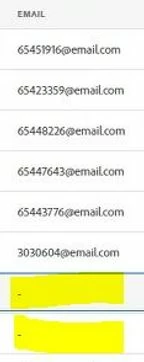
We are trying to ingest the email value (string as data type) from source to AEP data lake and there are some empty value. Since the email data type is secondary identifier (I think so) platform doesn't allow us to ingest the empty value and so we are ending with format related error. We could suspect that only due to the empty value being ingesting on the platform we are facing the formatted error. We have tried with solving this issue using calculated filed and no luck yet.

I know it is only possible from calculated field. Could you please let me know which fucntion we should be utilising to over come this issue and let me know if any.
This post is no longer active and is closed to new replies. Need help? Start a new post to ask your question.
Best answer by jayakrishnaaparthasarathy

HI @atulchavan , Thanks for the reply. Firstly, since it is OOTB field it is required to be on the datasets and so it is mandatory to have the data on the list. Also, we have been getting the empty string and not the NULL value. We have also tried with having the "coalesce" function but it didn't work, we are getting an data flow error at the time of ingestion. However, in order to replace the empty the below formula works as excpected over the calculated field.

iif(matches_regex(COLUMN NAME,"[^null$]" ),COLUMN NAME,"testvalue@email.com")

1 reply

AtulChavan
Community Advisor
Community Advisor
May 10, 2022

Hi @jayakrishnaaparthasarathy ,
Firstly, Identity fields are only required if you building real-time customer profiles. They are not required if you are only ingesting data into the data lake. Second, if you get into a situation where you can't afford values to be null you can make use of "coalesce" function which returns first non-null object. IN your case if you want to replace empty email with some default email/string you can try  "coalesce(EMAIL,"defaultEmail@example.com")

jayakrishnaaparthasarathy
Community Advisor
jayakrishnaaparthasarathyCommunity AdvisorAuthorAccepted solution
Community Advisor
May 10, 2022

HI @atulchavan , Thanks for the reply. Firstly, since it is OOTB field it is required to be on the datasets and so it is mandatory to have the data on the list. Also, we have been getting the empty string and not the NULL value. We have also tried with having the "coalesce" function but it didn't work, we are getting an data flow error at the time of ingestion. However, in order to replace the empty the below formula works as excpected over the calculated field.

iif(matches_regex(COLUMN NAME,"[^null$]" ),COLUMN NAME,"testvalue@email.com")

October 10, 2024

Hi all. Had a similar problem with the _id (experience event class based schema) needed to be populated but it was not sent by the outside system in the JSON file. I tried both solutions and they failed with error MAPPER-3707-199 --> Source field not found warning. Even though the data prep editor shows it is doing conversion in the end if you are sending empty string it cannot a act upon it and it just ingests the record without any value which results in creation of profile fragment which is not visible on the profile. I used the data prep function instead with sending null instead of emtpy string. Hope it helps someone.

iif(column_name==null,concat(uuid(),uuid(),timestamp),column_name)