remove labels schema | Community
Skip to main content
This post is no longer active and is closed to new replies. Need help? Start a new post to ask your question.
Best answer by Tof_Jossic

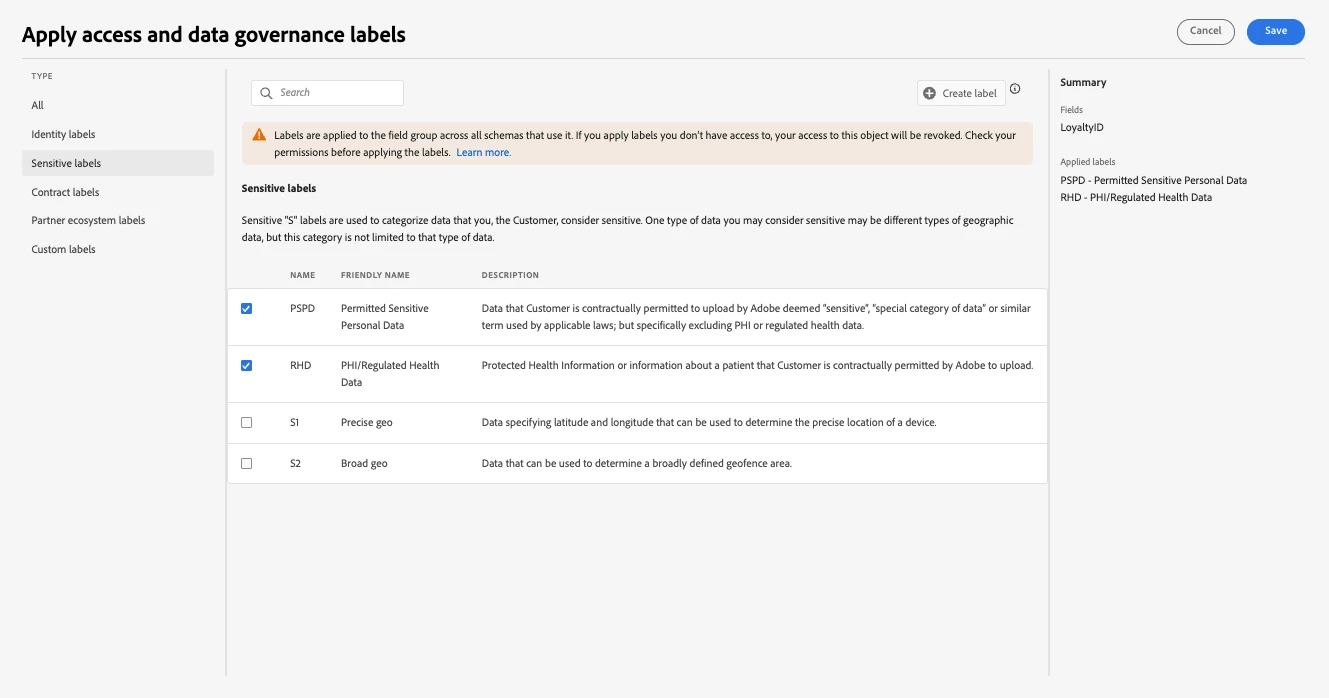
@michael_soprano Originally thought this had to do with this message you get when applying the labels:

I then tested after adding the PSPD and RHD labels to my role (in Permissions) and I'm able to remove them in the same way using the cross but I'm also able to delete them without those labels it seems.


From your screenshot, you only have the 2 checkboxes in the filter pane but I don't see the actual label in the 'Sensitive Labels' columns. If you still don't see those when selecting the checkboxes, please raise a Support ticket so we can take a closer look.


2 replies

brekrut
Adobe Employee
Adobe Employee
May 14, 2024

@michael_soprano  


DULE Labels traditionally have been applied at the dataSet level, please see below for reference.


https://developer.adobe.com/experience-platform-apis/references/dataset-service/


Tof_Jossic
Adobe Employee
Adobe Employee
May 14, 2024

@michael_soprano I assume you are referring to Select a schema or field to add labels to


Do you not see the cross to remove the labels once the field is selected?


Michael_Soprano
Level 10
May 15, 2024

I added PSPD and RHD label do customerID and email and now I am not able to delete them ....


Tof_Jossic
Adobe Employee
Tof_JossicAdobe EmployeeAccepted solution
Adobe Employee
May 15, 2024

@michael_soprano Originally thought this had to do with this message you get when applying the labels:

I then tested after adding the PSPD and RHD labels to my role (in Permissions) and I'm able to remove them in the same way using the cross but I'm also able to delete them without those labels it seems.


From your screenshot, you only have the 2 checkboxes in the filter pane but I don't see the actual label in the 'Sensitive Labels' columns. If you still don't see those when selecting the checkboxes, please raise a Support ticket so we can take a closer look.