
Potential bug- switching action order | Community
Skip to main content
Jennifer_Kunz
Adobe Champion
Adobe Champion
June 29, 2018
Solved

Potential bug- switching action order

  • June 29, 2018
  • 11 replies
  • 7074 views

I'm seeing a problem in launch with my Analytics action order. If I:

  • create a rule (click-based, FWIW)
  • add the "Adobe Analytics: Set Variables" action (and add in my variables)
  • save the rule
  • re-open the rule
  • add the "Adobe Analytics: Send Beacon" action to fire AFTER my Set Variables (s.tl, if that makes a difference)
  • add the "Adobe Analytics: Clear Variables" action to fire AFTER my Send Beacon (I don't know if this makes a difference to my bug)... for reference, at this point my rule looks like this:
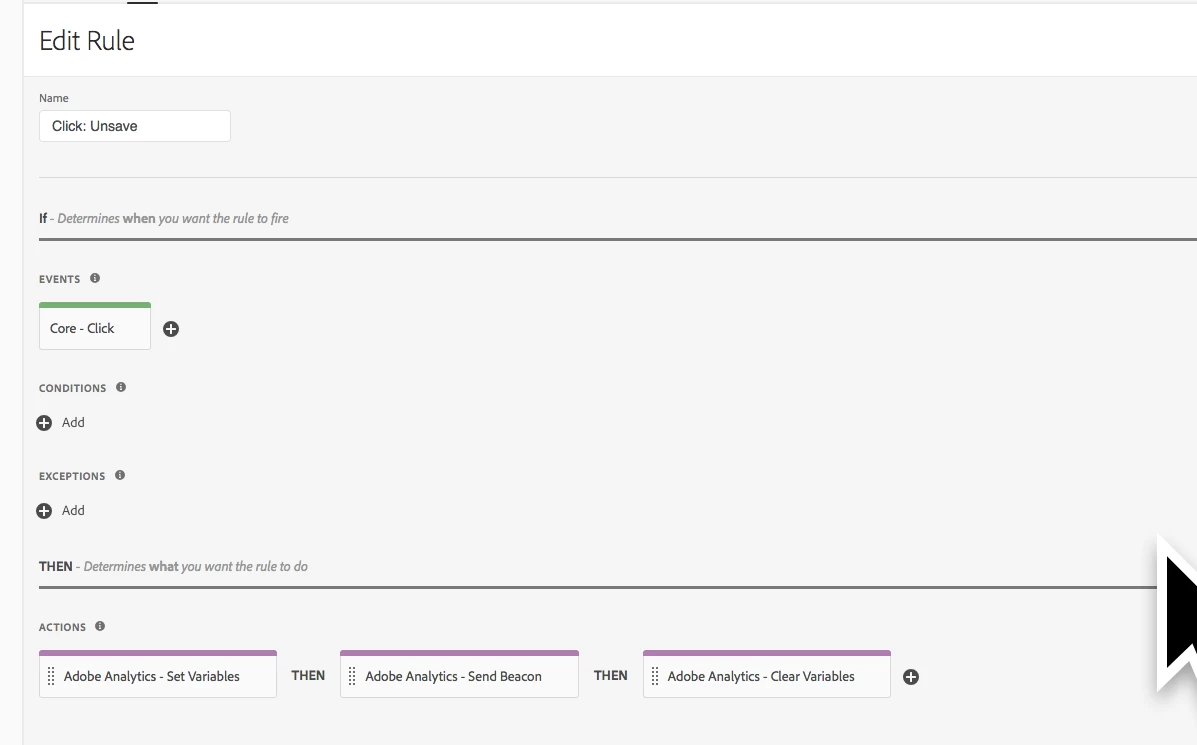
  • save the rule

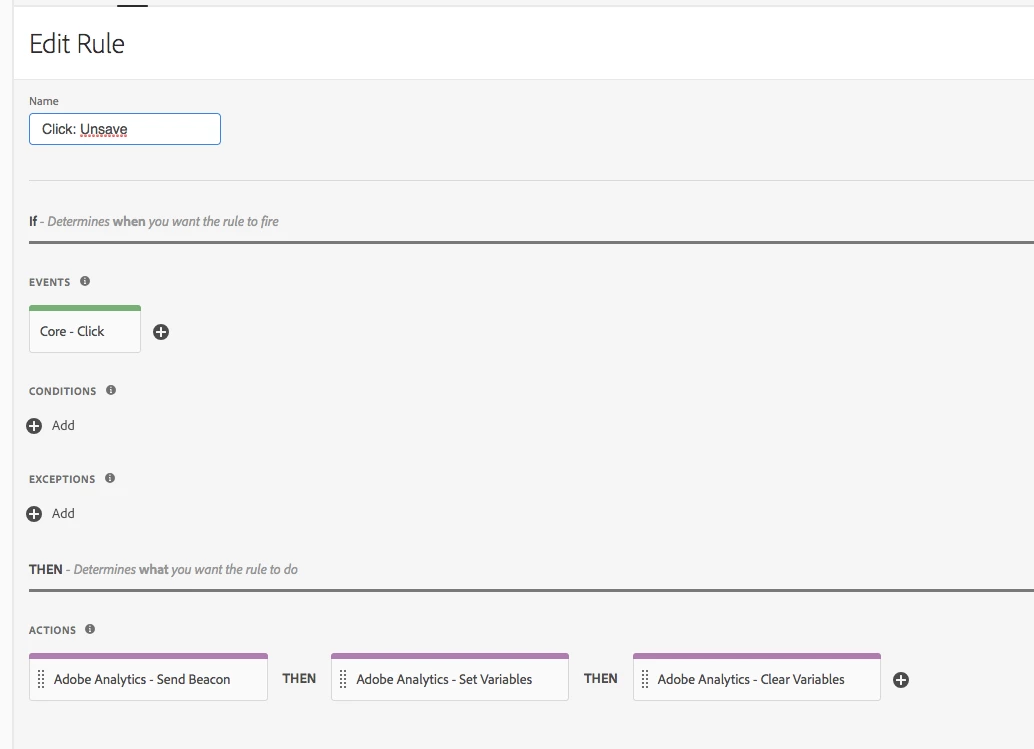
...Then when I re-open the rule, view it in my library in my publishing flow, or view how the rule behaves in my environment, the action order has magically changed to "Send Beacon" FIRST, and my variables don't get set:
This has happened three times to me now. If I remember to not save the rule until all three actions are added, it seems to be ok- but not if I add Set Variables, save, then come back in and add the other actions.
Is this a bug? Does this happen to anyone else?

This post is no longer active and is closed to new replies. Need help? Start a new post to ask your question.
Best answer by thebenrobb

We released a fix in our release this morning (2018-07-24).  In order to get things ordered correctly, you'll need to open your rule, make a change (you can change the order, then change it back to where it was, that counts), and save the rule.

We are working on an automated process that will fix this automatically for all affected rules, but that will probably not make it into a release until next week, so those negatively impacted can fix it manually now.

Technical details for those curious: under the hood, each action in a rule has an order.  There were some scenarios where the order was not being saved correctly.  Sometimes it didn't matter, and sometimes it caused your actions to appear in a different order than they were when you saved them (if you opened the rule again after save).  The fix waits for a rule to have a change, then when it is saved, it will normalize the order of all rule components, giving them each a new order value based on what you've specified in your rule.

11 replies

August 2, 2018

Looking forward to the fix   Thank you for the quick response.