OneTrust Consent Management for Cookies upgrade causing [OptIn] Invalid category(-ies) error in Adobe Launch
After a recent upgrade of the OneTrust Consent Management for Cookies extension in Adobe Launch, we started encountering the following runtime error:
Uncaught Error: [OptIn] Invalid category(-ies). Please use the `OptIn.Categories` enum.
This error was not present before the extension upgrade and now occurs consistently after publishing the new build.
Observations
✅ Previous OneTrust Extension Version (working)
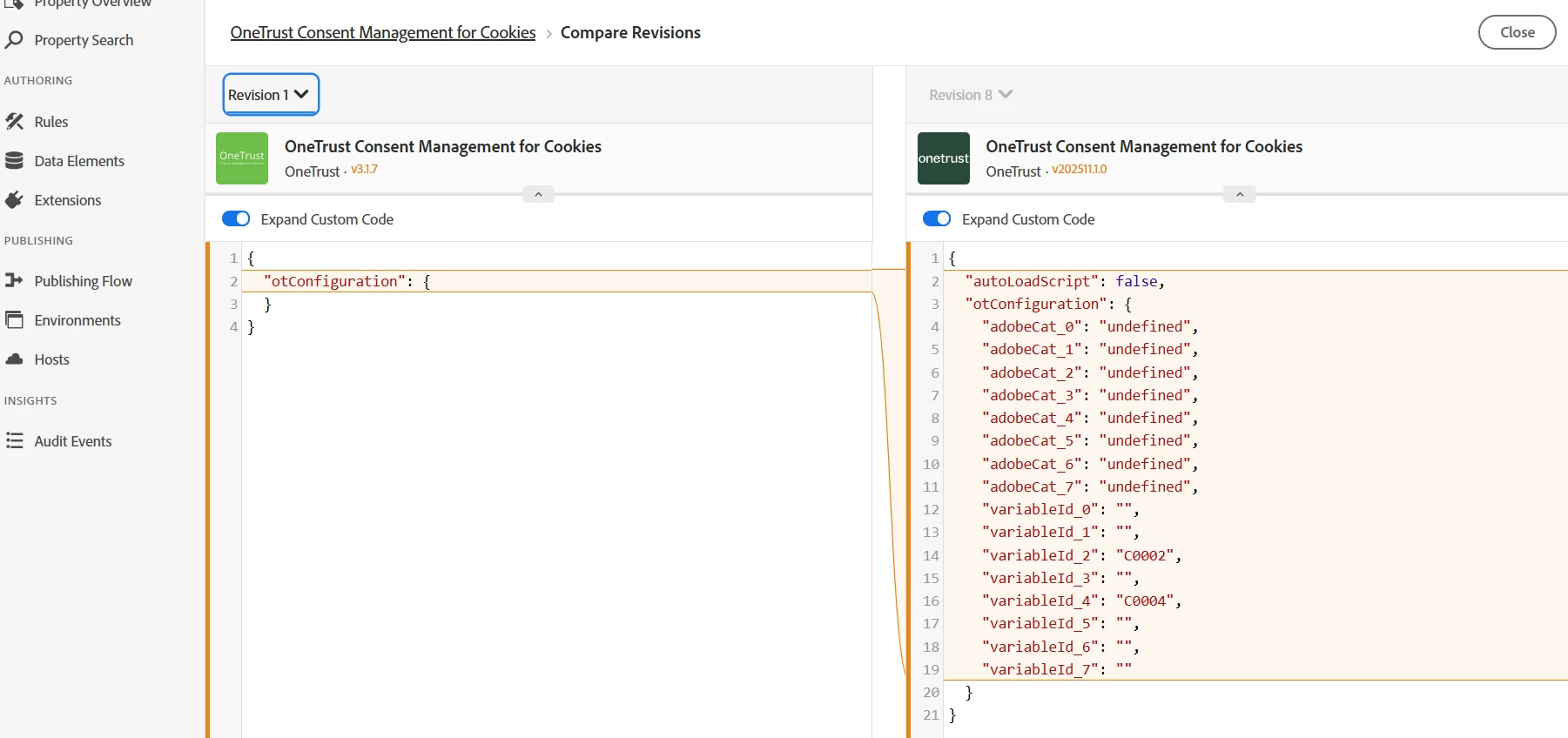
In the older version of the OneTrust extension, the generated custom code configuration looked like this:
JSON
{

"otConfiguration": {

}

}
``
Show more lines
There were no undefined Adobe categories, and Adobe Opt‑In worked as expected.
❌ New OneTrust Extension Version (after upgrade)
After upgrading the OneTrust extension, the generated configuration now looks like the following:
{

"autoLoadScript": false,

"otConfiguration": {

"adobeCat_0": "undefined",

"adobeCat_1": "undefined",

"adobeCat_2": "undefined",

"adobeCat_3": "undefined",

"adobeCat_4": "undefined",

"adobeCat_5": "undefined",

"adobeCat_6": "undefined",

"adobeCat_7": "undefined",

"variableId_0": "",

"variableId_1": "",

"variableId_2": "C0002",

"variableId_3": "",

"variableId_4": "C0004",

"variableId_5": "",

"variableId_6": "",

"variableId_7": ""

}

}
This undefined mapping did not exist in the previous version of the extension.
Configuration Context
- In the OneTrust extension UI, we only configured:
- ANALYTICS →
C0002 - ECID →
C0004
- ANALYTICS →
- All other Adobe categories (AAM, ADCLOUD, CAMPAIGN, TARGET, etc.) were left blank.
- We did not introduce any custom Opt‑In logic or JavaScript changes during the upgrade.
Impact
At runtime, Adobe Opt‑In throws the following error:
[OptIn] Invalid category(-ies). Please use the OptIn.Categories enum.
This appears to happen because Opt‑In attempts to process Adobe categories that are set to "undefined" in the generated configuration.
Once this error occurs:
- Opt‑In initialization fails
- Consent-based loading behavior breaks
Questions
- Is Adobe Opt‑In expected to attempt registration of Adobe categories that are set to
"undefined"? - Should unused Adobe categories be ignored entirely if no OneTrust Category ID is provided?
- Has there been any change in Adobe Opt‑In category validation that would explain why this now fails after the extension upgrade?
- Is this a known integration issue between Adobe Opt‑In and newer versions of the OneTrust Consent Management extension?
Expectation
Unused Adobe categories should not be passed to Adobe Opt‑In at all. The behavior in the older version—where empty configuration did not introduce invalid categories—was working correctly.
Looking for guidance on whether this is:
- Expected Opt‑In behavior
- A change in Adobe validation logic
- Or a regression in how the OneTrust extension generates configuration for Adobe Opt‑In
Thanks in advance for any clarification or best‑practice guidance.