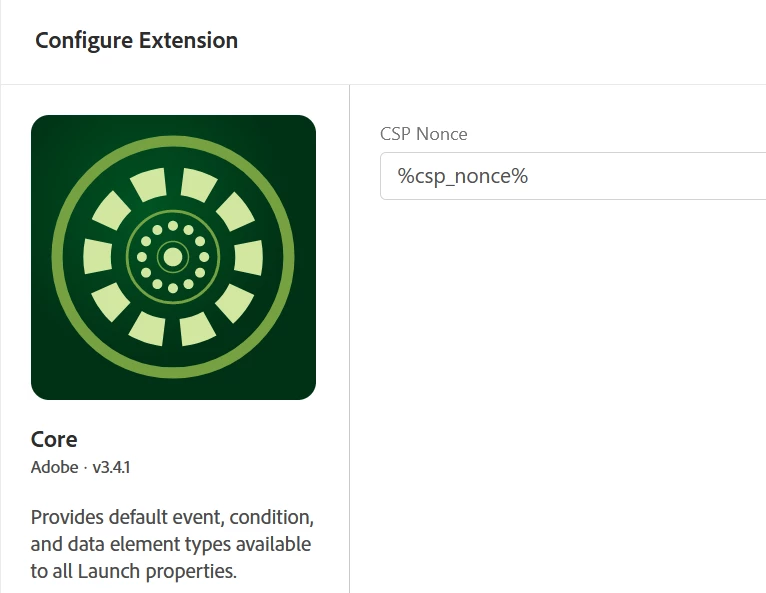
It's unfortunate that the nonce remains empty. Here are some suggestions to troubleshoot the issue:
Ensure that the _launchGlobalNonce variable is declared and initialized correctly in the <head> of your HTML document before the Adobe Launch script is loaded. For example:
html
<!DOCTYPE html>
<html>
<head>
<script>
window._launchGlobalNonce = 'your-nonce-value';
</script>
<!-- Load Adobe Launch script after declaring _launchGlobalNonce -->
<script src="https://assets.adobe.com/your-launch-script.js" async></script>
</head>
<body>
<!-- Your page content -->
</body>
</html>
Verify that the Data Element in Adobe Launch is configured correctly to use the Custom Code type, with the following code snippet:
javascript
return window._launchGlobalNonce || 'default-nonce';
Double-check that you have correctly referenced this Data Element in the Adobe Launch Core Extension settings for the nonce value.
If the issue persists, you can try using the following Custom Code for your Data Element, which adds an event listener to ensure that the nonce value is retrieved after the Launch script has been loaded:
javascript
function getNonce(callback) {
if (window._launchGlobalNonce) {
callback(window._launchGlobalNonce);
} else {
window.addEventListener('load', function() {
callback(window._launchGlobalNonce || 'default-nonce');
});
}
}
getNonce(function(nonce) {
return nonce;
});
If none of these suggestions resolve the issue, you might want to reach out to Adobe support for further assistance. Provide them with details of the issue, including your configuration settings and any error messages you may encounter.
That definitely works! Thanks. Also your first suggestion works in the meantime as I found out, the reason was that I have overseen an second CSP within the HTTP Response Header (containing only of frame-ancestors directive). As soon as I remove one of the CSPs (either the one defined in meta-Tags or the one from HTTP Header, it works. Having both of them will lead to the described symptoms. Hope that helps someone in the future.