Need help on a Form Abandonment Case Segment created in Segment Builder in CDP | Community
Skip to main content
Level 3
May 24, 2023
Solved

Need help on a Form Abandonment Case Segment created in Segment Builder in CDP

  • May 24, 2023
  • 1 reply
  • 1482 views

Hi team, 


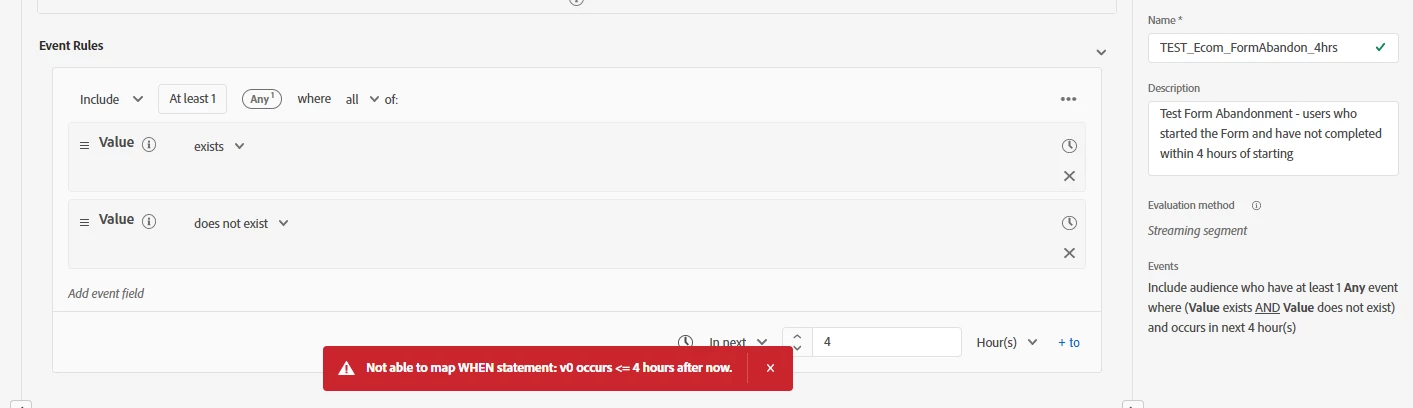
I am trying to create the required Streaming Segment in CDP Segment Builder with the Adobe Analytics streaming data and audience => Event1 (Form Start) exists and Event2 (Form Complete) does not exists in the next 4 hours. I basically want to create a definition where Event2 (Form Complete) does not exists within the next 4 hours of Event1 (Form Start) occurance. i.e A case of Form Abandonment where user has started the form and not completed within 4 hours of starting it.


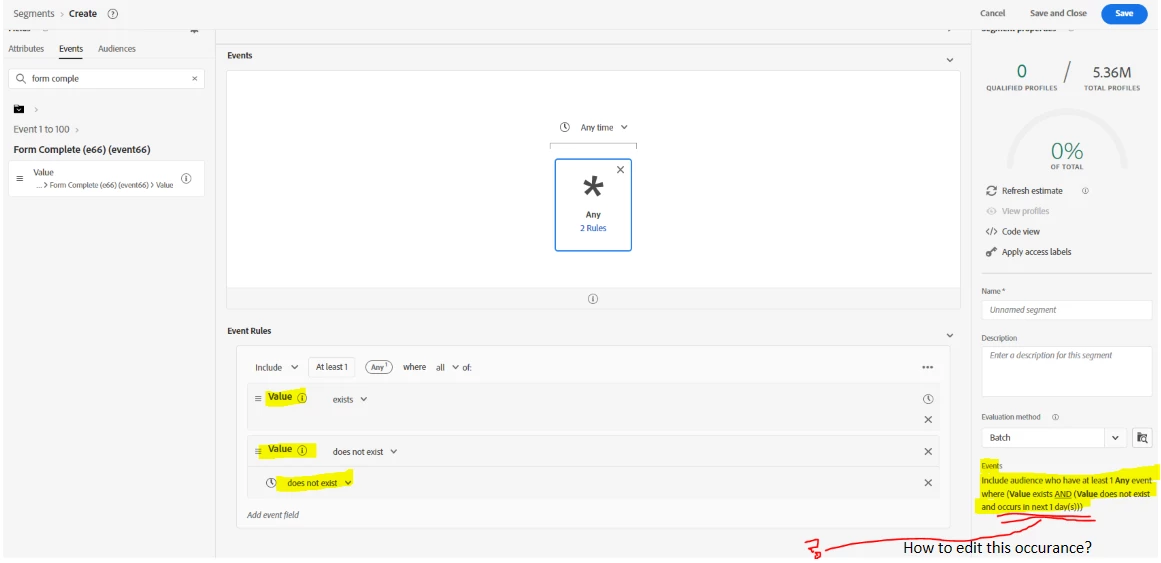
I have attached screenshot with the required Event Description. But I am not getting the option to Edit the Event2 occurance duration- when 'the Event2 does not occurs within next xyz hours'. Can you suggest how do we achieve the mentioned Segment condition and how do we get the option to Edit the Event2 occurance duration.


Segment Condition Required something like this - Include audience who have at least 1 Any event where (Value1 exists AND (Value2 does not exist and occurs in next 4 hour(s)))


There's another option of Applying Time Rule on the container itself, but not sure if that will work for the definition, plus it is giving Error while saving the segment. 
This post is no longer active and is closed to new replies. Need help? Start a new post to ask your question.
Best answer by _Manoj_Kumar_

Yes I agree, so the example that You gave and the Form Abandonment case I am trying (Audience's Form Complete event does not exist within 4 hours of Form Start - and schedule the segment once it is evaluated with audience)  --> Will these qualify under Batch Segments only? Is there any possible way to do that through Streaming/Edge? Because we wanted to target the user within Hours of abandonemnt and Batch Evaluation won't serve that purpose. 


Please suggest here. Thanks.


Hello @mansibedi 


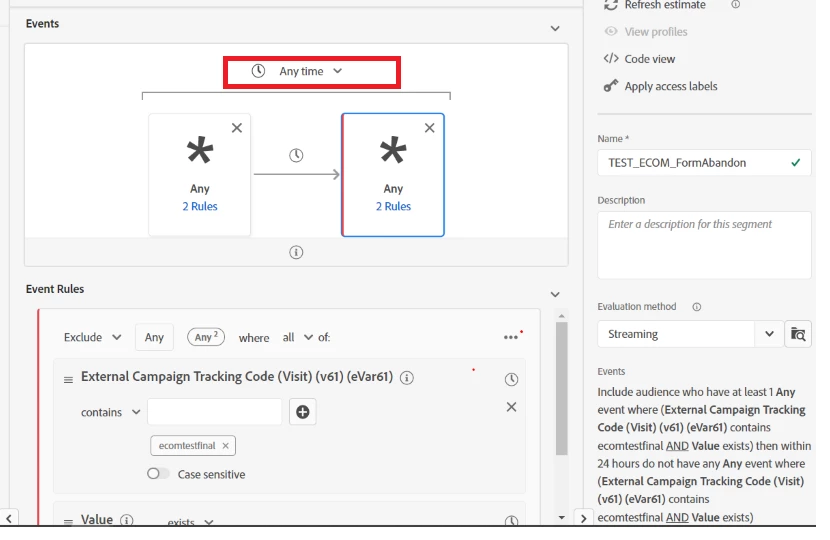
Change the look up window highlighted below to "in last 24 hours".


1 reply

arijitg
Adobe Employee
Adobe Employee
May 24, 2023

Hi @mansibedi are you trying something similar to below?


mansibediAuthor
Level 3
May 24, 2023

Hi @arijitg,

Yes I am trying something similar, and I initially tried with your method as well - by using 2 event types with an interval. But I got Error - Ineligible evaluation method, while trying to save it. I am trying to create the streaming segment with streaming data but the only eligible evaluation method It showed while saving was Batch. But Batch segment evaluates once in 24 hours or On demand. And I need the segment to be sent to destination as soon as the segment is evaluated and we get the audience whose Form is abandoned for 4 hours. I hope this makes sense. 


arijitg
Adobe Employee
Adobe Employee
May 24, 2023

Hi @mansibedi there are certain criterions that need to be met to qualify a segment for streaming evaluation. Otherwise, it would go for batch. Reference below --> Streaming Segmentation UI Guide | Adobe Experience Platform