Issues with Non-Sequential HTML script in Event Based Rule
I am experiencing issues using a non-sequential HTML script within an event based rule in DTM. The script loads a 3rd party analytics package, which sets an Adobe Analytics Page Name and all of the analytics variables (props, evars, etc). I have confirmed that the script is being injected properly into the code, however there is a bug related to the population of page name.
Current Implementation
I have (1) a page load rule (accounts for loading the html script on initial page load) and (2) an event based rule (accounts for loading the html script when changing pages without a full page load). The page load rule injects the script using a sequential HTML tag and is functioning correctly. The event based rule, which holds the same script in a non-sequential HTML tag, is causing issues. Note: we cannot use DTM's Adobe Analytics Tool as a fix due to restrictions from the third party.
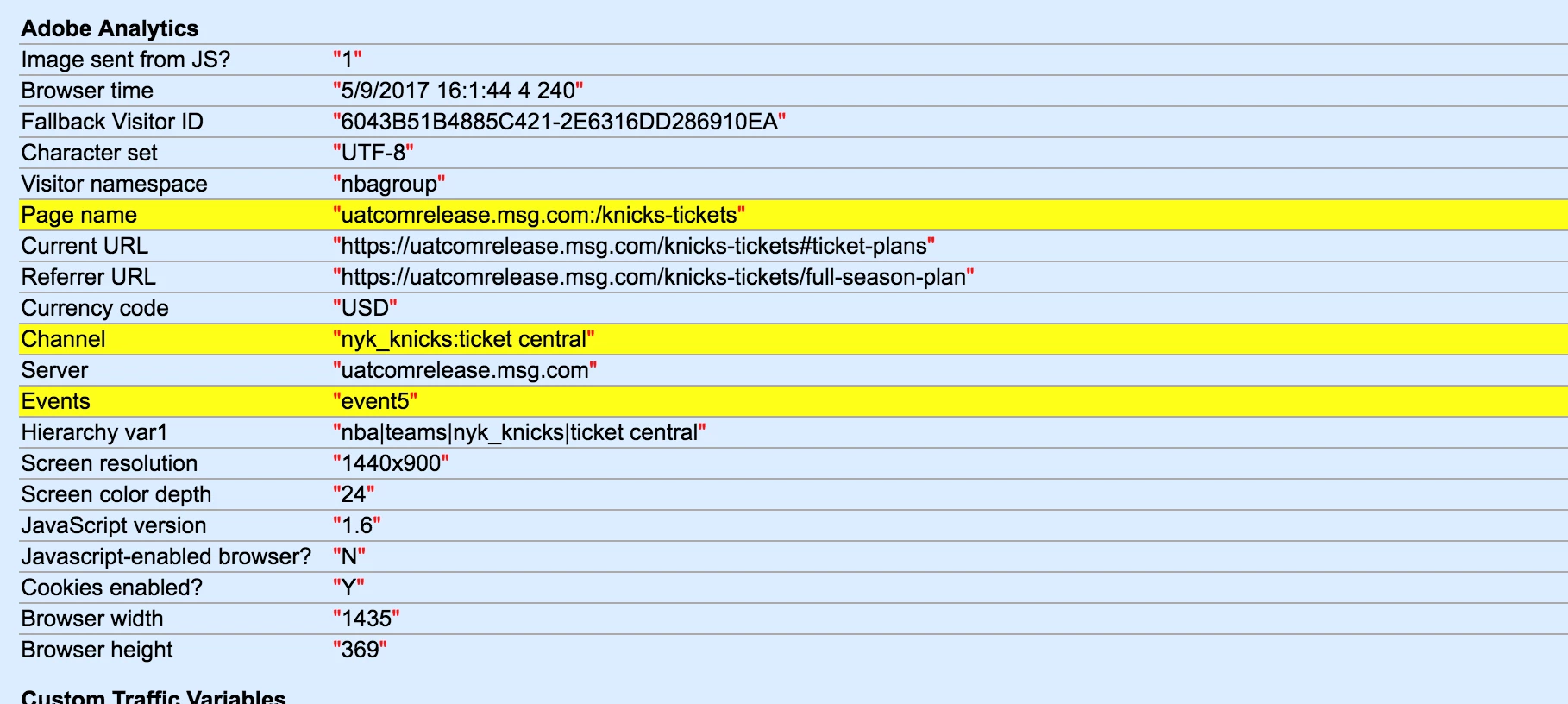
Expected Behavior: Adobe Analytics Page Name should load as [Page URI]:[Page Path]. See screenshot A below.
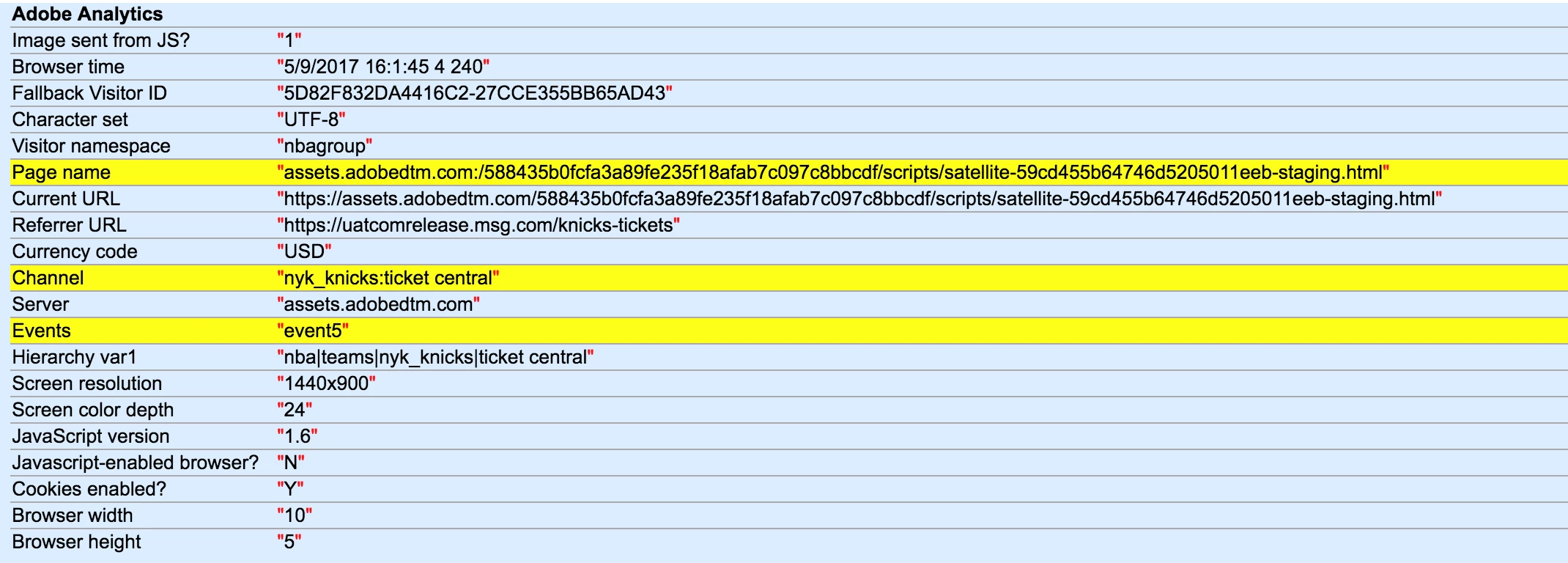
Actual Behavior: Adobe Analytics Page Name is loading as 'assets.adobedtm.com:/588435b0fcfa3a89fe235f18afab7c097c8bbcdf/scripts/satellite-59cd455b64746d5205011eeb-staging.html'. See screenshot B below.
Questions:
1. Why is Adobe recognizing Page URI as 'assets.adobedtm.com' and page path as <the HTML file's path> when the Event Based Rule fires?
2. Are there any known issues related to using a non-sequential HTML tag within an event based rule?
3. Are there any workarounds for firing an HTML script using an event based rule?
Screenshot A. Page Load Rule (page name correct):
Screenshot B. Event Based Rule (page name incorrect):