Issue with UI JSON Upload for Lookup Dataset | Community
Skip to main content
Level 2
April 7, 2026
Question

Issue with UI JSON Upload for Lookup Dataset

  • April 7, 2026
  • 2 replies
  • 45 views

Hi All,

I’ve created a Custom schema and a dataset with a primary identity configured and enabled for lookup. The schema contains 20 attributes, of which 15 are marked as required.

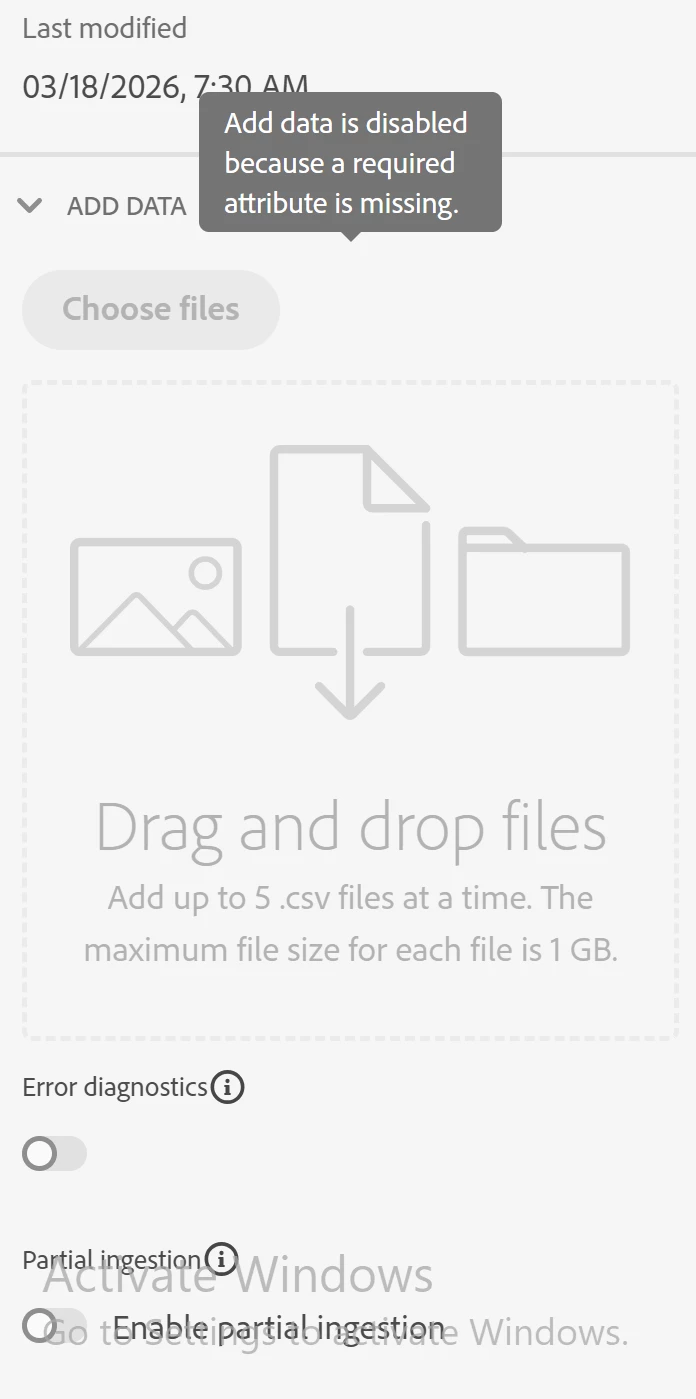
When I try to ingest data using the UI JSON upload, the UI throws an error with an empty message ("Add data is disabled because a required attribute is missing"). However, when I ingest the same data using other sources such as S3 or HTTP API ingestion, it works without any issues.

Based on an AI search:

  1. Primary identity need to be correctly configured.
  2. This may be a UI-related limitation. The drag-and-drop JSON uploader seems to use a “simple ingestion” path, which does not support the same flexibility as dataflows (for example: mappings, transformations, defaults, conditional logic, or excluding empty keys). The platform may be performing a pre-validation and blocking the upload if it determines that required attributes cannot be guaranteed, even before actual ingestion.

Is this a known issue, or are there specific limitations when using the UI JSON upload with schemas that have many required fields or primary identities?

Thanks in advance.

Image -


2 replies

Level 5
April 8, 2026

If the same record set passes through S3 and http API but fails through UI Json upload, I will recommend to check the dataflow for the file/ API ingestion. You may have some data transformation logic via data prep in those mapping stages.

If you are uploading the file via UI Json, it just assumes the correct column are present in the file, so it will try to match the dataset columns with your json columns without any transformation. So please check if there is any data prep which is mandatory for the dataset, that might be causing the failure.


Thank you!

Rakesh786Author
Level 2
April 8, 2026

It wont even allow me to upload the file as UI throws the above error and there was no mapping configured while ingesting using blob or HTTP API.

Level 2
April 8, 2026

Hey ​@Rakesh786 - 

That really is an odd behavior. Did you try ingesting via local file upload and able to see success? (Sources → Local File Upload → Upload CSV and Mapping). Although, this method only support .csv file format. It’d be worth a try by seeing if new datasets of that schema works.


For more details on guardrails/limitations on lookup dataset, do kindly check this documentation 
 

Rakesh786Author
Level 2
April 8, 2026

Still seeing the same issue.


Rakesh786Author
Level 2
April 8, 2026

But an interesting note -

Even though my columns are straight forward, when performing the mapping step in blob source some columns always fail to map correctly to the XDM fields as column names are like punctuation,punctuation1,punctuation2 and I need to set these manually.

Is column names being almost similar with a character change may cause that UI issue?