If I create a new library will it have production tags and other development library tags ? | Adobe Higher Education
Skip to main content
Level 5
January 16, 2023
Risolto

If I create a new library will it have production tags and other development library tags ?

  • January 16, 2023
  • 1 risposta
  • 1042 visualizzazioni

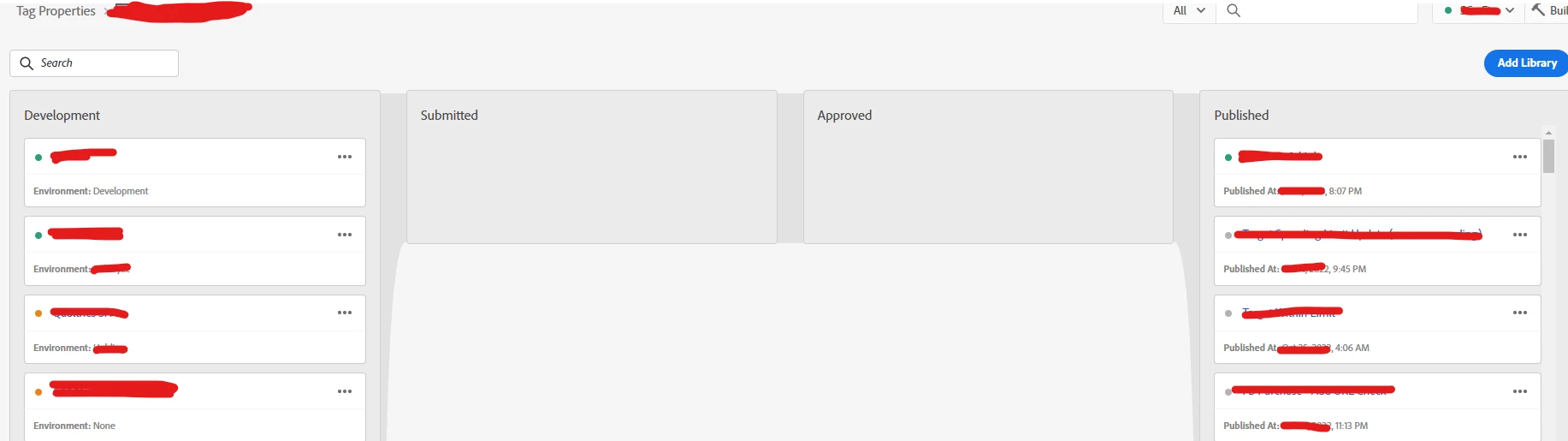
I am trying to create a new library to have my own library to create a new tag in development for testing purpose. If I create a new library will it include product site tags and other development tags as well? I am trying to understand how this versioning system works. Because we have 3-4 colleagues who works simultaneously.

 

Questo argomento è stato chiuso alle risposte.
Migliore risposta di Jennifer_Dungan

When you create a library, it will auto populate with "Resource Upstream" (there is a collapsed area for this). This is a fancy way of saying all the tags/versions of those tags from production.


The you will have any empty "Resource Changes" area, which starts blank.


There are two options:

  1. Add a Resource
  2. Add All Changed Resources


I you use #2 "Add All Changed Resources", this will add every change that is currently in all your colleagues builds... so in this case, that is not a good idea, since you want your library to be isolated.


Use "Add a Resource" to find and add your changes one at a time to the build. 


When you deploy this library to your Dev/QA environment for testing, it will contain all the production code plus whatever changes you have applied manually.

1 risposta

yuhuisg
Community Advisor
Community Advisor
January 16, 2023

Yes, your development library will include everything (rules, data elements, extensions) that have been published.

If you're familiar with git or other code commit services, then Launch's library feature works somewhat similarly, where your development library is like a "branch" off the production library.

Keep in mind, though, that rules, data elements and extensions can't be "branched off" like that. For example, you can only have one Core extension in your Launch property. So if a colleague upgrades the Core extension, the rest of you have to use that upgraded Core extension in your development libraries. If you don't, Launch will keep returning errors when you build your respective libraries.

aagk123Autore
Level 5
January 16, 2023

I have 3 colleague who has got different development libraries and now my manager wants me to move one specific tag from dev library to a new library to test. How to do this? I just want production tags (data elements, rules etc) + the one which I need to move from one of the dev library.

Jennifer_Dungan
Community Advisor and Adobe Champion
January 16, 2023

When you create a library, it will auto populate with "Resource Upstream" (there is a collapsed area for this). This is a fancy way of saying all the tags/versions of those tags from production.


The you will have any empty "Resource Changes" area, which starts blank.


There are two options:

  1. Add a Resource
  2. Add All Changed Resources


I you use #2 "Add All Changed Resources", this will add every change that is currently in all your colleagues builds... so in this case, that is not a good idea, since you want your library to be isolated.


Use "Add a Resource" to find and add your changes one at a time to the build. 


When you deploy this library to your Dev/QA environment for testing, it will contain all the production code plus whatever changes you have applied manually.