HttpConnectionHandler - Connection failure - Sample Bus Booking Android APP | Community
Skip to main content
November 28, 2019
Solved

HttpConnectionHandler - Connection failure - Sample Bus Booking Android APP

  • November 28, 2019
  • 3 replies
  • 5117 views

I am trying to Implement the Experience Cloud in Mobile Android Applications, I've followed the instruction carefully as per the tutorial.

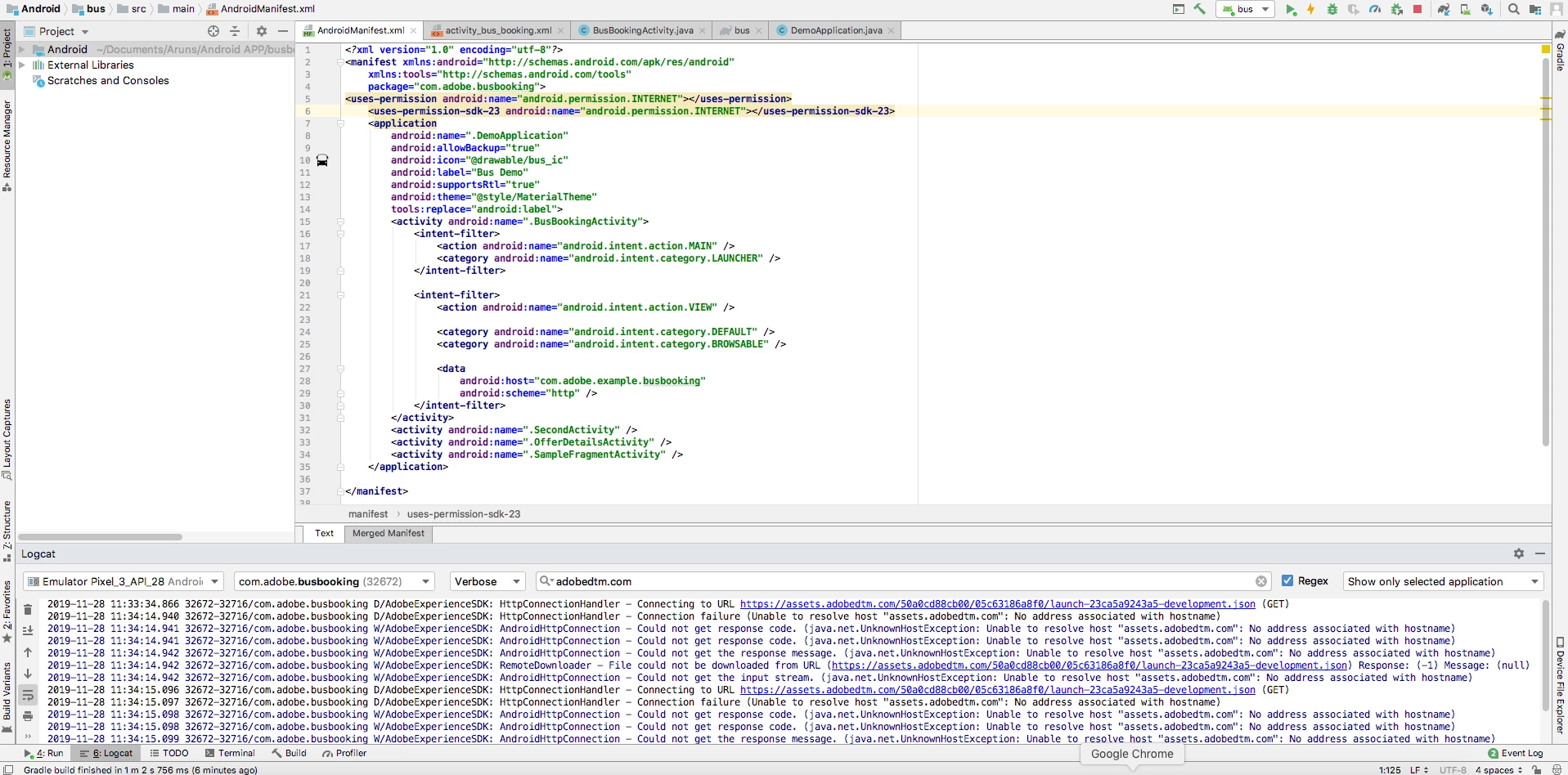
Unfortunately we're getting some errors while Confirming that calls are being made to the Adobe servers in the Android Studio Logcat.

Unable to retrieve the Launch configuration. I affixed the error screenshot here for your reference.

Can anyone please help us to complete the Implementation process?https://docs.adobe.com/content/help/en/experience-cloud/implementing-in-mobile-android-apps-with-launch/configure-launch/launch-install-the-mobile-sdk.html

Followed Instruction: Install the Mobile SDK
This post is no longer active and is closed to new replies. Need help? Start a new post to ask your question.
Best answer by Jennifer_Andrews

Hi arunkumar1717121​,

The url for the assets.adobedtm.com does not appear as I anticipate.

In my testing the url simply appears as https://assets.adobedtm.com/launch-ENaaf4cd2b34414a6e9c35bb61fbbaa047.json

https://assets.adobedtm.com/launch-ENaaf4cd2b34414a6e9c35bb61*****047.json 

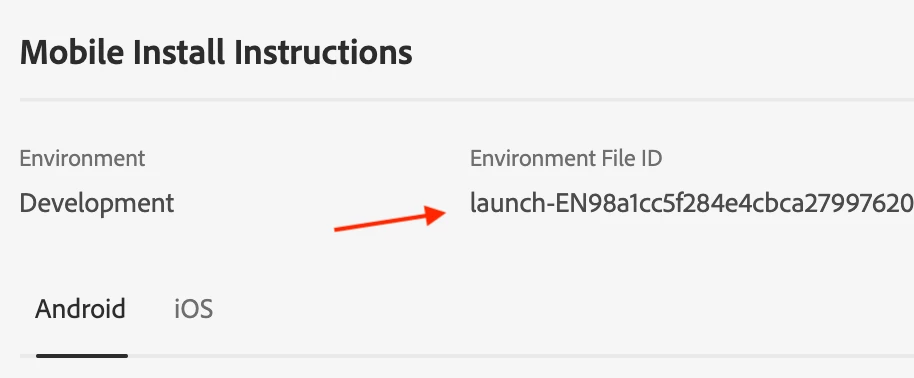
Can you confirm step 9 in the Install the Mobile SDK?  Which is the configureWithAppID and ensure that value in the brackets, is indeed the

Regards,
Jen

3 replies

Jennifer_Andrews
Adobe Employee
Jennifer_AndrewsAdobe EmployeeAccepted solution
Adobe Employee
November 28, 2019

Hi arunkumar1717121​,

The url for the assets.adobedtm.com does not appear as I anticipate.

In my testing the url simply appears as https://assets.adobedtm.com/launch-ENaaf4cd2b34414a6e9c35bb61fbbaa047.json

https://assets.adobedtm.com/launch-ENaaf4cd2b34414a6e9c35bb61*****047.json 

Can you confirm step 9 in the Install the Mobile SDK?  Which is the configureWithAppID and ensure that value in the brackets, is indeed the

Regards,
Jen

Dana221Author
November 28, 2019

Yes i have followed the step 9 as is - Seems blocking happens on Simulator(No internet connection) i believe So i tried with my mobile device directly instead of Emulator - Now i'm able to access the URLS

jantzen_b
Adobe Employee
Adobe Employee
April 3, 2020
Do any of the answers below answer your initial question? If so, can you select one of them as the correct answer? If none of the answers already provided answer your question, can you provide additional information to better help the community solve your question?
Level 2
September 4, 2024

I am facing similar issue. while tryin to run the sample aep on my android studio.
Services/HttpConnectionHandler - Connecting to URL https://assets.adobedtm.com/c710ed4af822/281bb7c83b11/launch-XXXXXX-development.json (GET)
2024-09-04 16:52:36.597 14386-16965 TrafficStats com...be.marketing.mobile.sampleapp D tagSocket(77) with statsTag=0xffffffff, statsUid=-1
2024-09-04 16:52:36.777 14386-16965 AdobeExperienceSDK com...be.marketing.mobile.sampleapp W Services/HttpConnectionHandler - Connection failure (java.security.cert.CertPathValidatorException: Trust anchor for certification path not found.)
2024-09-04 16:52:36.779 14386-16965 AdobeExperienceSDK com...be.marketing.mobile.sampleapp W Services/HttpConnection - Could not get response code. (javax.net.ssl.SSLHandshakeException: java.security.cert.CertPathValidatorException: Trust anchor for certification path not found.)
2024-09-04 16:52:36.779 14386-16965 AdobeExperienceSDK com...be.marketing.mobile.sampleapp