Level 3
April 3, 2026
Question

How to leveraging Data Elements in the Web SDK Extension Datastream Config

  • April 3, 2026
  • 2 replies
  • 39 views

Hey team,


I recently developed a data element to dynamically populate the datastreamID based on the page hostname - however the edgeConfigID is still resolving to %data element%.


Any advice on how I can configure the data element so it is available at run time?


Currently on Adobe Experience Platform Web SDK  v2.34.1 extension
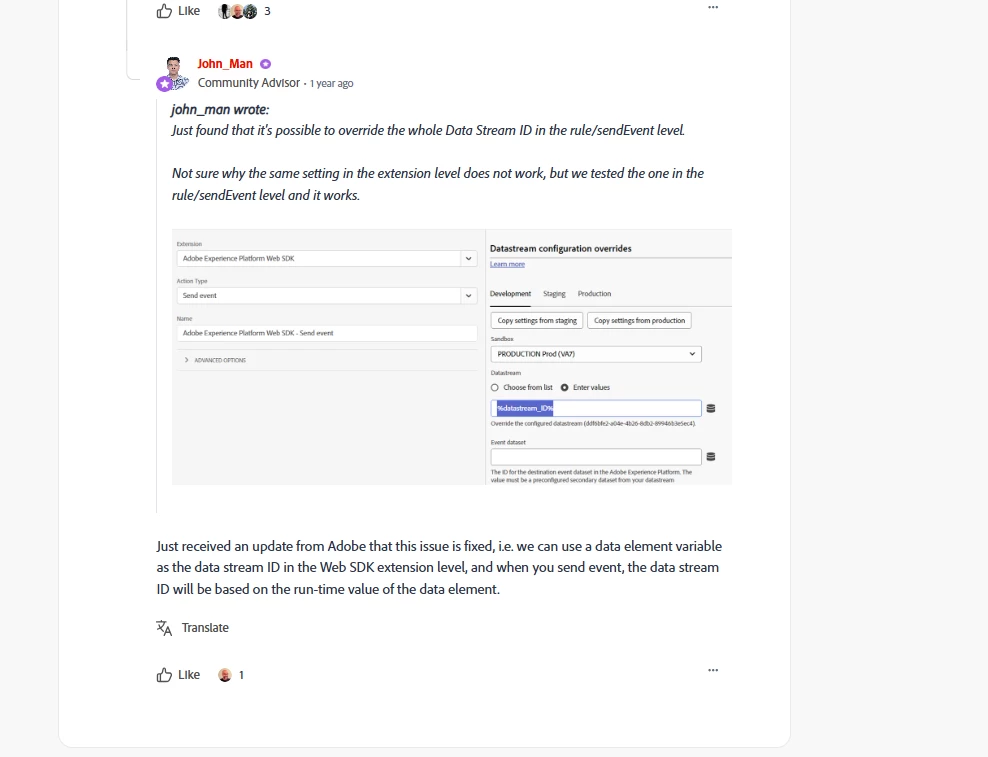


In this thread it mentions that Adobe fixed the issue at the extension level , however I am encountering the same issue


Thanks,

Ty

2 replies

yuhuisg
Community Advisor
Community Advisor
May 14, 2026

@tyrese could it be that your data element isn’t returning a valid value when the extension is loaded by Launch? When a data element doesn’t return a value when invoked, Launch defaults to using the “%...%” string itself as the value.

Amruthesh_AG
Community Advisor
Community Advisor
May 15, 2026


Hi ​@tyrese 

Managing separate tracking code or configurations for Dev, Stage, and Prod environments creates deployment bottlenecks. By setting your Datastream ID dynamically, you can use a single build across your entire deployment pipeline.

Pass data element in websdk extension

create a data element using below script
 

var libEnv= _satellite.environment.stage;
var rsid= "daf3b-7f8e1a5c56db";
if  (libEnv == "staging")
{rsid= "daf3b-7f8e1a5c56db";}
if  (libEnv == "development") {
rsid="daf3b-7f8e1a5c56db";}
if  (libEnv == "production" )  {
rsid="4591dbc9-9001eb";} 
return rsid;