How to fix "Sandbox permission denied"? | Community
Skip to main content
March 22, 2024
Solved

How to fix "Sandbox permission denied"?

  • March 22, 2024
  • 2 replies
  • 2040 views

Hi,


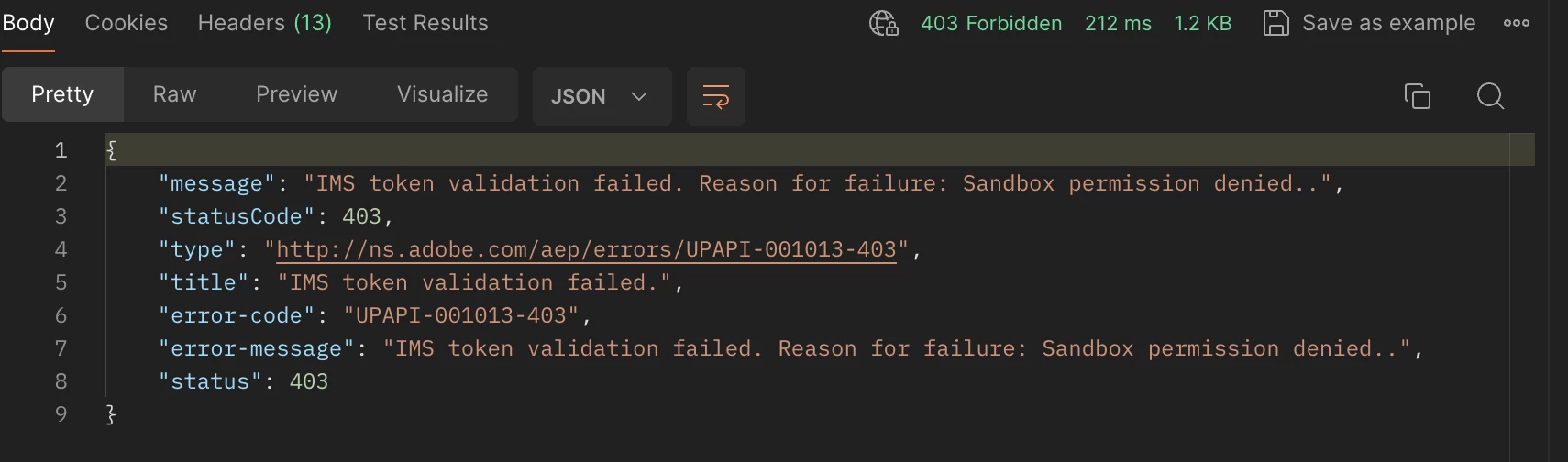
We are trying to delete customer profile from AEP via the delete entity API. However, error UPAPI-001013-403 Sandbox permission denied has been returned.


What should we do to pass the error?


Thanks in advance

Jackson
This post is no longer active and is closed to new replies. Need help? Start a new post to ask your question.
Best answer by Kumar29917170hcyp

Hi @jacksonch1 ,


The issue is occurring because the project that you are using does not have access trying to execute API calls.

Steps:
1. Log into Adobe Developer Console- https://developer.adobe.com/console/home
2. Open the project that you are using and fetch the Technical account ID from the Project details.

3. Now log into Adobe Experience Platform, and Under the Permission tab, you will see the API section.
4. Search for the same technical account ID from the list and Save.


Step-by-Step guide is provided here:

https://experienceleague.adobe.com/en/docs/experience-platform/landing/platform-apis/api-authentication


Regards,

Kumar Saurabh

2 replies

Kumar29917170hcypAdobe EmployeeAccepted solution
Adobe Employee
March 22, 2024

Hi @jacksonch1 ,


The issue is occurring because the project that you are using does not have access trying to execute API calls.

Steps:
1. Log into Adobe Developer Console- https://developer.adobe.com/console/home
2. Open the project that you are using and fetch the Technical account ID from the Project details.

3. Now log into Adobe Experience Platform, and Under the Permission tab, you will see the API section.
4. Search for the same technical account ID from the list and Save.


Step-by-Step guide is provided here:

https://experienceleague.adobe.com/en/docs/experience-platform/landing/platform-apis/api-authentication


Regards,

Kumar Saurabh

Adobe Employee
March 26, 2024

check you access level it clearly says you have limited permission to run this query ex :" Developer" .

check who had admin access for this project and they can provide required permission (ex: EA).