Fired a rule when there is no rule fired | Community
Skip to main content
December 9, 2021
Solved

Fired a rule when there is no rule fired

  • December 9, 2021
  • 1 reply
  • 841 views

Hi, i have a special question and i hope that you can help me. 

I create a rule and i used 'DataElement Change' to set up it. 

I would like to add a condition to say fire this rule only when there is no other rule fired 
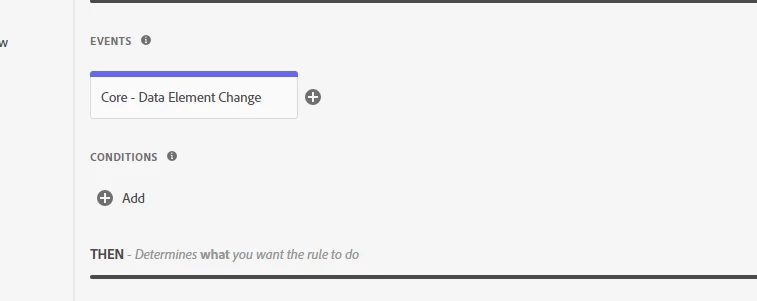
I don't know how to proceed and wich condition type to select in order to do that? with custom code maybe ? how can i verify that there is no rule fired already ? 

Thank you very much.

Rim

This post is no longer active and is closed to new replies. Need help? Start a new post to ask your question.
Best answer by yuhuisg

Adobe Launch itself doesn't have any ability to let you specify such a condition.

But here's one way where you could do this with some coding: use a JavaScript variable as a flag.

  1. In every Rule, add an Action that sets a JavaScript variable in the page.
  2. Then in this Data Element Change rule, check for the value of that JavaScript variable.
    1. If the variable is found with an expected value, then that means some other Rule(s) had fired, so DO NOT fire this Data Element Change rule.
    2. If the variable is not found or does not have an expected value, then fire this Data Element Change rule.

1 reply

yuhuisg
Community Advisor
yuhuisgCommunity AdvisorAccepted solution
Community Advisor
December 11, 2021

Adobe Launch itself doesn't have any ability to let you specify such a condition.

But here's one way where you could do this with some coding: use a JavaScript variable as a flag.

  1. In every Rule, add an Action that sets a JavaScript variable in the page.
  2. Then in this Data Element Change rule, check for the value of that JavaScript variable.
    1. If the variable is found with an expected value, then that means some other Rule(s) had fired, so DO NOT fire this Data Element Change rule.
    2. If the variable is not found or does not have an expected value, then fire this Data Element Change rule.