Hi @harveer_singhgi1 ,
I have 2 questions:
1. When you mention Rule in DataPrep, do you mean Dynamic Setup or Edit Mapping?
2. With the second option, I must create two differents datastream for each dataset?
Thank you!
Hi @cristhian_alexisna ,
The two options work as below,
- Drop the unwanted columns/fields through DataPrep (Edit Mapping) in DataStream: Steps to implement this solution are,
- Create two DataStream,
- DataStream 1:
- Configure it with dataset 1 that needs to be profile enabled
- Add rule in data prep to drop columns that are not needed in profile
- DataStream 2:
- Configure it with dataset 2 that is not required for profile
- Add rule in data prep to drop columns that are needed in profile
- In Adobe Launch use DataStream 1 as default DataStream for WebSDK configuration
- Send entire payload to AEP using sendEvent (This sends data to dataset 1 using DataStream 1).
- Send entire payload to AEP using sendEvent while using the datastream override option to select DataStream 2 and dataset 2 for this event
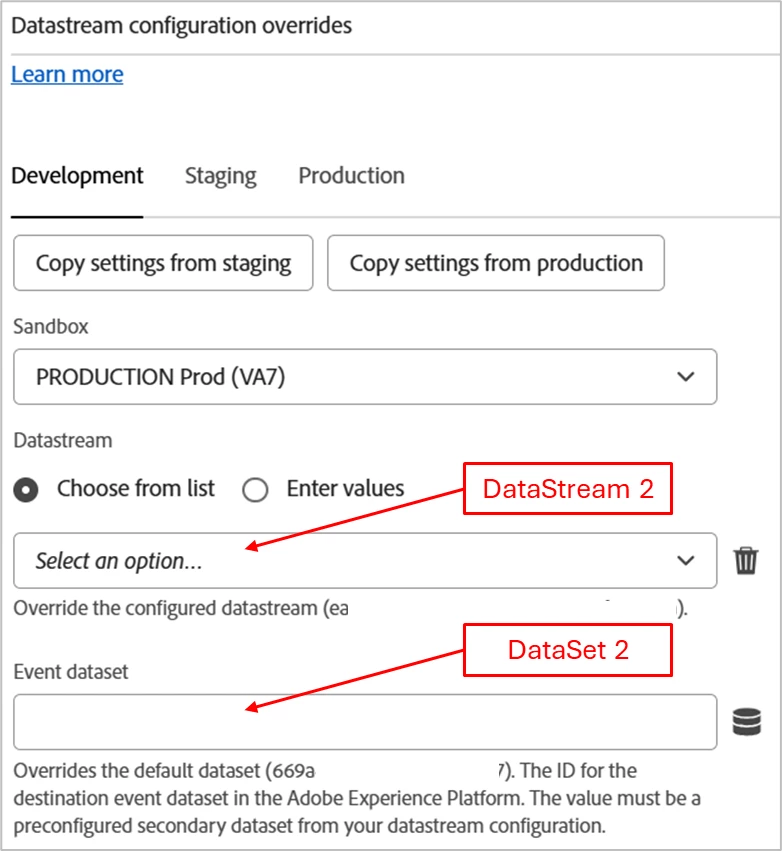
- Drop the unwanted columns/fields through Adobe Launch: Steps to implement this solution are,
- Create one DataStream,
- DataStream 1:
- Configure primary event dataset as dataset 1 that needs to be profile enabled
- Configure secondary dataset as dataset 2 that is not required for profile
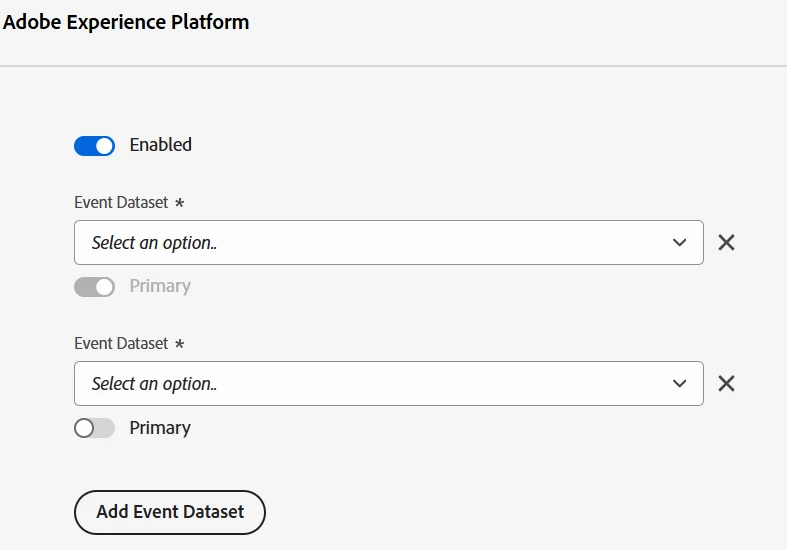
- In Adobe Launch use DataStream 1 as default DataStream for WebSDK configuration
- Prepare the payload for dataset 1 (populate only needed columns/fields)
- Send dataset 1 specific payload to AEP using sendEvent. (This sends data to dataset 1 using DataStream 1)
- Prepare the payload for dataset 2 (populate only needed columns/fields)
- Send dataset 2 specific payload to AEP using sendEvent while using the datastream override option to select DataStream 1 and dataset 2 for this event
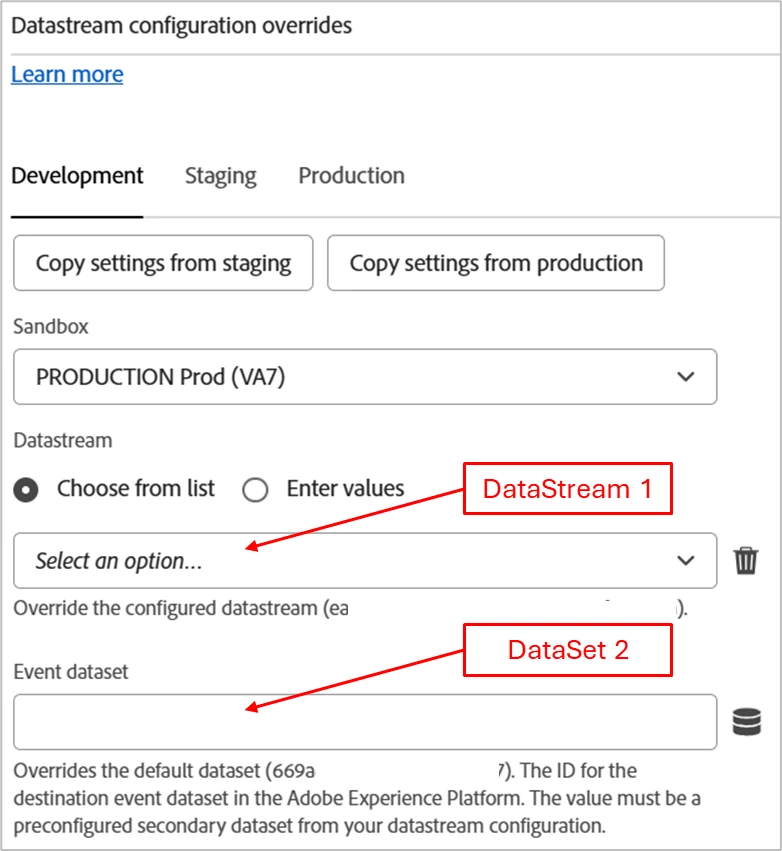
So, to answer your questions, DataPrep is "Edit Mapping" option only in DataStream. And in second option you only need to create one DataStream with both event datasets added to it and choose the datasets for respective sendEvents.
Cheers!