Event Forwarding - Compute Time Optimization | Community
Skip to main content
Level 3
November 14, 2024
Solved

Event Forwarding - Compute Time Optimization

  • November 14, 2024
  • 1 reply
  • 693 views

Hello everyone, 


Just a quick question, how are other Event Forwarding users optimizing their event forwarding property configs to stay under the 50ms compute time limit in which events are no longer forwarded. I understand that compute time is attributed to number of rules and the complexity of rules.
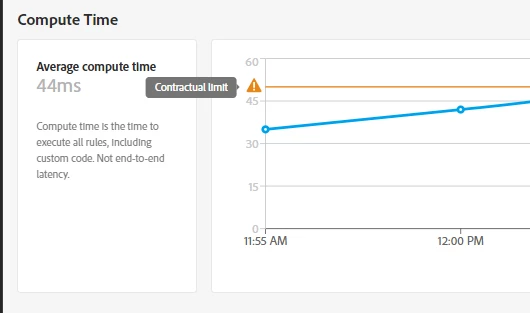


Are others splitting up their rules across different properties?


@61380 representatives, is there a limit to the number of properties that can be created (ie contractual or recommended limits?)


Thanks,

Ty

 

This post is no longer active and is closed to new replies. Need help? Start a new post to ask your question.
Best answer by Tof_Jossic

@tyrese for everyone's benefit, just adding some documentation regarding Compute Timehttps://experienceleague.adobe.com/en/docs/experience-platform/tags/event-forwarding/monitoring#compute-time ... Hopefully someone can provide a specific answer to your question.


Also checked in docs as well as AI Assistant and I wasn't able to find any guardrails in terms of the number of properties that can be created


Will update if I find more ... 

1 reply

Tof_Jossic
Adobe Employee
Tof_JossicAdobe EmployeeAccepted solution
Adobe Employee
November 25, 2024

@tyrese for everyone's benefit, just adding some documentation regarding Compute Timehttps://experienceleague.adobe.com/en/docs/experience-platform/tags/event-forwarding/monitoring#compute-time ... Hopefully someone can provide a specific answer to your question.


Also checked in docs as well as AI Assistant and I wasn't able to find any guardrails in terms of the number of properties that can be created


Will update if I find more ...