
Error while creating XDM Object Data Element using AEP Web SDK | Community
Skip to main content
KumarRishii
Level 5
October 1, 2025
Question

Error while creating XDM Object Data Element using AEP Web SDK

  • October 1, 2025
  • 2 replies
  • 467 views

I'm currently facing an issue with the AEP Web SDK Extension in Data Collection—it doesn't allow me to create the XDM Object Data Element needed to map variables to my schema.
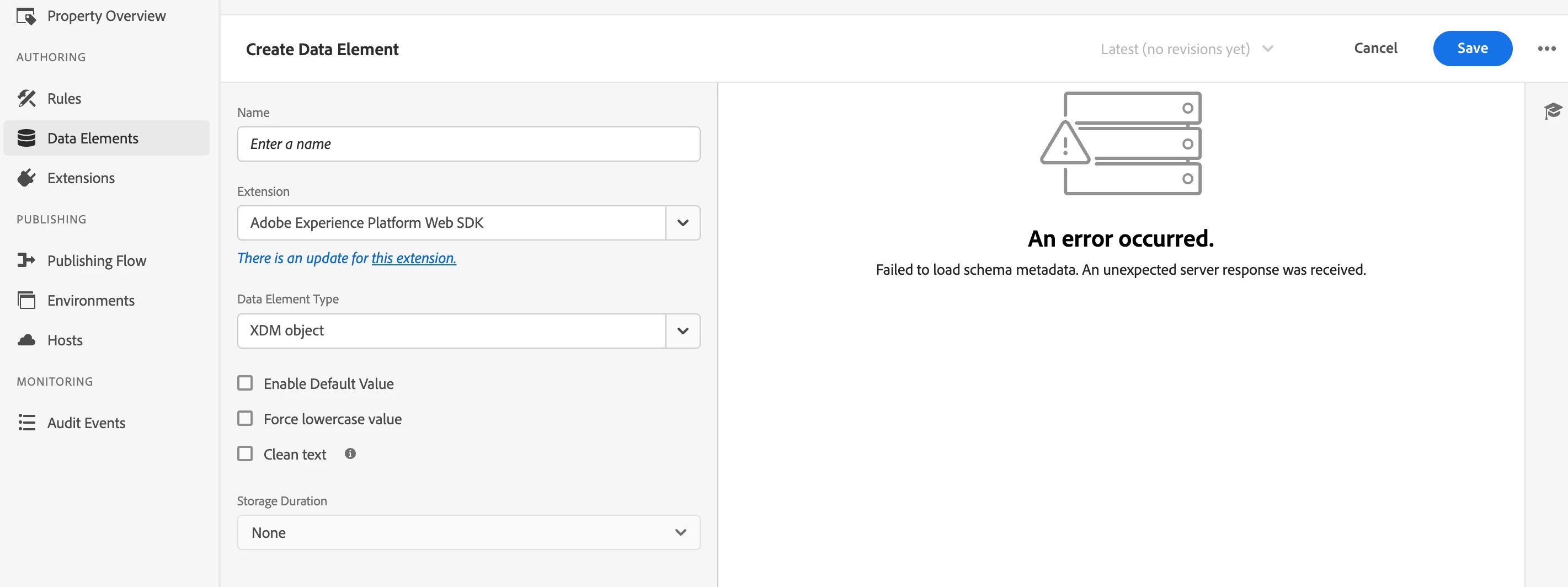
 

Has anyone face similar issue?

2 replies

bjoern__koth
Community Advisor and Adobe Champion
October 1, 2025

Hi @kumarrishii 

this looks like a temporary issue. Maybe you were in an Adobe release window.

Try again and should this issue persist, open a support ticket.

Cheers from Switzerland!
KumarRishii
Level 5
October 5, 2025

Appreciate your assistance @bjoern__koth 

This error has been persisting for the past 10 days, and the issue remains unresolved. I have already raised a support ticket regarding this.


Devyendar
Level 6
October 6, 2025

@kumarrishii as you are working with the Customer Support ensure the platform access and setup related aspects are taken care of properly.

Here is few checklist to ensure setup readiness:


1) Permissions

  • Make sure your Adobe AEP product profile (for the same sandbox) has at least:
  • Sandboxes: Access to the target sandbox
  • Schemas: View (and typically Edit if you’re creating)
  • Datasets: View (helpful)

If you’re missing these, the picker can’t load anything and throws that error.


2) Org / Sandbox mismatch

  • Verify your Tags (Data Collection) property is in the same IMS org you use for AEP.
  • In the XDM Object modal, select the correct sandbox (must contain your schemas).

3) Schema availability


  • Confirm there is at least one schema in that sandbox (ExperienceEvent preferred).
  • If you just created field groups/schemas, refresh the Tags UI; sometimes it caches.

4) Extension & Datastream sanity

  • Create/verify a Datastream (tied to the same org/sandbox). Not strictly required to list schemas, but aligning these avoids setup confusion.

if all these are met and you are genuinely having issues where Tags is unable to load the Schema, as you open the Data Element capture the .har file ensure to attach the .har file in your support request along with a screen recording for expediated resolution by the support.


Cheers!

Devyendar
Level 6
October 10, 2025

@kumarrishii were you able to resolve the issue? I the response I provided was helpful, please mark it as "Accepted Answer" to help others in the community.