Delete Historical Batches for Non‑Enabled Profile Datasets | Community
Skip to main content
Level 3
March 11, 2026
Question

Delete Historical Batches for Non‑Enabled Profile Datasets

  • March 11, 2026
  • 1 reply
  • 8 views

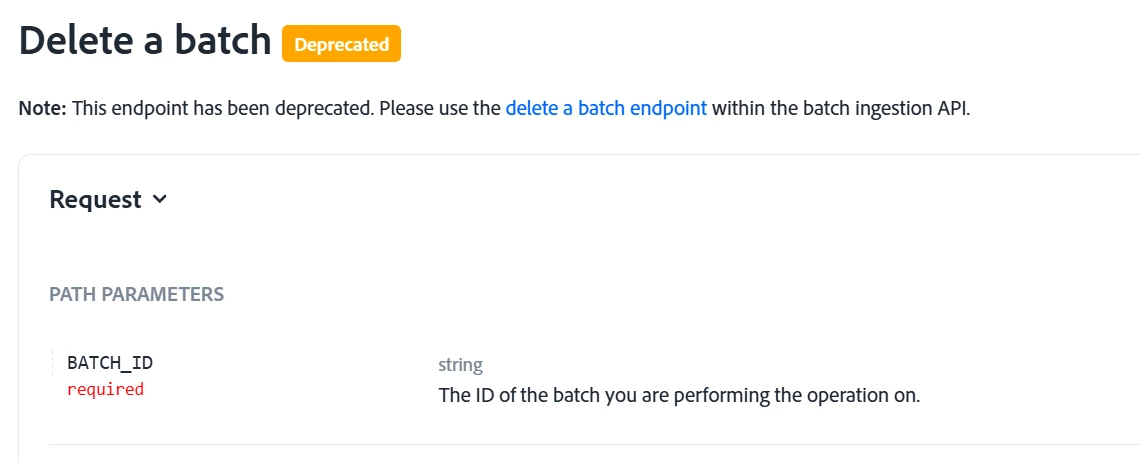
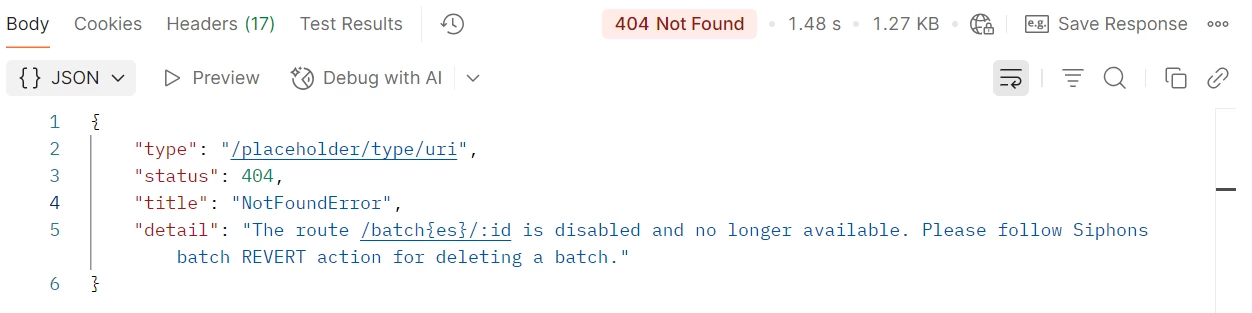
After sending incremental data to destination platforms (based on the referenced use case), we need to regularly delete the previous day’s batches from the destination dataset table. To automate this process, we explored the available API options, but it appears that the Batch Deletion API is deprecated.


Could anyone confirm whether there is any supported method to programmatically delete batches?
(Using the UI is not feasible since this needs to be fully automated.)


Approaches We Explored but Could Not use:

  1. Deleting Records via Data Lifecycle Management - This does not work because the dataset is not Profile-enabled, so there is no primary identifier available to target records and we don’t want to make it enabled as well just to create duplicates in the profile store.
  2. Data Retention Policy - Retention policies apply only to event datasets, so they cannot be used for this dataset type.


1 reply

SG14_97
Level 2
March 12, 2026

Hi ​@mustufam5967803 ,


We have done this in the past, and depends on how you want to perform the deletion.

If you are only looking for datalake you can use the Revert batch endpoint - Batch Ingestion API Guide | Adobe Experience Platform and you can have a scheduled python code which runs every morning and selects the last days batch from the batch metadata information via the catalog api and trigger the revert request. By this the batch is marked reverted and the garbage collection service of AEP will pick it up and perform the deletion.

However if you want to delete from profile(UPS) as well then it is better to use the LifeCycle Management offering.

But since you mentioned non profile enabled you can use the revert endpoint and can achieve this.

Regards,
Sayantan