Debugger not loading development environment | Community
Skip to main content
November 14, 2025
Question

Debugger not loading development environment

  • November 14, 2025
  • 1 reply
  • 220 views

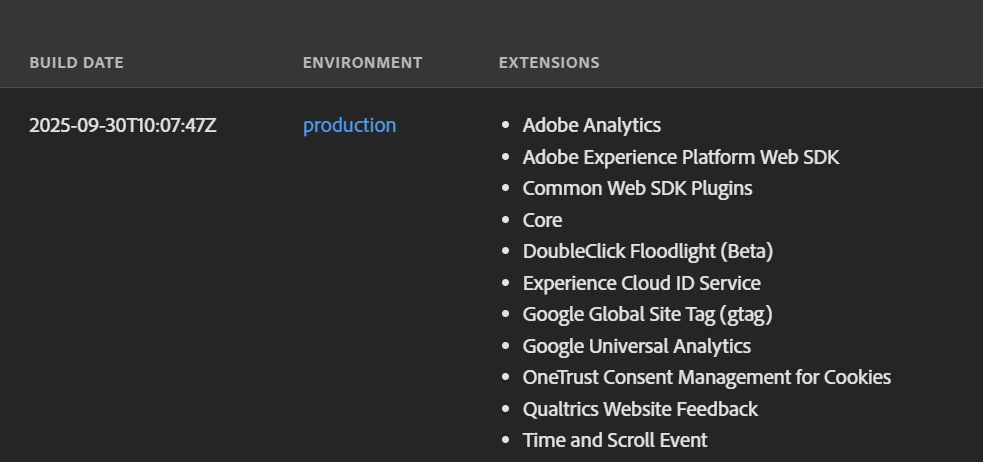
Hi, so, I am trying to test a development I built on Data Collection. I created the library, built it to development, copied the script, went to the debugger, selected the correct library and added the script in the Experience Platform Tags section. I applied it, saved it, but the debugger keeps loading the production environment, not the development environment. No matter how much I select the correct property.


I don't know what else I can do. Any ideas?


1 reply

bjoern__koth
Community Advisor and Adobe Champion
November 15, 2025

Hi @celinabe 

make sure to reload the underlying page.Are you sure you are replacing the library and not injecting an additional one?


If this does not help, can you please provide a screenshot?

Cheers from Switzerland!
CelinaBeAuthor
November 17, 2025

Hi! Thank you for your answer.


So, I have now blocked the production script from the website  and injected the test one. I then refreshed the website but am still unable to load the development library. I am wondering if this is because the URL I am navigating on is not a staging URL, but a live one. Is it possible to embed a library built to development in the live environment?


Here is a screenshot of how I set up the debugger. 


bjoern__koth
Community Advisor and Adobe Champion
November 18, 2025

Hi @celinabe 

are you seeing any error messages in the network tab?

And can you open the script in your browser?


Not sure whether it makes a difference (cannot open the stage URL from my end) but there is a double slash in your URL?

https://www-stage.mandg.com/development-scripts-launch//e0e9efec1b8f/f025fcc9bd15/launch-f65bf7317743-development.min.js

Cheers from Switzerland!