

Data Distiller | Manage Sessions
In this post, we’ll cover how Session Management in Data Distiller helps administrators monitor concurrent Query Editor sessions across sandboxes and free up capacity when sessions are left open.
Please note: This feature is available in limited capability during March 2026 and will be available to everyone by the end of March 2026.
Access and Permissions
Session management is available only to organizations with Data Distiller entitlements. To view and end sessions, you must have the Manage Query Session permission. This feature is intended for administrators to end user session when it’s no longer in use.
Viewing Active Sessions
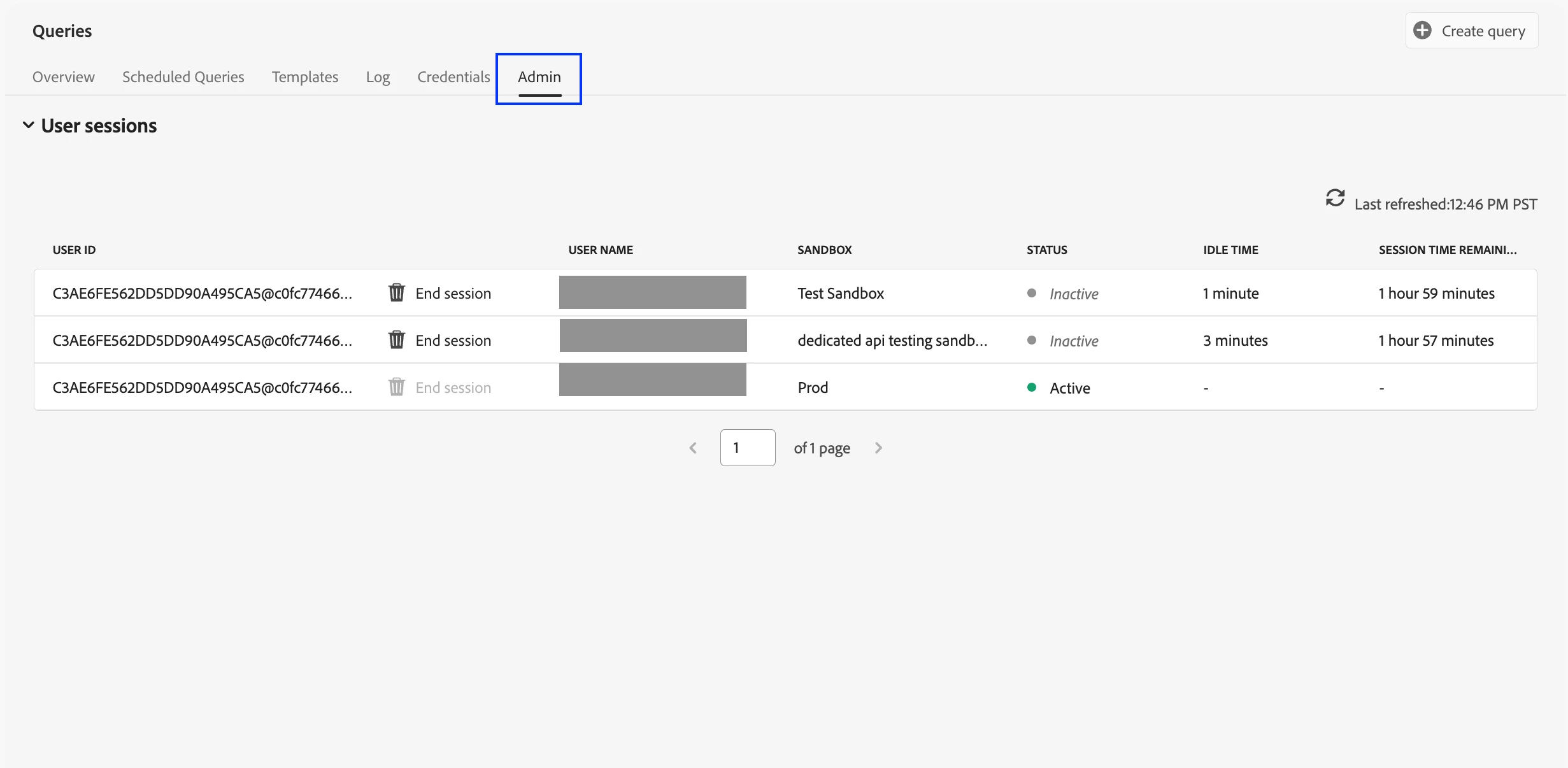
Go to Queries in the left navigation, then open the Admin tab to view the Session Management table. The table updates in real time and lists all active and inactive sessions across sandboxes.
Session Status and Idle Time
Use these fields to decide whether a session can be safely ended:
-
Session status: Inactive sessions can be ended; Active sessions (running a query) cannot be ended until execution completes.
-
Idle time: time since last interaction.
-
Remaining session time: time until automatic expiration (sessions expire after two hours of inactivity, system-defined).
Ending Idle Sessions
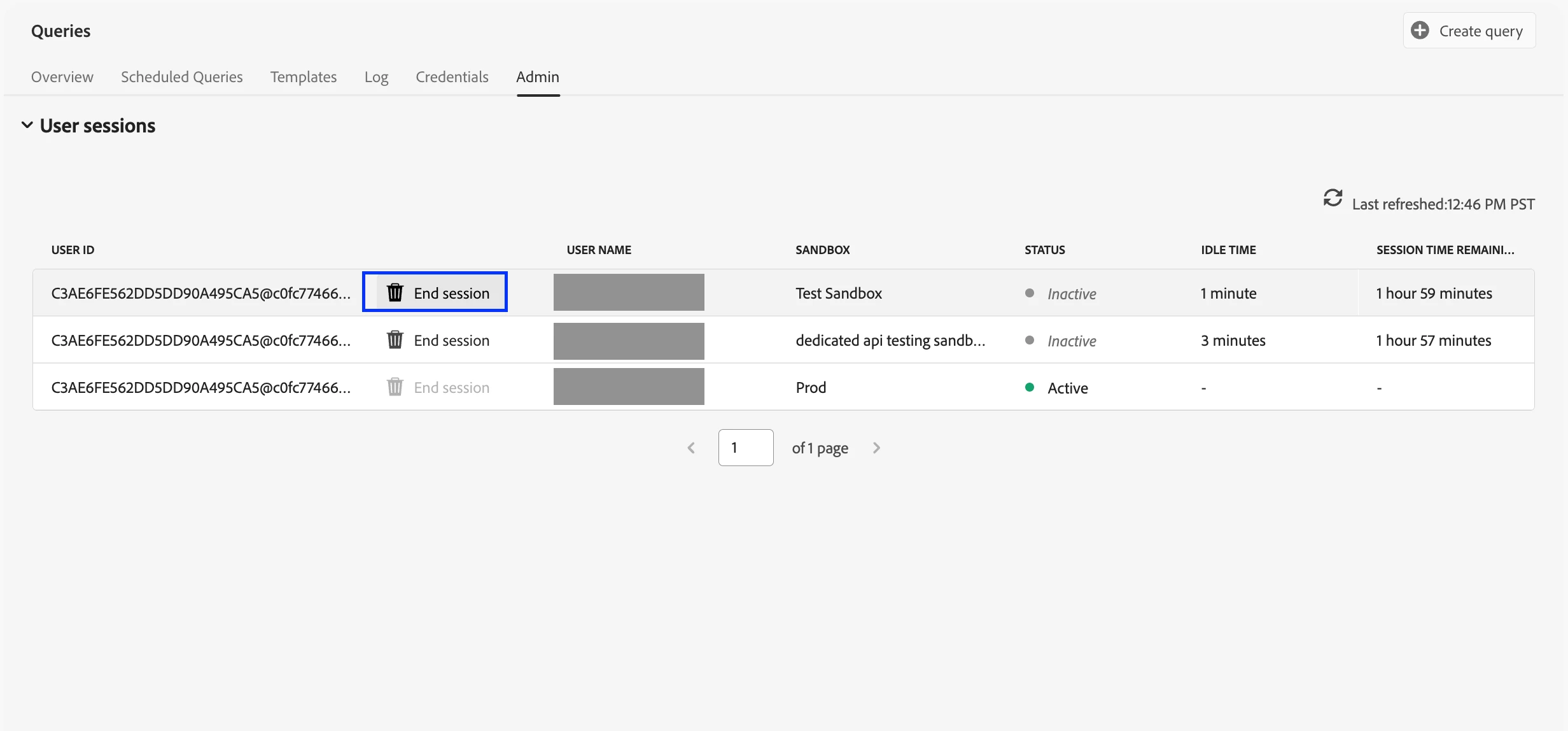
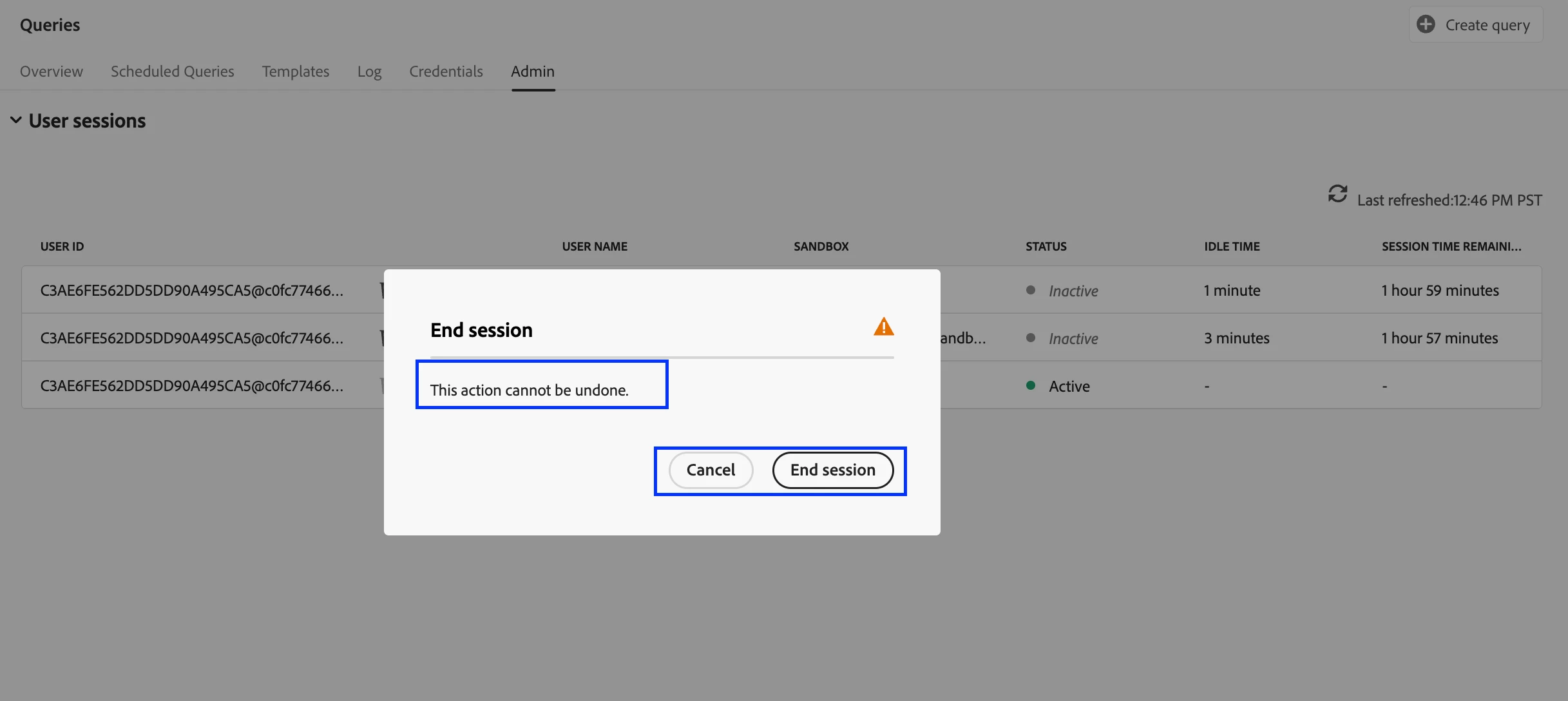
From the table, select End session for an Inactive session and confirm. The session is removed, capacity is freed immediately, and the action is recorded for auditing.
After Termination and Audit Logs
If an admin ends a session, the user won’t lose their editor content. When they run the next query, the system automatically re-establishes the connection. Audit logs capture the session ID, affected user, admin actor, and timestamp.
Summary
Session Management gives administrators real-time visibility into Query sessions and a safe way to end idle sessions to reclaim capacity; without interrupting in-progress queries.