

Data Distiller | A Guide to Migrating Non-Expiring Credentials in Queries
In this blog, we’ll walk you through the process of migrating your non-expiring Service Account (JWT) credentials to OAuth Server-to-Server credentials in Adobe Experience Platform.
Why This Matters
If you’re using Query Service non-expiring credentials for automated workflows, scheduled queries, or API integrations with Query Service, you must migrate them. After June 30, 2025, these credentials will no longer refresh or authenticate.
This migration ensures your systems continue to operate smoothly with no re-configuration needed post-migration.
Who Needs to Migrate
You need to migrate if:
You’re using non-expiring credentials in Query Service.
Your credentials show up under the "Non-expiring Credentials" section on the Credentials tab in the Query Service UI.
How to Migrate Credentials
Follow these simple steps to migrate each credential:
Go to Queries in the Platform UI
In Adobe Experience Platform, navigate to Queries from the left-hand menu.
Open the Credentials Tab
Switch to the Credentials tab at the top of the screen.
Find Eligible Credentials
Under Non-expiring Credentials, locate the credentials marked as eligible for migration.
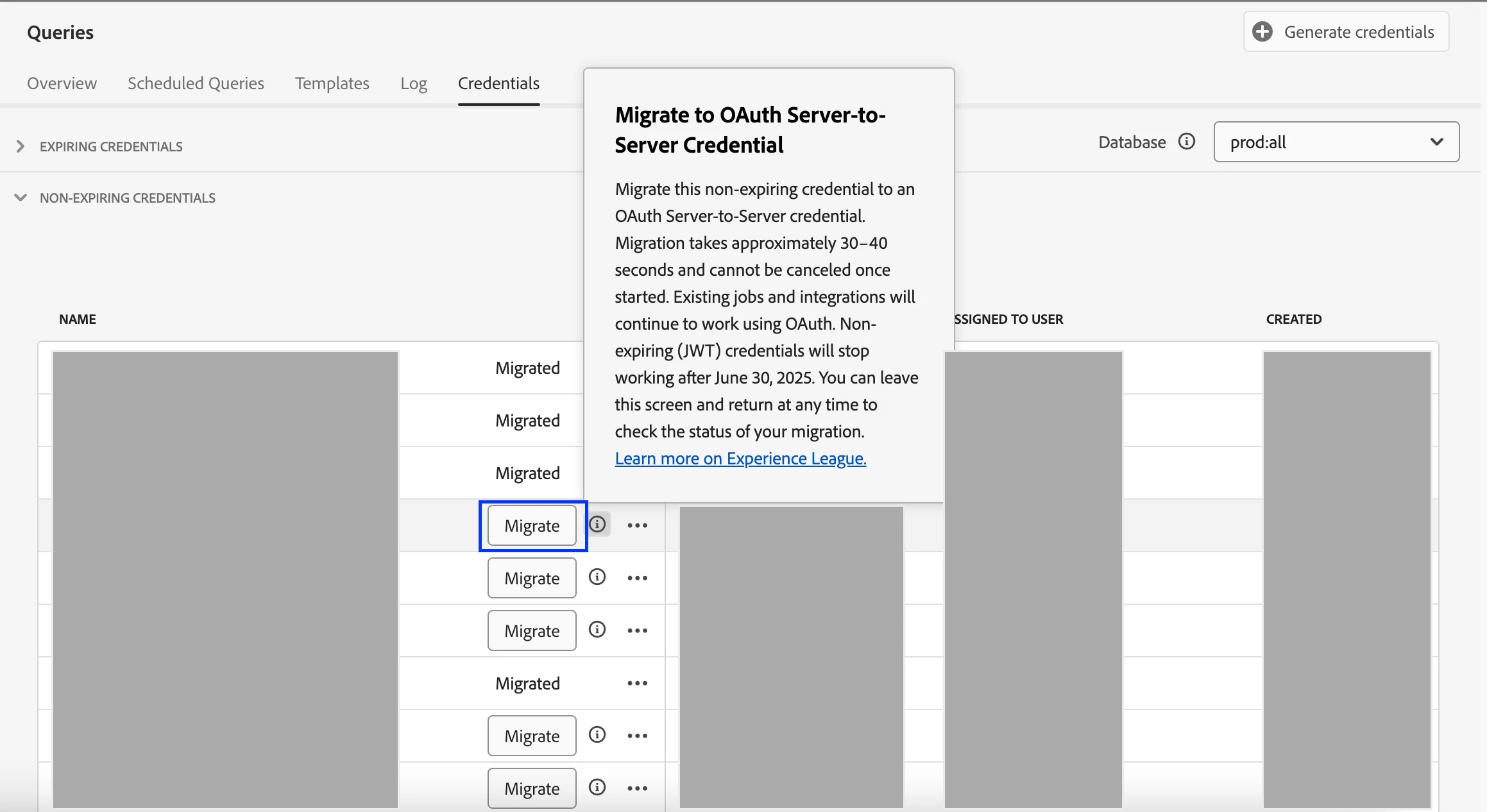
Click Migrate
Next to each credential, click Migrate.
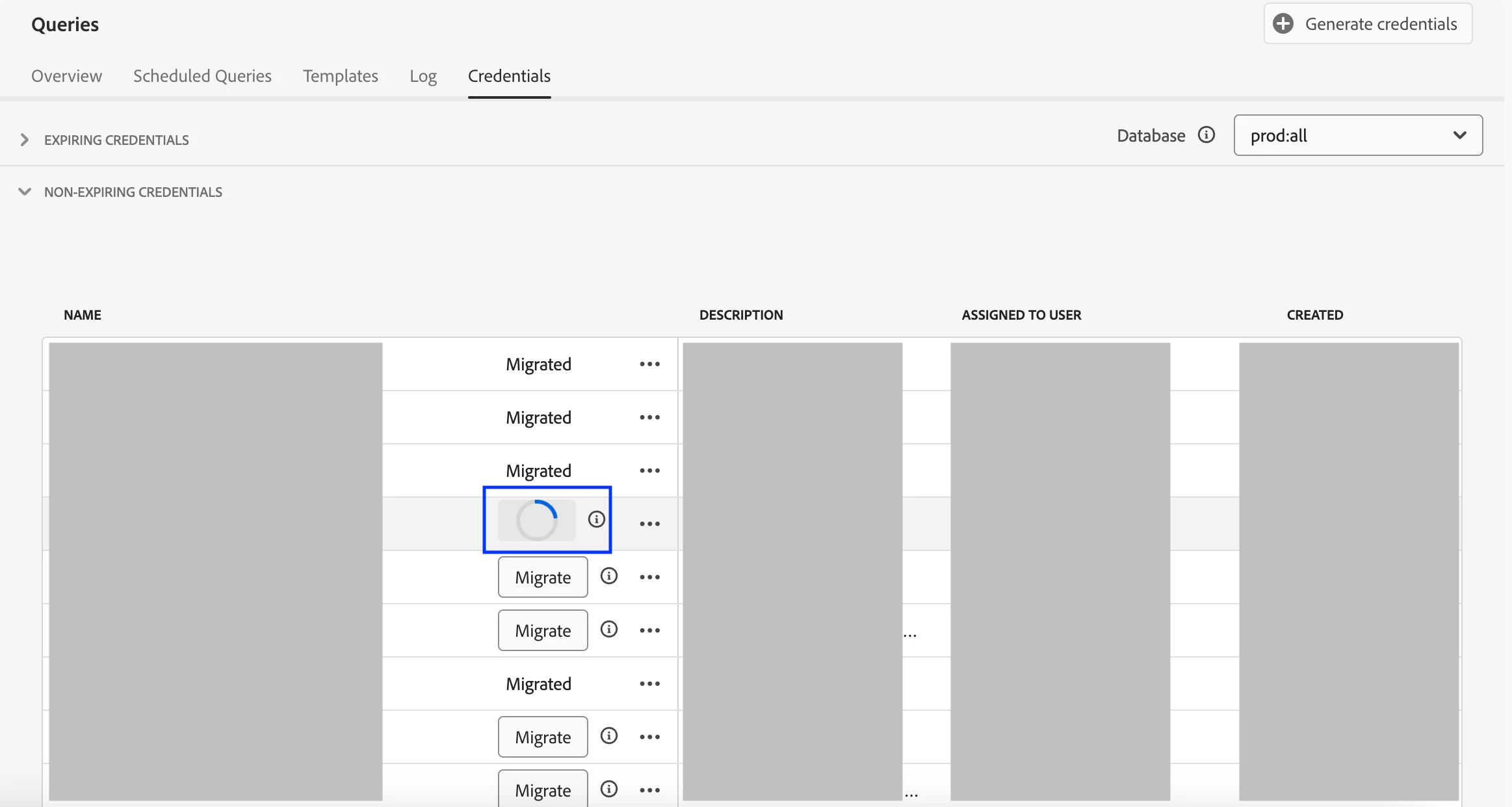
Note: The migration takes about 8–10 seconds and cannot be canceled once started
Migration Complete
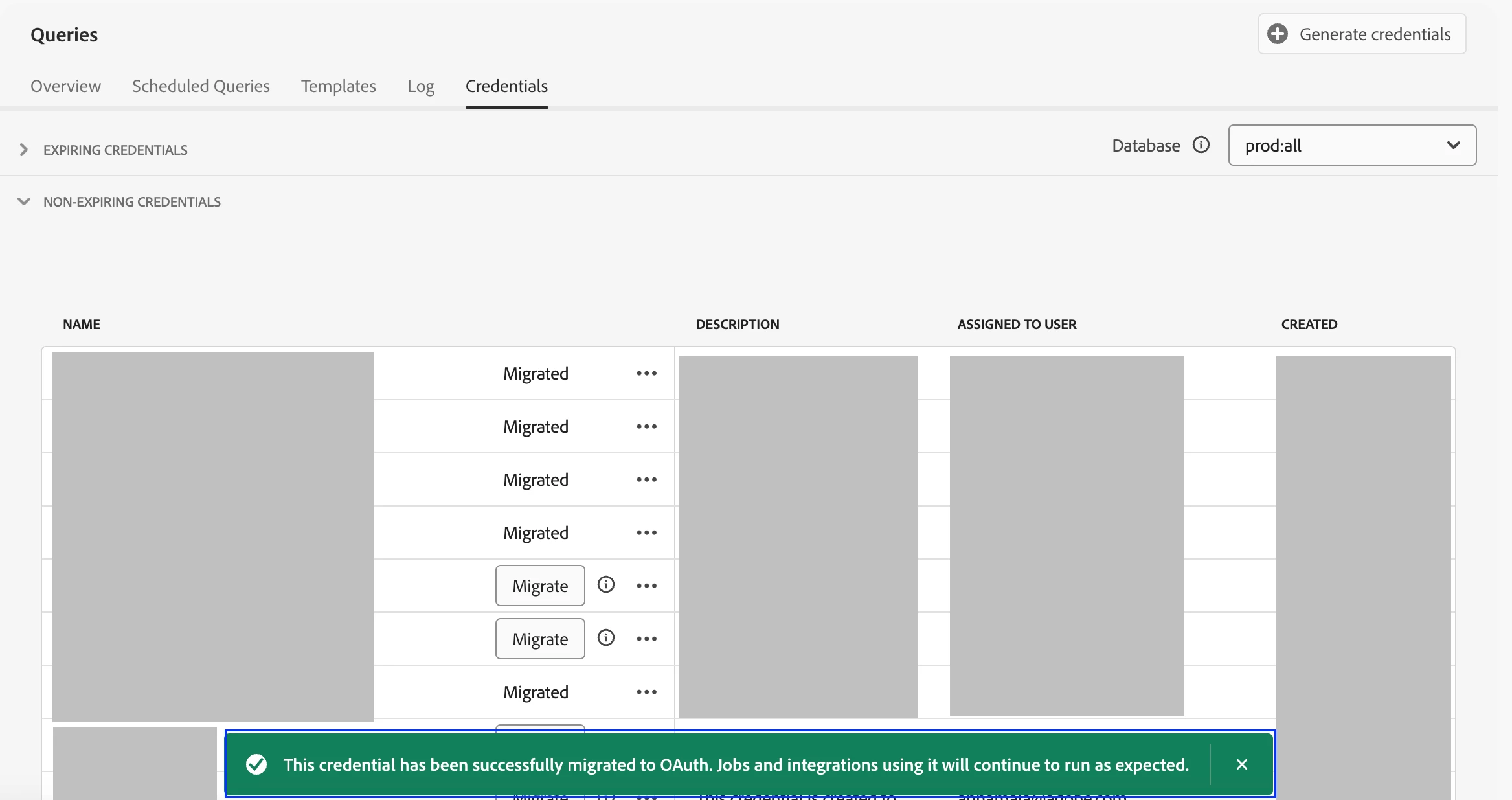
Once migrated, the credential will now use OAuth Server-to-Server authentication.
The credential status changes to Migrated.
Your jobs and integrations continue working without any changes needed.
What Happens After Migration?
Your credential is automatically upgraded to use OAuth.
The old JWT method is disabled.
No action is needed on your end — existing configurations and jobs will continue to run.
Conclusion
Migrating to OAuth Server-to-Server credentials is quick, seamless, and essential to avoid disruptions after June 30, 2025. This change improves long-term security while ensuring your Query Service workflows remain uninterrupted.
Be sure to check your Credentials tab and migrate any eligible JWT credentials well before the cutoff date.
Author: @sameeksha