
Code Checking in Code Editor | Community
Skip to main content
thebenrobb
Adobe Employee
Adobe Employee
August 15, 2017
Delivered

Code Checking in Code Editor

  • August 15, 2017
  • 6 replies
  • 10967 views

From SarahEOwen

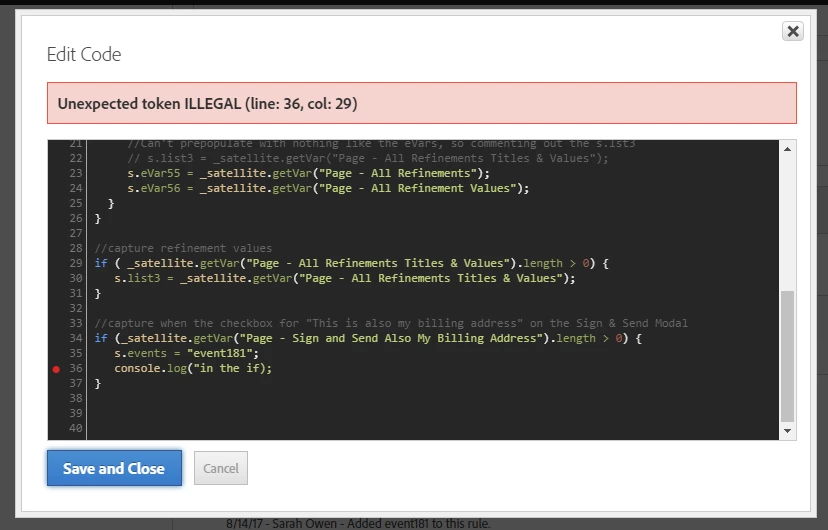
I REALLY, REALLY like in DTM that when I make a silly mistake - like forget the ending " in my console.log() in the below screen shot - that I am warned and notified of the line of code that is causing an issue (see screen shot 1 below).

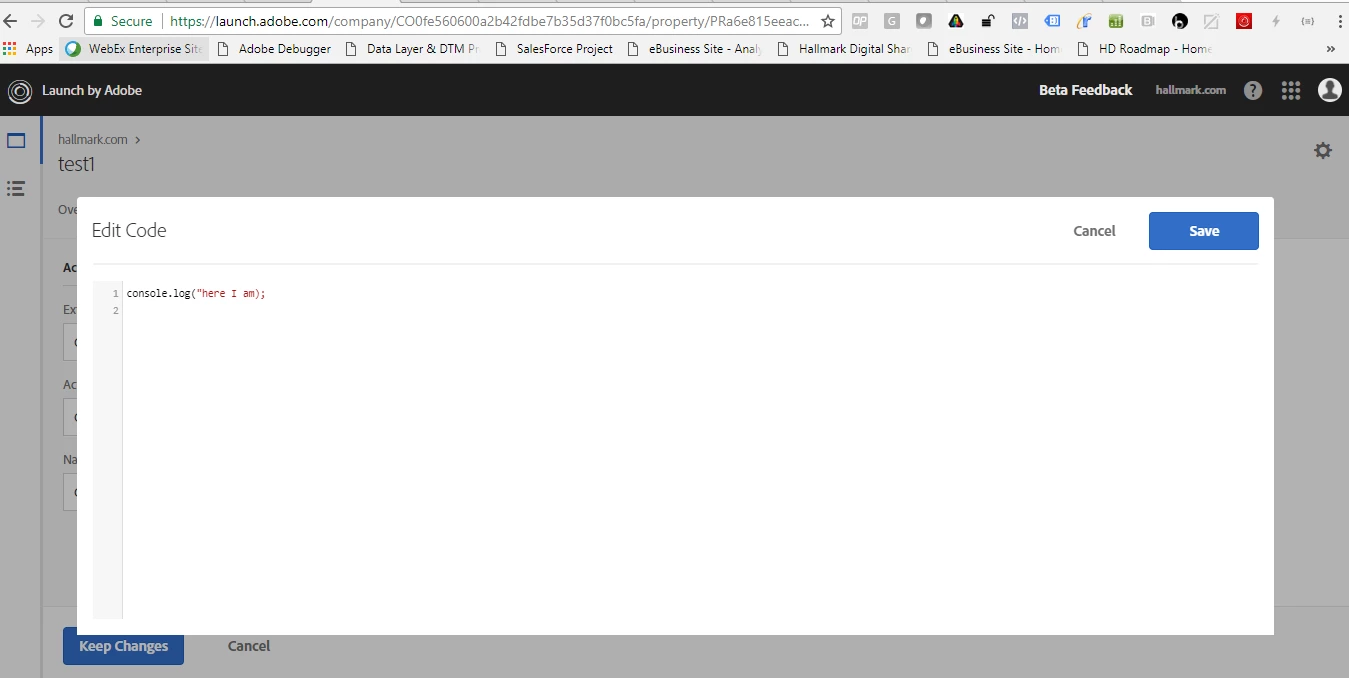
But, it looks like this wonderful feature is not in Launch (see screen shot 2 below)

Screen Shot 1 :: DTM Saving Me
Screen Shot 2 :: Launch Not Saving Me

I put the same typo here -- missing the closing " in my console.log() -- but there is no warning. I can save this action and then save the entire rule.
6 replies

Level 2
August 21, 2017

We wrote a Chrome plugin to do better syntax and code checking in DTM.  I was hoping to retire it with launch, but the current editor needs a lot of improvement, most notably Sarah's request to do syntax checking at the very least.

Also, those of us who have obtained a certain level of maturity would REALLY appreciate the ability to make the font less tiny.

Level 2
August 22, 2017

Would much prefer the code validation occur in the code editor itself, rather than fail on build - we get errors, but at that point i or another user might have made a heap of changes, so tracking this down will be challenging, especially as the message in Chrome seems to go beyond the screen, see screenshot below.

Please, please add code validation to the custom code console

Level 2
August 30, 2017

So agree here!  Highly complex tools such as Tag Managers are often intimidating to "non-coders" and Business Users.  It took me over a year to get my division to use Ad Hoc/Discover and the balance of the company refuses to use it because it appears to convoluted.  The beauty of DTM and Launch is that a Business User should be able to easily employ the tool.  If the script does not fail until build, the troubleshooting could be extremely time consuming for the implementer, and DEV resources can be difficult to come by.  I say this as a non-coder myself.

SarahEOwen
Level 9
September 16, 2017

Aaronius9er9er9er​ you are AMAZING!!!

There are real-time checks:

There are warnings that make me a better coder:

And I'm sure you have more goodness in there for us too!

THANK YOU SOOOOOOOOOOOOOOOOO MUCH

brandon_pack
Adobe Employee
Adobe Employee
October 13, 2017

This has been released to the Beta Environment.  Great suggestion!  Thanks for help us improve the product.

msawlor-1
Level 2
July 23, 2018

You can turn this feature "off" using comments around your custom code. 


/* jshint ignore:start */


//Code which causes warnings you don't care about here

/* jshint ignore:end */