Level 3
July 23, 2019
Solved

Capturing HTML Attribute with Adobe Launch

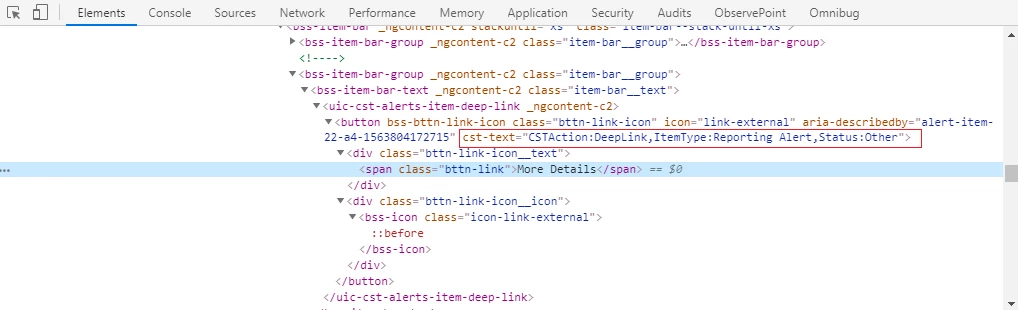
I am looking to capture an HTML attribute upon a click.

The link is "More Details".

I want to capture the value in cst-text.

How would I configure Adobe Launch to capture the value in cst-text from my example below?

I configure Adobe Launch to use this.cst-text which isn't working for me.

Any recommendations are appreciated.
This post is no longer active and is closed to new replies. Need help? Start a new post to ask your question.
kumararajak
kumararajakAccepted solution
Level 5
July 24, 2019

Hi Eham,

Try this

Method 01

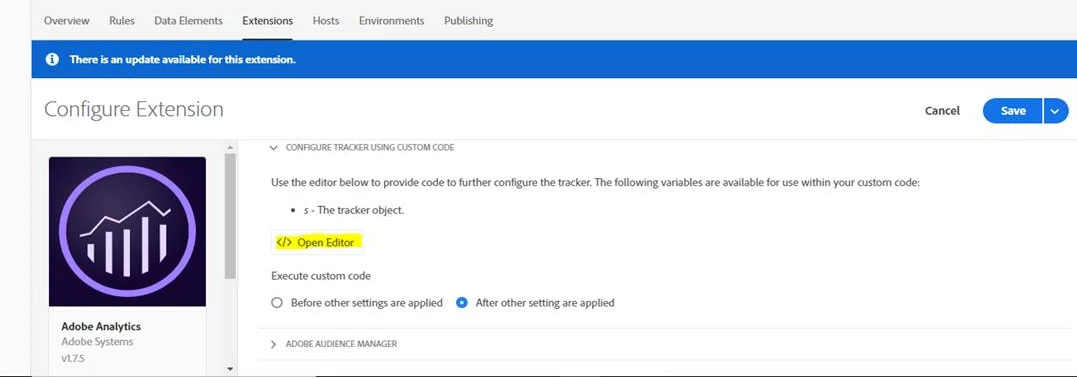
Goto Launch => Property name => Extension => Configure tracking code with custom code and paste the below code

var x = document.getElementsByTagName(button).getAttribute(csk-text);

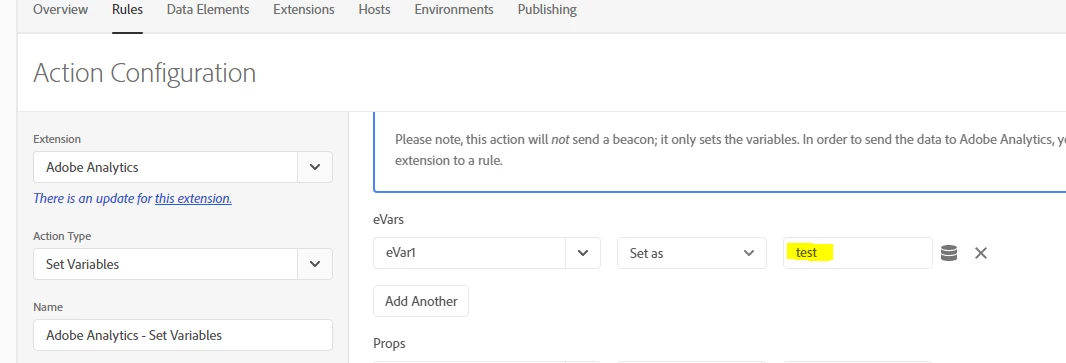
evar1 = var x

Use the 1 as per the evar number availablity

Method 02

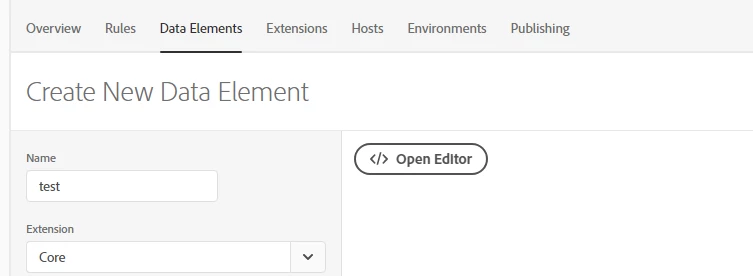
Goto Launch => Property name => Data element

Post this code in open editor: var x = document.getElementsByTagName(button).getAttribute(csk-text);

then Add Rule

Goto Launch => Property name => Rule

Hope this helps.

Regards,

Kumararaja K

6 replies

kumararajak
kumararajakAccepted solution
Level 5
July 24, 2019

Hi Eham,

Try this

Method 01

Goto Launch => Property name => Extension => Configure tracking code with custom code and paste the below code

var x = document.getElementsByTagName(button).getAttribute(csk-text);

evar1 = var x

Use the 1 as per the evar number availablity

Method 02

Goto Launch => Property name => Data element

Post this code in open editor: var x = document.getElementsByTagName(button).getAttribute(csk-text);

then Add Rule

Goto Launch => Property name => Rule

Hope this helps.

Regards,

Kumararaja K

Translate
EHAM06-EYgGqp
August 2, 2019

Thank you

Translate
jantzen_b
Adobe Employee
Adobe Employee
August 2, 2019

Does the reply above answer your question? If so, please mark it as the correct answer.

Translate
EHAM06-EYgGqp
August 30, 2019

I do I mark as correct?

Translate
EHAM06-EYgGqp
August 30, 2019

How do I mark as correct?

Translate
jantzen_b
Adobe Employee
Adobe Employee
September 3, 2019

You should see a "Correct Answer" button on each of the replies. Click that button on the reply that answers your question.

As a side note, I noticed you might have two accounts and this question was asked from a @gmail.com account rather than the account you are now responding from. This might be why you are unable to see the correct answer button. I'll go ahead and mark this one correct for you since there is only one real answer.

Translate