AppMeasurement Version dynamically assigning into prop | Community
Skip to main content
January 15, 2020
Solved

AppMeasurement Version dynamically assigning into prop

  • January 15, 2020
  • 2 replies
  • 4240 views

For AppMeasurement managing the library I think it's a good idea to send the version within a prop to know when the versions change in the event there's some reporting anomalies. 


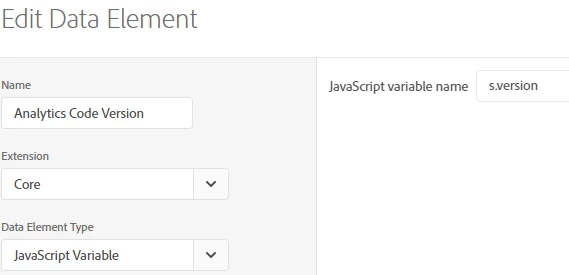
I discovered setting a data element to the value of the s.version only works if the beacon is sent after DOM ready.
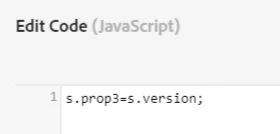
However, if setting the prop manually within custom code, in the AA ext(enable after settings..) or page top rule this appears to work as expected.


I'm unsure if this is due to a race condition or if this is the nature of how Launch checks data element when using the javascript variable.

This also works nicely for getting the RSID dynamically too by using s.account.

 

This post is no longer active and is closed to new replies. Need help? Start a new post to ask your question.
Best answer by franzli

This isn't related to race conditions but rather scope.


The s variable is limited by scope and only available in the "Custom Code"


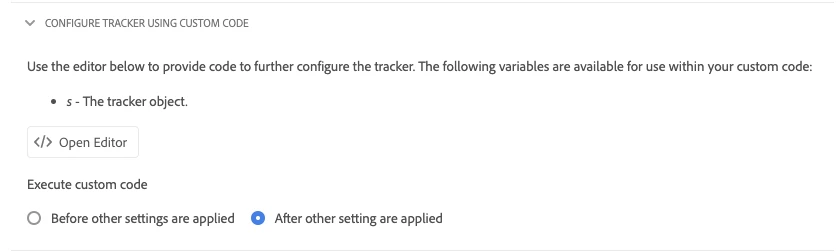
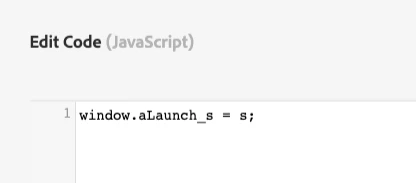
You can always expose the "s" variable by creating your own variable. One way to do this is by the Adobe Extension:


Then you can reference aLaunch_s.version outside of the Custom Code.

2 replies

franzli
franzliAccepted solution
Level 4
January 17, 2020

This isn't related to race conditions but rather scope.


The s variable is limited by scope and only available in the "Custom Code"


You can always expose the "s" variable by creating your own variable. One way to do this is by the Adobe Extension:


Then you can reference aLaunch_s.version outside of the Custom Code.

January 27, 2020
This is actually as setting to assign the s variable globally within the AA ext which has been enable. The concern is rather when the data elements are evoked within Launch that yield different results for 4 types of Page Load events.
jantzen_b
Adobe Employee
Adobe Employee
April 3, 2020
Do any of the answers below answer your initial question? If so, can you select one of them as the correct answer? If none of the answers already provided answer your question, can you provide additional information to better help the community solve your question?