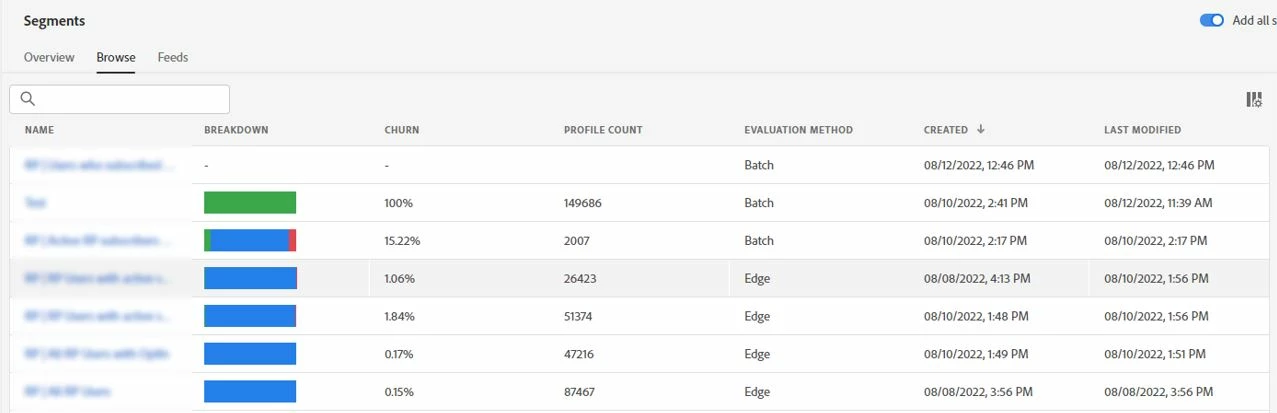
AEP Segmentation service : Change column size in segments list
Description - Today the Segmentation view has a table view of all segments created. The Name column is so small in widths that you cannot read most of the segment names and there is no way to change the column size. The only way to make the column size bigger is to hide other columns with the "Customize table" function. However, the system doesnt save your settings and you have to hide them every single time again.
Why is this feature important to you - This feature allows you to work with the segmentation list much more efficient. Currently when you have anything above 20 segments it is nearly impossible to efficiantly work with the list because there no folder functionality to group your segments and you can also not read the full segment names in the table view. Allowing for custom column widths will provide highe improvements in UX.
How would you like the feature to work - Allow drag-and-drop column resizing and have any hidden columns remain hidden upon page refresh.
Current Behaviour - This functionality does not exist today.