AEM Iframe clicks tracking using launch | Community
Skip to main content
Adobe Employee
May 10, 2024
Solved

AEM Iframe clicks tracking using launch

  • May 10, 2024
  • 1 reply
  • 1009 views

Hi Team,


One of my client has brightcove video on iframe and that iframe is rendering through AEM.
Can we track the iframe clicks ? What is the recommended approach ?
Below is the screen shot 
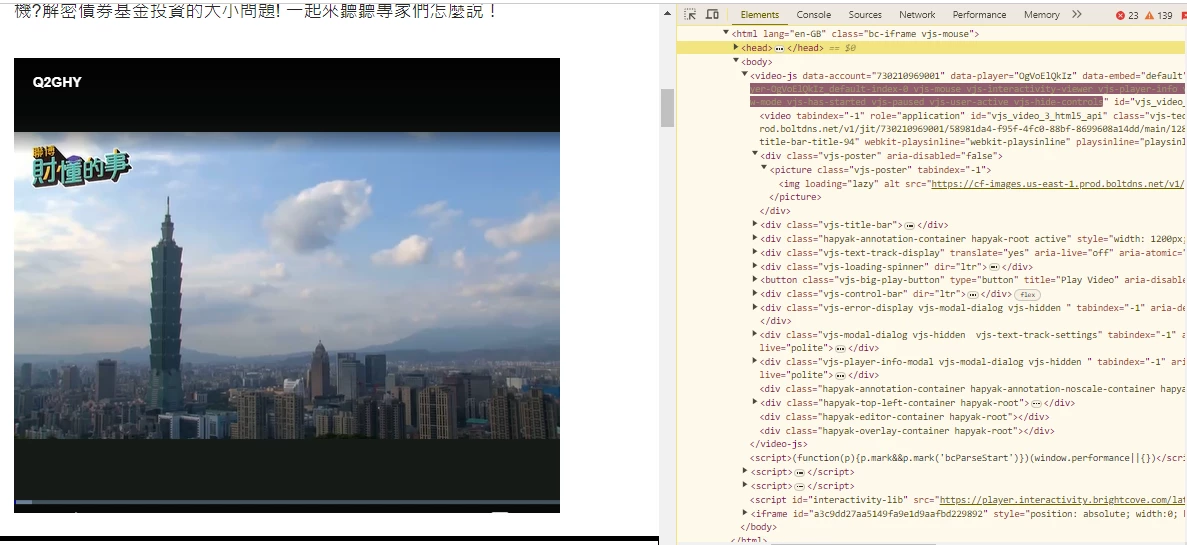
 

This post is no longer active and is closed to new replies. Need help? Start a new post to ask your question.
Best answer by yuhuisg

Oh! I thought your screenshot showed the HTML for your web page. I didn't realise it's the HTML of an IFRAME where that IFRAME has been embedded in your web page. In that case, the extension won't help.

I have an old script (from 2020) that might help you get started: https://gist.github.com/yuhui/3375b8221f6152600321bdf710dbe90b I haven't used Brightcove since 2020, so I don't know if it still works.

This script is meant to be added to the Brightcove player. If I remember correctly, there's a section in the player's configuration where you can add your own custom code. So that's where you would add this script.

I don't use Brightcove any more, so I don't think I'll be able to provide much help if my script doesn't work any more.

1 reply

yuhuisg
Community Advisor
Community Advisor
May 10, 2024

If you're using AEP Tags as your tag management system, then you can try the Brightcove Video extension provided by Adobe.

VidhyaAk1Adobe EmployeeAuthor
Adobe Employee
May 15, 2024

@yuhuisg 

But the iframe has third part domain , will this solution works for third party iframe domain ?

yuhuisg
Community Advisor
yuhuisgCommunity AdvisorAccepted solution
Community Advisor
May 17, 2024

Oh! I thought your screenshot showed the HTML for your web page. I didn't realise it's the HTML of an IFRAME where that IFRAME has been embedded in your web page. In that case, the extension won't help.

I have an old script (from 2020) that might help you get started: https://gist.github.com/yuhui/3375b8221f6152600321bdf710dbe90b I haven't used Brightcove since 2020, so I don't know if it still works.

This script is meant to be added to the Brightcove player. If I remember correctly, there's a section in the player's configuration where you can add your own custom code. So that's where you would add this script.

I don't use Brightcove any more, so I don't think I'll be able to provide much help if my script doesn't work any more.
