Level 4
Sep 6, 2022 3:56 PM UTC
Solved

Adobe Launch revert back production library

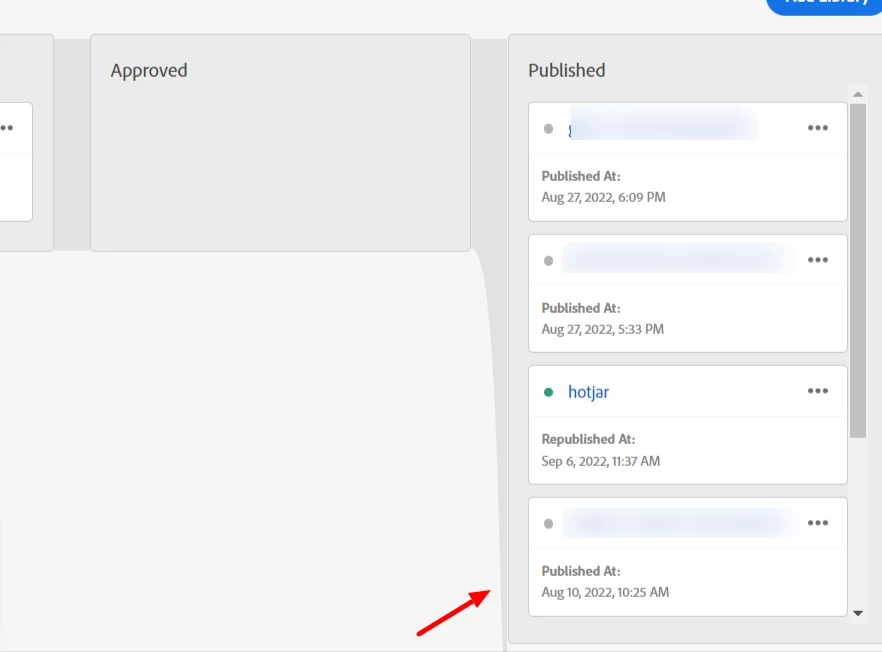
How can I revert back to previous version of production library which was published? So, in below example if I want to revert back to Aug 10 library, how can I do that?


This post is no longer active and is closed to new replies. Need help? Start a new post to ask your question.
Anil_Umachigi
Anil_UmachigiAccepted solution
Adobe Employee
Sep 6, 2022 8:02 PM UTC

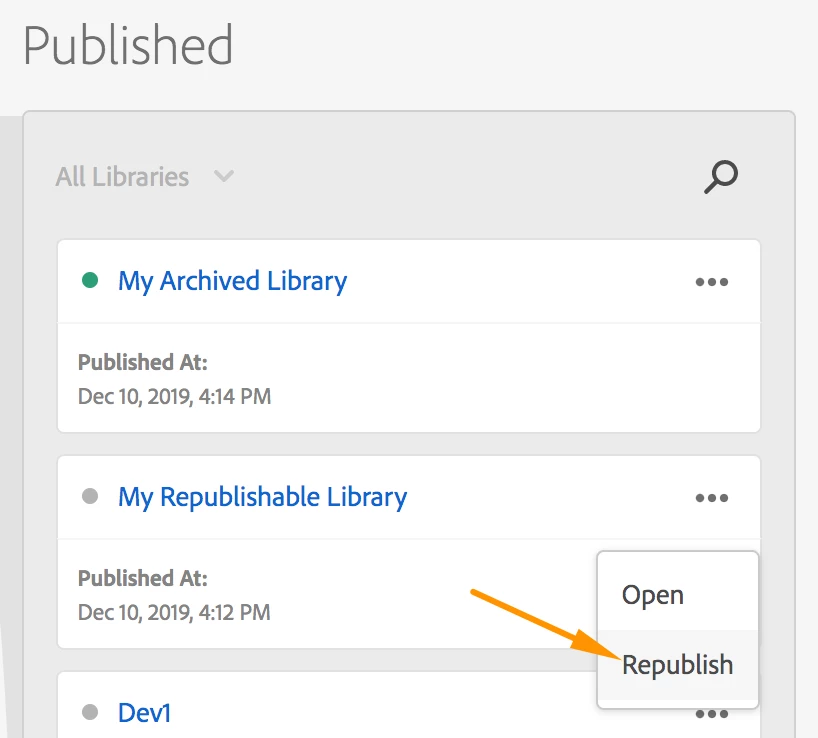
To republish follow these steps 

  1. Choose the version you want to republish
  2. Click on the three dots to reveal menu and hit republish. 

Few things to consider 


  • The five most recent libraries that have been published to your production environment on a Web property are available for later retrieval
  • No changes are made to any of the resources (or historical revisions) in your tag property

  • The way that development and staging environments calculate what is upstream does not change 

Read in detail here


1 reply

Anil_Umachigi
Adobe Employee
Anil_UmachigiAdobe EmployeeAccepted solution
Adobe Employee
Sep 6, 2022 8:02 PM UTC

To republish follow these steps 

  1. Choose the version you want to republish
  2. Click on the three dots to reveal menu and hit republish. 

Few things to consider 


  • The five most recent libraries that have been published to your production environment on a Web property are available for later retrieval
  • No changes are made to any of the resources (or historical revisions) in your tag property

  • The way that development and staging environments calculate what is upstream does not change 

Read in detail here


Translate