Adobe Experience Platform Debugger not showing events | Community
Skip to main content
September 29, 2022
Solved

Adobe Experience Platform Debugger not showing events

  • September 29, 2022
  • 3 replies
  • 2722 views

I found similar questions in the community but non of them are similar to my situation.


I am implementing analytics on the dev environment of a newly designed AEM-based website. I setup rules in launch to send analytics beacon. Adobe experience platform debugger is not showing events and reports are not getting populated, developer console network tab is also not showing server calls. However, when I see the console log it shows the rule firing. Please refer screenshots.
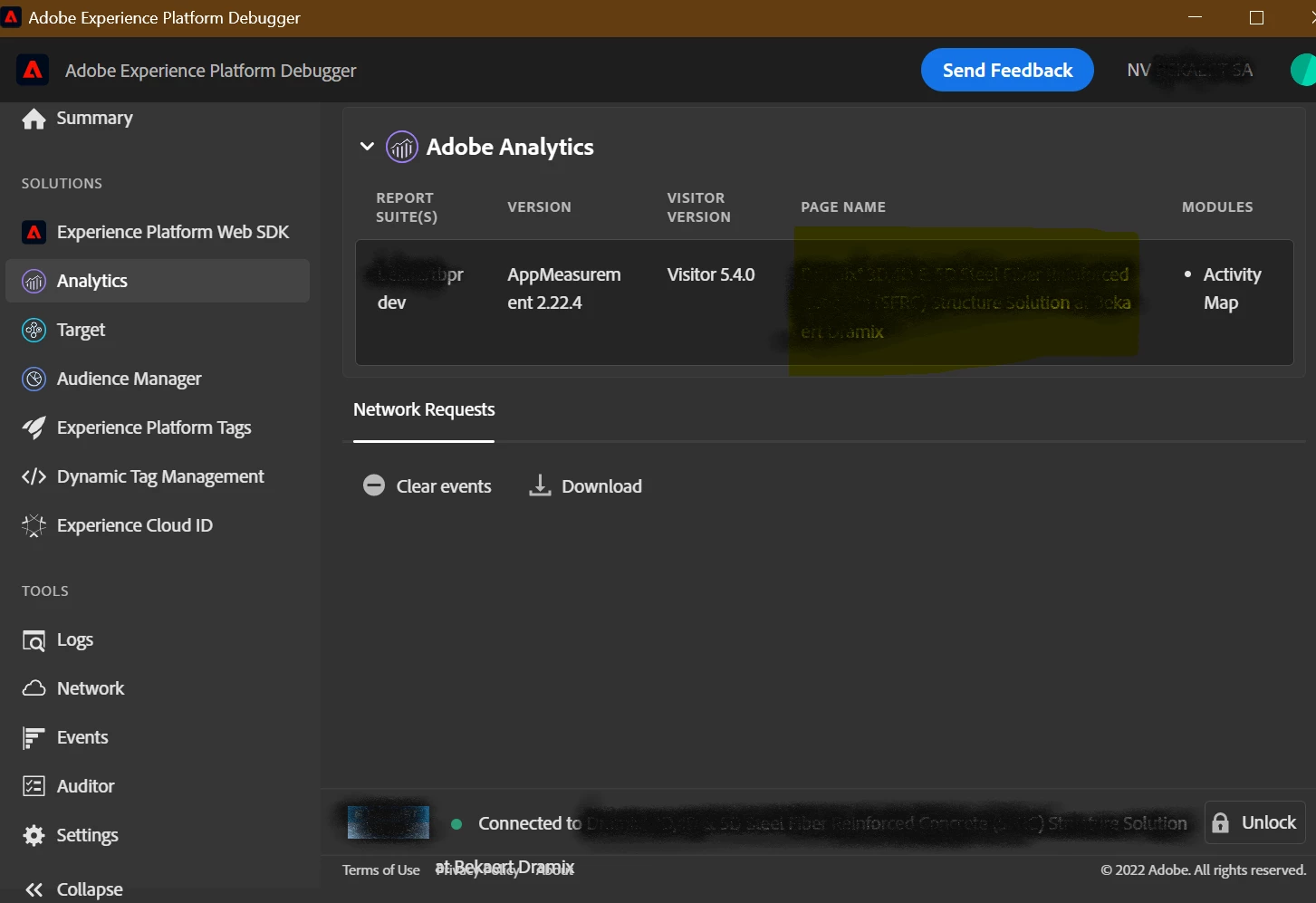



Adobe Analytics extension version is 1.9.0, but with same version rule is triggering for prod environment also when I am configuring prod tracking code in the debugger.

Please let me know what am I missing here.

This post is no longer active and is closed to new replies. Need help? Start a new post to ask your question.
Best answer by at16233

My issue is resolved now it was the cookie extension which was blocking the beacon. Once disabled for the dev environment. I could see the events in the debugger.

3 replies

yuhuisg
Community Advisor
Community Advisor
September 30, 2022

Do you see any errors in your browser console? I wonder if there's an expected script error that prevents the beacon from being actually sent, despite what that log line shows.

at16233Author
October 3, 2022

I am getting these warnings due to the Adobe Analytics extension non-updated version. However, the same launch property is working for prod environment.


at16233AuthorAccepted solution
October 7, 2022

My issue is resolved now it was the cookie extension which was blocking the beacon. Once disabled for the dev environment. I could see the events in the debugger.

March 26, 2024

Hi everyone, i need some help in accessing the Adobe platform debugger using the URL in the browser How i can access this can you please provide the workaround how the URL for this extension