Adobe Experience Platform Debugger - Not found | Community
Skip to main content
July 22, 2025
Question

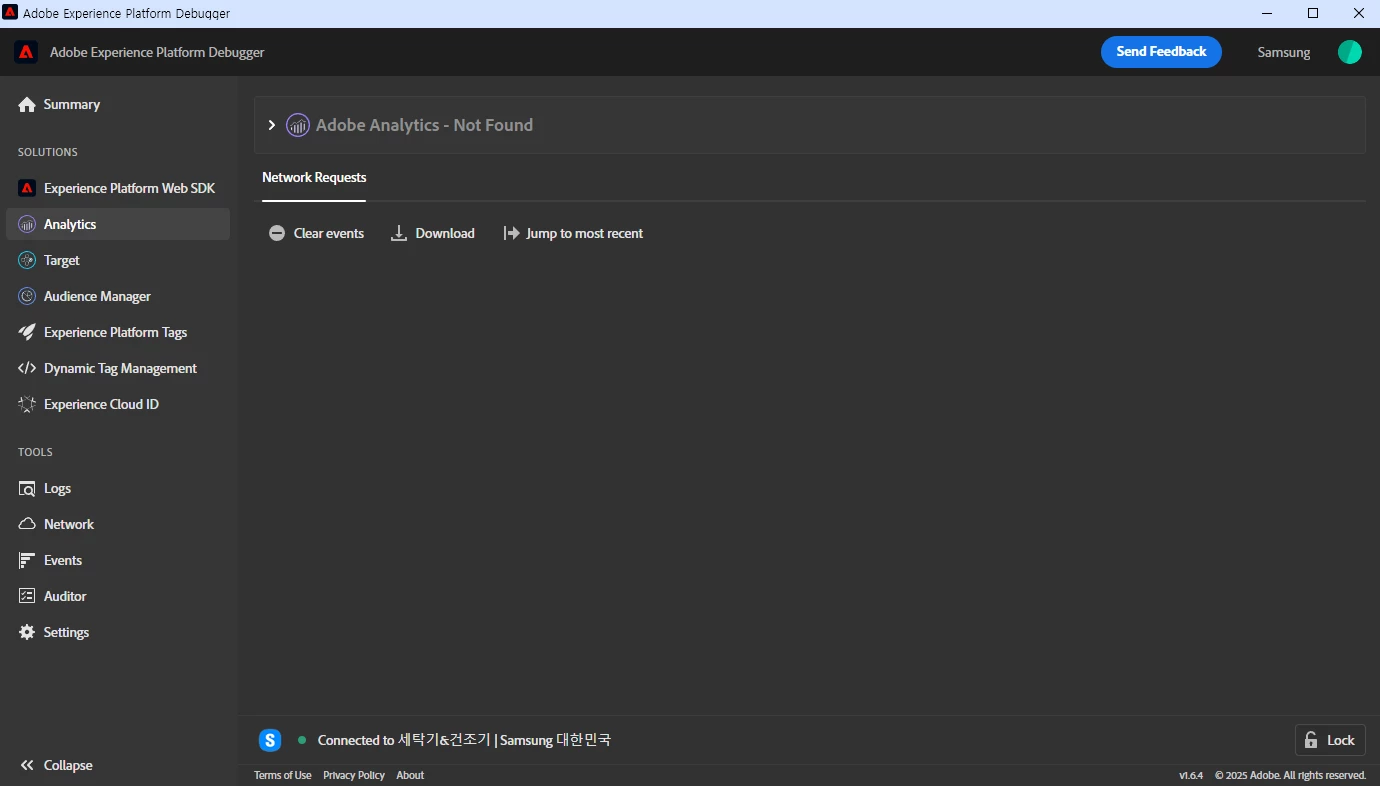
Adobe Experience Platform Debugger - Not found

  • July 22, 2025
  • 3 replies
  • 528 views

Hello, 

Adobe Experience Platform debugger says "Not found" and doesn't work.

I've used this account and website recently, so it doesn't seem to be a permission issue. What should I do in this case?


This post is no longer active and is closed to new replies. Need help? Start a new post to ask your question.

3 replies

bjoern__koth
Community Advisor and Adobe Champion
July 22, 2025

Hi @sooyeon_jinji 

have you tried reloading the underlying website?

Cheers from Switzerland!
KumarRishii
Level 5
July 23, 2025

You can use below steps to troubleshoot:

- Check if Adobe Analytics is loaded on the page (look for network calls like b/ss).
- Reload the Debugger after the page finishes loading.
- Disable browser extensions that may block tracking (e.g., Adblock).
- Clear Debugger cache or log out and back in.
- Use Incognito Mode to avoid interference from extensions or cookies.
- Verify tag deployment in Adobe Launch or your TMS.
- Try another page or site to confirm if the issue is specific.

bjoern__koth
Community Advisor and Adobe Champion
August 7, 2025

@sooyeon_jinji have you tried any of the suggestions?

Cheers from Switzerland!