Add new evar to Analytics extension | Community
Skip to main content
Luca_Lattarini
Level 9
September 2, 2020
Solved

Add new evar to Analytics extension

  • September 2, 2020
  • 1 reply
  • 1557 views

Hello everyone,


I am trying to add a new evar to the Analytics Extension in the Global Variable but when I try to select it, I dont see it. Previously,I added new evar in the report suite. The new evar is only in dev report suite.

If I add the new evar to production Report Suite, I can see it in the extension mapping. My question is how can add the evar to only to Dev Report Suite and map it to the analytics extension?


Any suggestion? 

Thanks

This post is no longer active and is closed to new replies. Need help? Start a new post to ask your question.
Best answer by Andrey_Osadchuk

Could you share a screenshot explaining the issue?

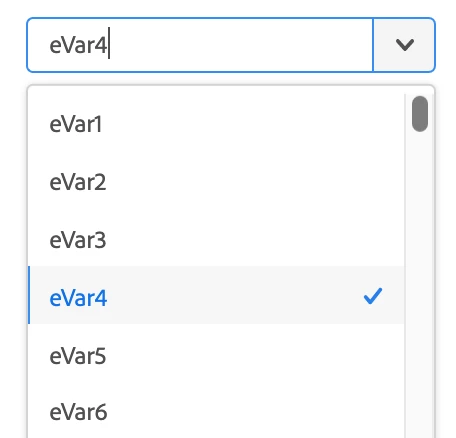
The drop-down should allow to select any eVar variable like shown below:


1 reply

Andrey_Osadchuk
Andrey_OsadchukAccepted solution
Level 10
September 2, 2020

Could you share a screenshot explaining the issue?

The drop-down should allow to select any eVar variable like shown below:


Luca_Lattarini
Level 9
September 3, 2020

@andrey_osadchuk: Yes, I can see the list of evars. Let me explain you better. I only migrated from DTM one property and linked to this property in Adobe Launch to DEV, STAGE and PROD. My aim is to add the Customer id(crm_id) evar to DEV Report Suite and send it in the beacon, this only for DEV. What I noticed, if I enable this new evar in PROD Report Suite, I can see in the drop-dwon evar 45:Customer ID, otherwise I only can see evar45. How can I add this evar only to DEV environment for Launch and Report Suite?

Below the picture where I added the new evar to the DEV Report Suite. If I add the new evar to PROD Report Suite as well, I can see eVar45:Customer ID