Workflow notification constantly appearing on Production page | Community
Skip to main content
Level 2
September 19, 2023
Solved

Workflow notification constantly appearing on Production page

  • September 19, 2023
  • 2 replies
  • 604 views

Hi,


I have a page with a workflow notifications that keeps being there.


When I go to manage workflows, there are no workflows and the workflow history I don't see any too.

What could trigger this workflow notification and how to get rid of it ?


Thanks !

This post is no longer active and is closed to new replies. Need help? Start a new post to ask your question.
Best answer by aanchal-sikka

Hello @fbfr 


Can you please check following?


Check workflow instances

  • Visit CRXDE.
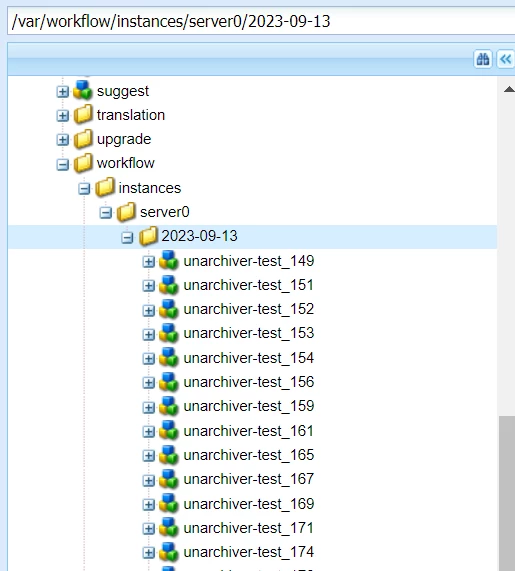
  • Go to /var/workflow/instances
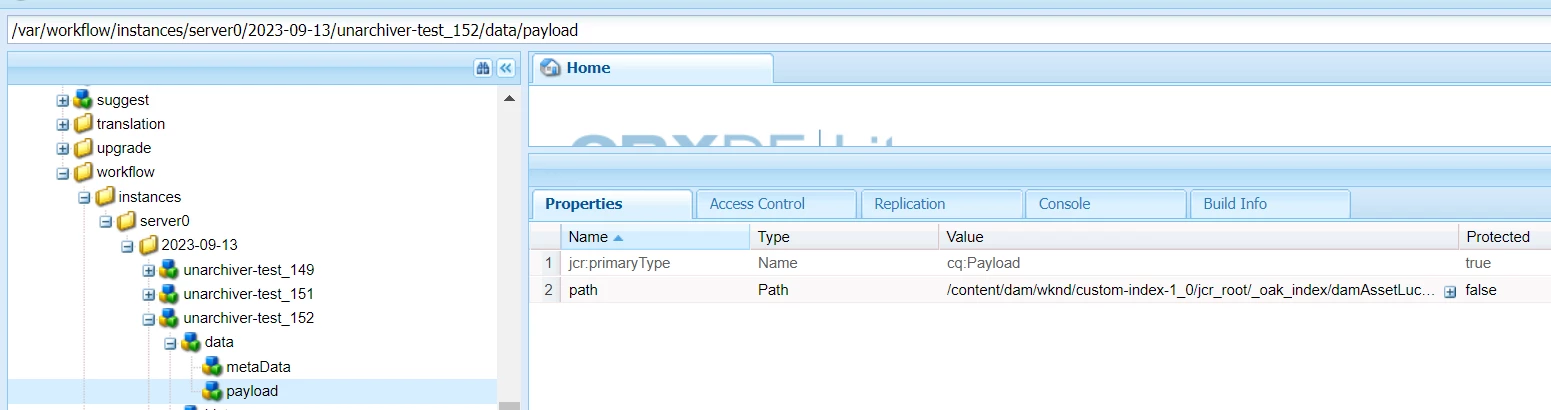
  • Check if you can find any nodes under it, like the one in


    snapshot

  • These are workflow nodes
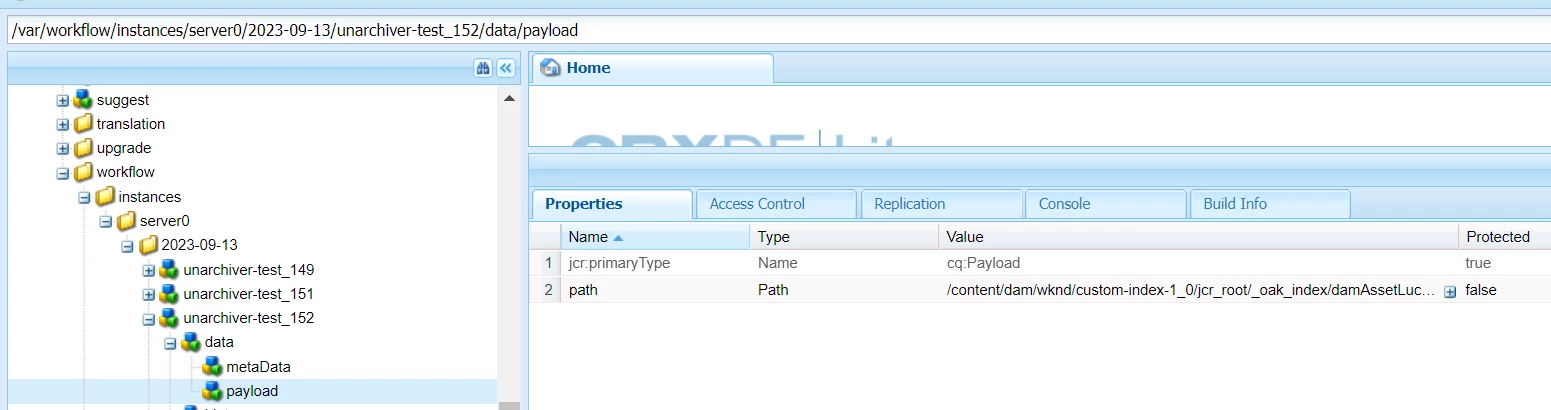
  • Now there is payload info on each node like


type=cq:Workflow path=/var/workflow/instances property=data/payload/path property.value=/content/dam/wknd/custom-index-1_0/jcr_root/_oak_index/damAssetLucene-9/tika/config.xml/jcr:content


  • See if you find any matches


If you find any matches, you might be getting some error while loading Workflow Instances/Failed/Archived workflows


Terminate via Other options

 If workflow doesn't load on Coral UI, we can terminate from following UI as well:

2 replies

aanchal-sikka
Community Advisor
aanchal-sikkaCommunity AdvisorAccepted solution
Community Advisor
September 19, 2023

Hello @fbfr 


Can you please check following?


Check workflow instances

  • Visit CRXDE.
  • Go to /var/workflow/instances
  • Check if you can find any nodes under it, like the one in


    snapshot

  • These are workflow nodes
  • Now there is payload info on each node like


type=cq:Workflow path=/var/workflow/instances property=data/payload/path property.value=/content/dam/wknd/custom-index-1_0/jcr_root/_oak_index/damAssetLucene-9/tika/config.xml/jcr:content


  • See if you find any matches


If you find any matches, you might be getting some error while loading Workflow Instances/Failed/Archived workflows


Terminate via Other options

 If workflow doesn't load on Coral UI, we can terminate from following UI as well:

Aanchal Sikka
Jagadeesh_Prakash
Community Advisor
Community Advisor
September 19, 2023

Hi @fbfr 


Can you mention the workflow name. Is it OOTB workflow or custom one ?


If you are unable to see the workflow history that could be a permissions issue