Hemendra
Level 2
Dec 24, 2023 2:32 PM UTC

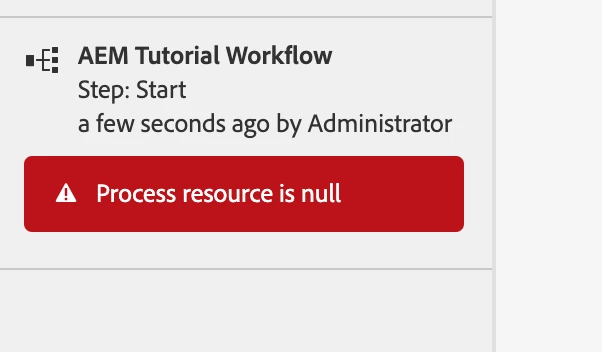
Workflow gives "Process Resource" is null error

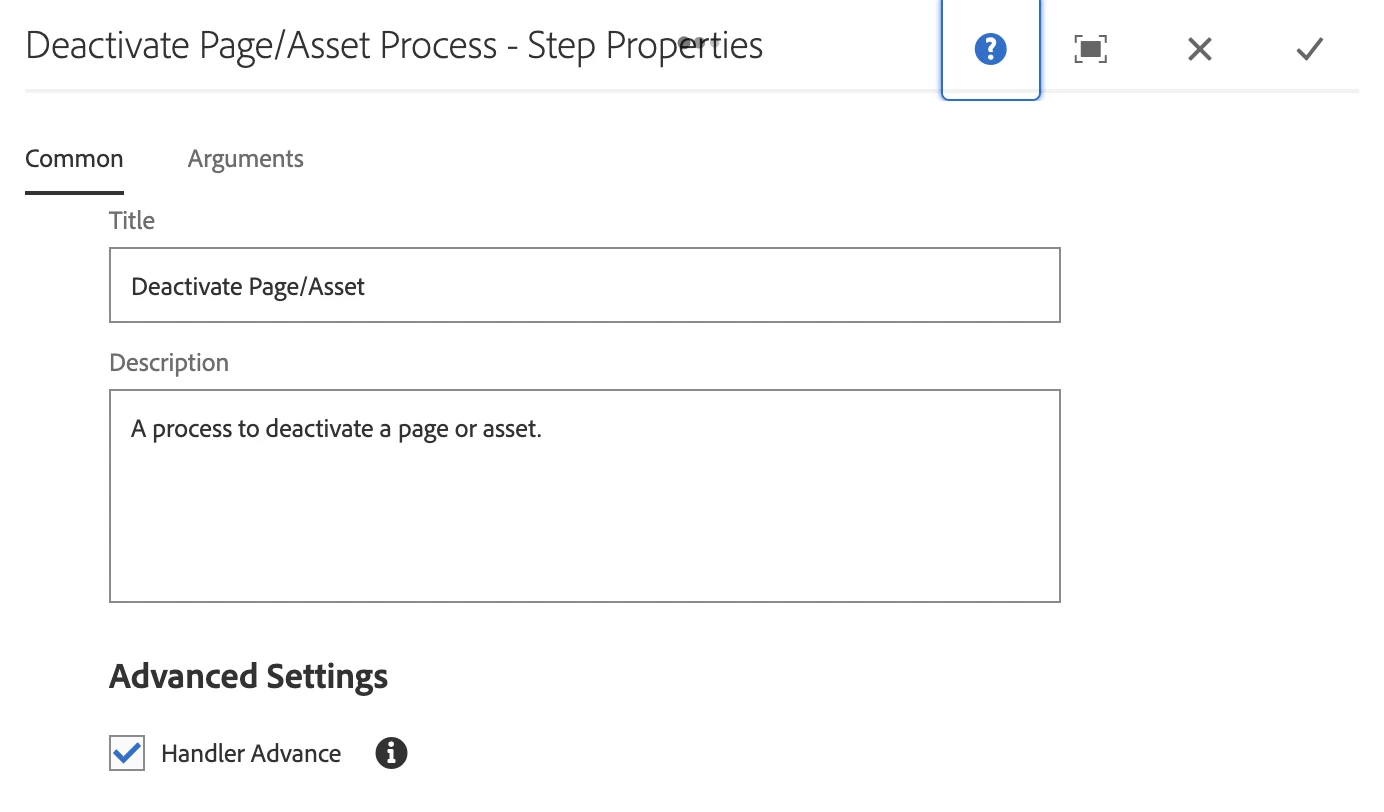
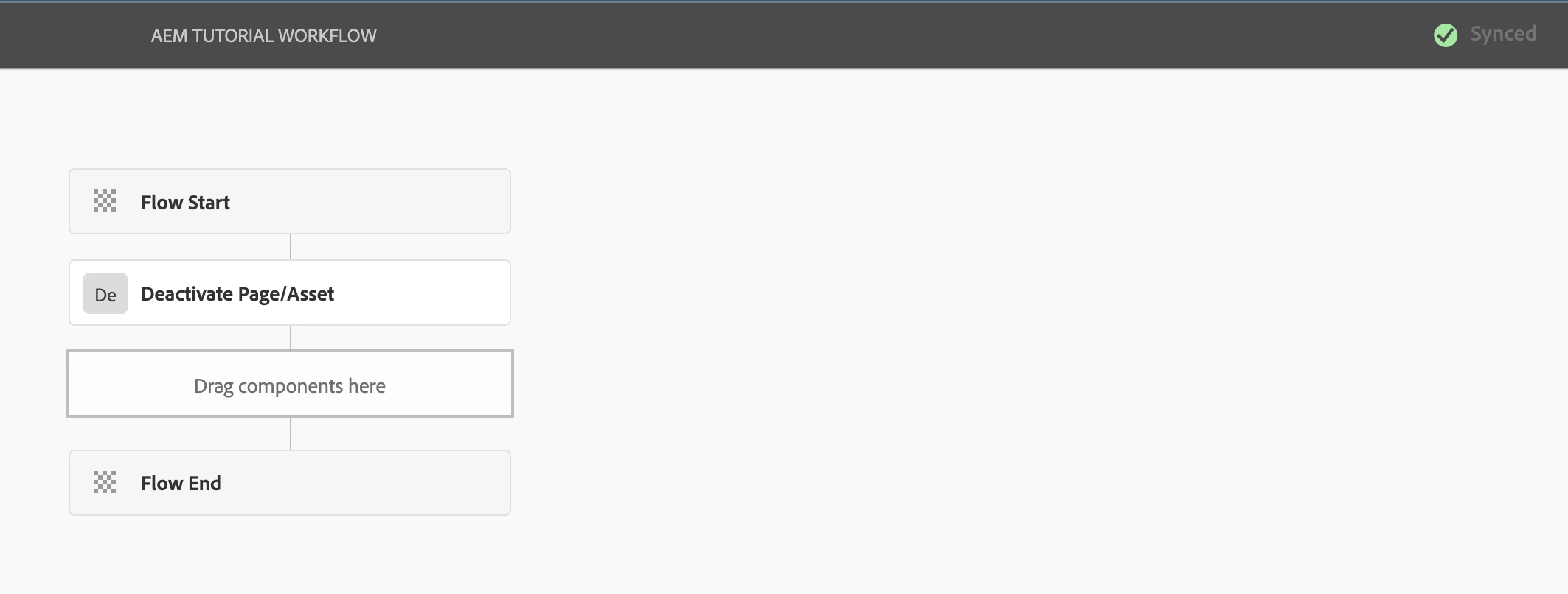
Hi, I have created a workflow model with a "Deactivate Page" step only and while running this i am getting "Process Resource null" error.
I have also tried another step "Create page Version" and still getting the same error response.

I have checked "com.day.cq.wcm.workflow" bundle and "create version" component both are active and my workflow model is in sync.


Any suggestion how to solve it?

Work Flow Error:

Work Flow Model:
 

This post is no longer active and is closed to new replies. Need help? Start a new post to ask your question.

7 replies

Shivam153
Level 3
Dec 26, 2023 7:07 AM UTC

Hi @hemendra , Have you checked error logs for the same?

Translate
Hemendra
HemendraAuthor
Level 2
Dec 28, 2023 6:45 AM UTC

Hi @shivam153 
Please find the error logs.

===========================
28.12.2023 12:12:35.765 *ERROR* [JobHandler: /var/workflow/instances/server0/2023-12-28/aem-tutorial-workflow_1:/content/aemtutorial/language-master/en/home] com.adobe.granite.workflow.core.job.JobHandler Error executing workflow step
com.adobe.granite.workflow.WorkflowException: Process resource is null
at com.adobe.granite.workflow.core.job.HandlerBase.executeProcess(HandlerBase.java:134) [com.adobe.granite.workflow.core:2.0.240.CQ674-B0017]
at com.adobe.granite.workflow.core.job.JobHandler.process(JobHandler.java:271) [com.adobe.granite.workflow.core:2.0.240.CQ674-B0017]
at org.apache.sling.event.impl.jobs.JobConsumerManager$JobConsumerWrapper.process(JobConsumerManager.java:502) [org.apache.sling.event:4.2.24]
at org.apache.sling.event.impl.jobs.queues.JobQueueImpl.startJob(JobQueueImpl.java:351) [org.apache.sling.event:4.2.24]
at org.apache.sling.event.impl.jobs.queues.JobQueueImpl.access$100(JobQueueImpl.java:60) [org.apache.sling.event:4.2.24]
at org.apache.sling.event.impl.jobs.queues.JobQueueImpl$1.run(JobQueueImpl.java:287) [org.apache.sling.event:4.2.24]
at java.base/java.util.concurrent.ThreadPoolExecutor.runWorker(ThreadPoolExecutor.java:1128)
at java.base/java.util.concurrent.ThreadPoolExecutor$Worker.run(ThreadPoolExecutor.java:628)
at java.base/java.lang.Thread.run(Thread.java:834)
28.12.2023 12:12:41.394 *INFO* [oak-repository-executor-1] com.adobe.granite.repository Service [8598, [org.apache.jackrabbit.oak.api.jmx.SessionMBean]] ServiceEvent REGISTERED

======End============

Translate
aanchal-sikka
Community Advisor
Community Advisor
Dec 26, 2023 9:48 AM UTC

@hemendra 

  •  
  • What is the payload that you are using for the Workflow?
  • How are you initiating these workflows?
Translate
Aanchal Sikka
Hemendra
HemendraAuthor
Level 2
Dec 28, 2023 6:49 AM UTC

Hi @aanchal-sikka 
Please find my inline reply-

  • What is the payload that you are using for the Workflow?
    I am using my demo site page, see below-


  • How are you initiating these workflows?
    I have tried both ways by creating a launcher and by executing it Manually and getting the same error.


Translate
kautuk_sahni
Level 9
Jan 2, 2024 12:54 PM UTC

@hemendra Did you find the suggestions from users helpful? Please let us know if more information is required. Otherwise, please mark the answer as correct for posterity. If you have found out solution yourself, please share it with the community.

Translate
Kautuk Sahni
Hemendra
HemendraAuthor
Level 2
Jan 2, 2024 2:12 PM UTC

@kautuk_sahni  The issue persists with my local environment, and I have been unable to find a solution despite trying multiple approaches. Only the Default workflow model is functional, while any custom workflow models fail to work and result in this same error.

To temporarily address this problem, I have set up a new local instance where this issue does not occur. It appears that there may be an issue related to the initial setup, but I am still uncertain about the specific cause of the problem. I will look more into this and will let the community know if i am able to find any concrete result.

Thanks
Hemendra

Translate
Adobe Employee
Aug 12, 2025 2:21 PM UTC

Anyone facing this issue- This issue might happen to you when you define a workflow as transient and the first step in workflow is a non-process workflow e.g. participant step. If you make a workflow - the first step of workflow must be a process; not anything else. So either remove the first step or change the workflow to be non-transient. 

Translate