WKND Tutorial - Missing added component in developer mode | Adobe Higher Education
Skip to main content
Level 2
March 23, 2021
Respondido

WKND Tutorial - Missing added component in developer mode

  • March 23, 2021
  • 1 resposta
  • 1124 Visualizações

Trying out AEM 6.5. I'm following the WKND tutorial and after adding the HelloWorld component, It doesn't appear on the side panel in Developer Mode.  
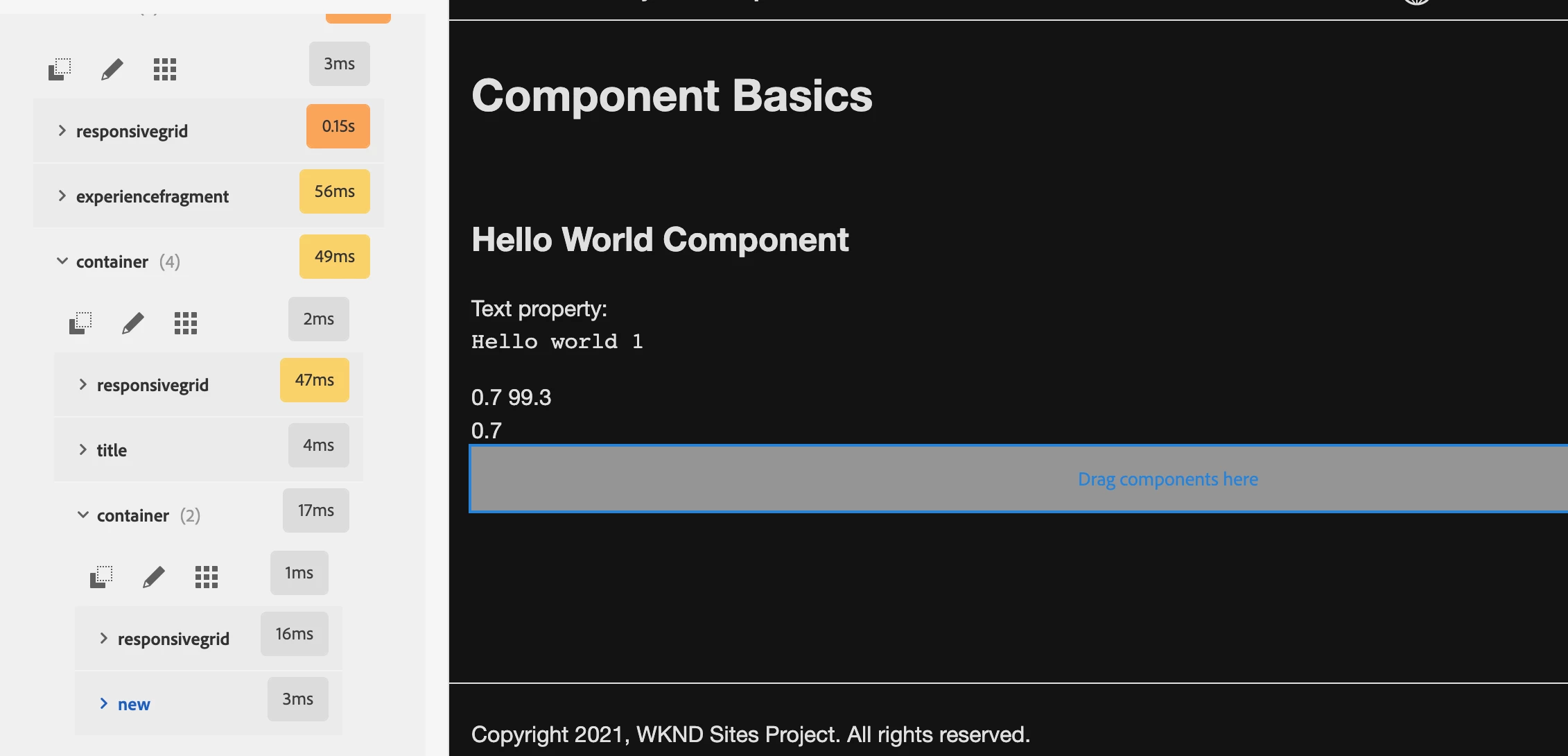

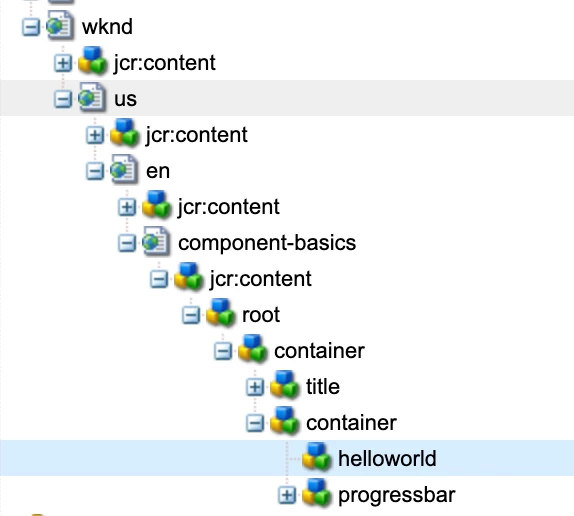
But If I try to go to CRXDE-Lite I can see the added components under the Components Basic directory. Does anyone know why this happens? Can it be fixed to work the same as what happens in the tutorial?
 

Este tópico foi fechado para respostas.
Melhor resposta por Asutosh_Jena_

Hi @marks16411289 

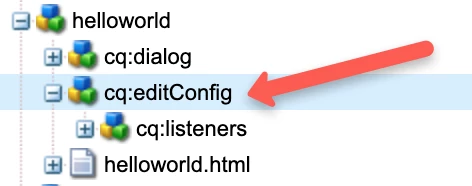
Please check if your helloworld component has "cq:editConfig" node present. If it's not available the component will not be visible in edit mode.
Please add it and you should be able to see it in developer mode.


Hope this helps!
Thanks!

1 Resposta

Asutosh_Jena_
Community Advisor
Community Advisor
March 23, 2021

Hi @marks16411289 

Please check if your helloworld component has "cq:editConfig" node present. If it's not available the component will not be visible in edit mode.
Please add it and you should be able to see it in developer mode.


Hope this helps!
Thanks!

Level 2
March 23, 2021
It appeared! Thanks for your fast reply