WKND setup | Community
Skip to main content
Level 2
May 15, 2024
Solved

WKND setup

  • May 15, 2024
  • 6 replies
  • 2730 views

So i have AEM 6.5.0 version and I am trying to setup wknd site following the tutorial. 


mvn -B org.apache.maven.plugins:maven-archetype-plugin:3.2.1:generate -D archetypeGroupId=com.adobe.aem -D archetypeArtifactId=aem-project-archetype -D archetypeVersion=48 -D appTitle="WKND Sites Project" -D appId="wknd" -D groupId="com.adobe.aem.guides" -D artifactId="aem-guides-wknd" -D package="com.adobe.aem.guides.wknd" -D version="0.0.1-SNAPSHOT" -D aemVersion="6.5.0"


mvn clean install -PautoInstallSinglePackage -Pclassic


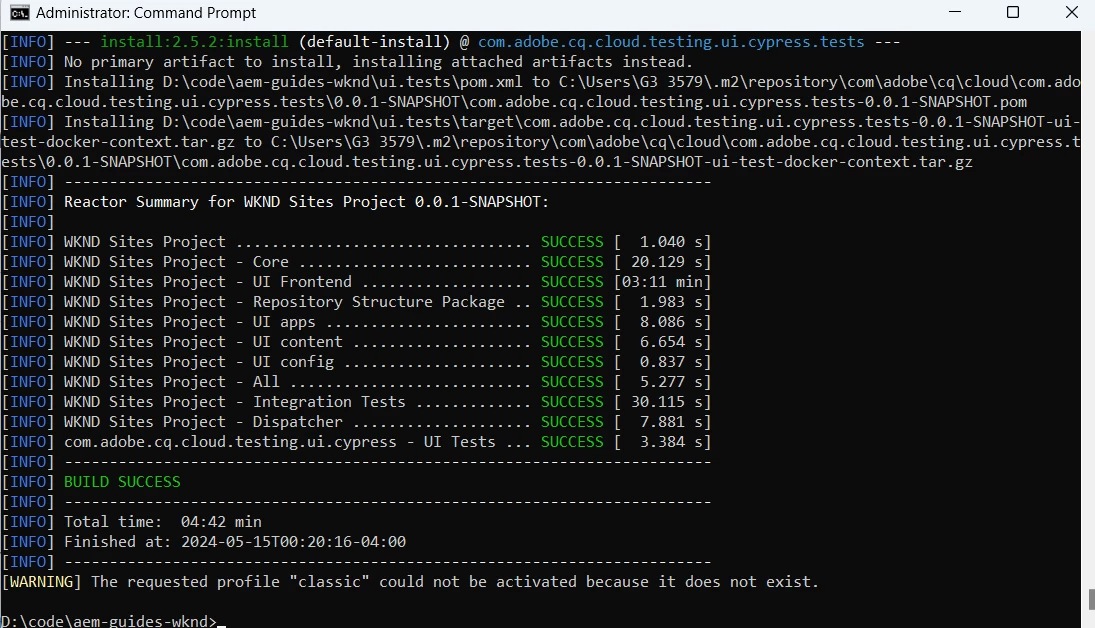
But after running both command in cmd i am getting the warning. 

[WARNING] The requested profile "classic" could not be activated because it does not exist.


Also in localhost:4502 when i click WKND sites project>us>en>edit the window open blank.

Additionally I cannot create a new content page and its gives an error "Something went wrong". 

 

This post is no longer active and is closed to new replies. Need help? Start a new post to ask your question.
Best answer by Anudeep_Garnepudi

@shivparekh21 


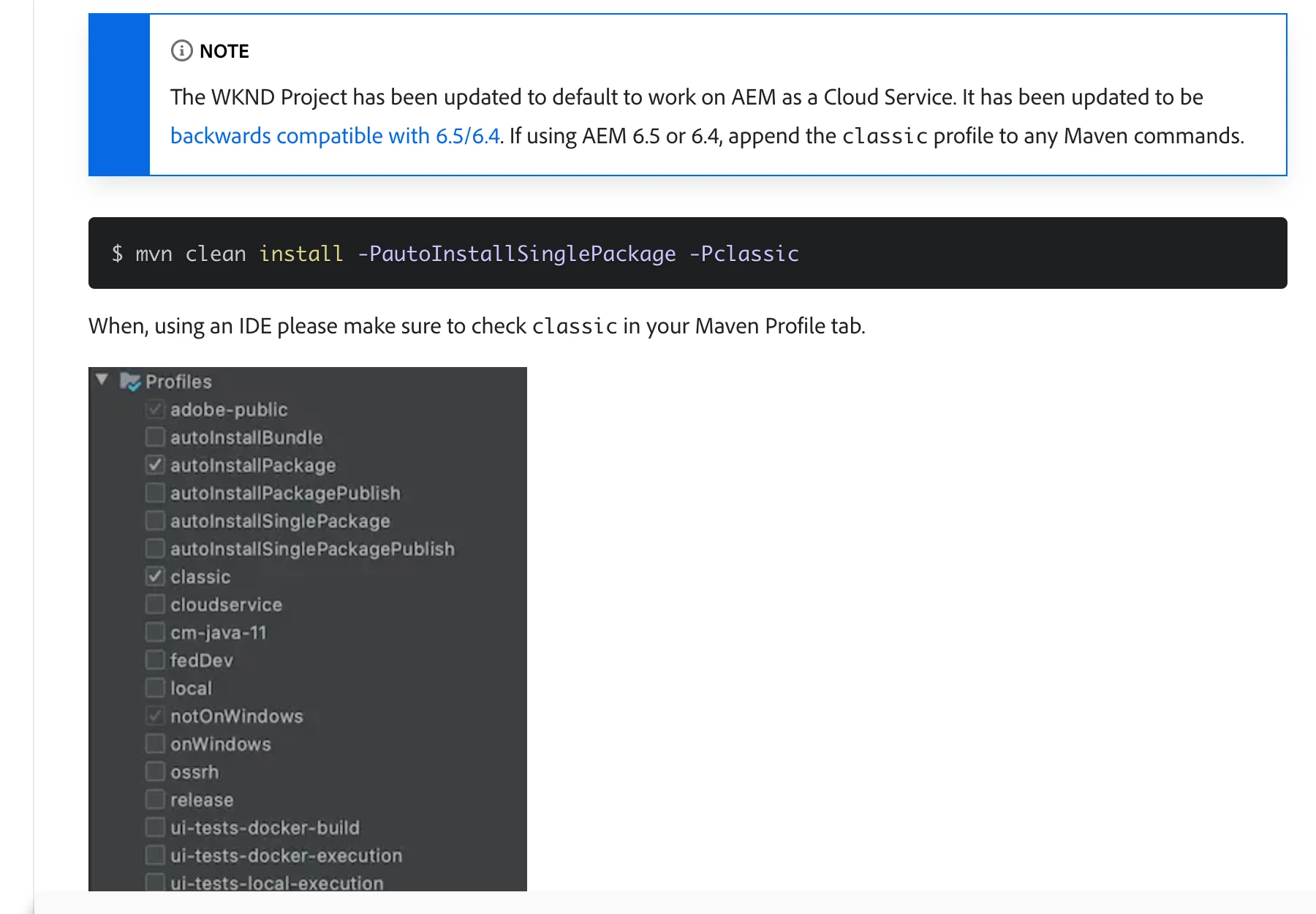
Did you enable classic profile?


6 replies

tushaar_srivastava
Level 6
May 15, 2024

Hi @shivparekh21 
Can you check if any bundle is not in active state.
1- please ensure you bundle in active state:
Solved: AEM 6.5.0 - Bundles Installed but not Active, WKND... - Adobe Experience League Community - 460240

2- Check your settings.xml , there might be configuration issue with the settings.xml
Get started with AEM Sites - Project Setup | Adobe Experience Manager
Set up a Local AEM development environment | Adobe Experience Manager

Follow the attached link you will be able to solve your issue.

Level 2
May 16, 2024

So, I have setup AEM 6.5.0 the way it is describe in  (https://experienceleague.adobe.com/en/docs/experience-manager-learn/foundation/development/set-up-a-local-aem-development-environment).

C:\Users\<User_Name>>java --version
java 11.0.23 2024-04-16 LTS
Java(TM) SE Runtime Environment 18.9 (build 11.0.23+7-LTS-222)
Java HotSpot(TM) 64-Bit Server VM 18.9 (build 11.0.23+7-LTS-222, mixed mode)


C:\Users\<User_Name>>mvn -v
Apache Maven 3.9.6 (bc0240f3c744dd6b6ec2920b3cd08dcc295161ae)
Maven home: D:\apache-maven-3.9.6
Java version: 11.0.23, vendor: Oracle Corporation, runtime: C:\Program Files\Java\jdk-11
Default locale: en_IN, platform encoding: Cp1252
OS name: "windows 11", version: "10.0", arch: "amd64", family: "windows"


Archetype command :-

 mvn -B org.apache.maven.plugins:maven-archetype-plugin:3.2.1:generate

-D archetypeGroupId=com.adobe.aem

-D archetypeArtifactId=aem-project-archetype

-D archetypeVersion=48

-D appTitle="WKND Sites Project"

-D appId="wknd"

-D groupId="com.adobe.aem.guides"

-D artifactId="aem-guides-wknd"

-D package="com.adobe.aem.guides.wknd"

-D version="0.0.1-SNAPSHOT"

-D aemVersion="6.5.0"


I start my 4502 server and then i run:

mvn clean install -PautoInstallSinglePackage -Pclassic


Also in localhost:4502 when i click WKND sites project>us>en>edit the window open blank.

Additionally I cannot create a new content page and its gives an error "Something went wrong". 


I check the console on server and my 4 package are in installed state and not active.
the core component 2.23.2 is associated with "wknd project archetype" and i download the core component from https://experienceleague.adobe.com/en/docs/experience-manager-core-components/using/versions but still it didn't work.


I know the core components release 2.8.0 is last one supported by 6.5.0 but if i made changes in pom.xml before deploying it gives me Project Build Error. 


sravs
Community Advisor
Community Advisor
May 15, 2024

@shivparekh21 , In your all pom.xml there is no profile with classic added that why you are getting this error. Please follow steps mentioned below for classic profile


https://github.com/adobe/aem-guides-wknd#building-for-aem-6xx

gkalyan
Community Advisor and Adobe Champion
May 16, 2024

@shivparekh21 

The archetypeVersion=48 doesn't support "classic" profile. You might need to try older archetype version like 24.


Refer to this article for the m2 settings and project generation for archetype 24.

https://jimfrenette.com/2020/10/aem-maven-project-archetype-24/


Level 2
May 16, 2024

If i am using archetype 24. It giving me build error.

kautuk_sahni
Community Manager
Community Manager
May 16, 2024

@shivparekh21 Did you find the suggestions from users helpful? Please let us know if more information is required. Otherwise, please mark the answer as correct for posterity. If you have found out solution yourself, please share it with the community.

Kautuk Sahni
Level 2
May 16, 2024

I didnt find any solution yet!! I am still trying to figure it out. 

Anudeep_Garnepudi
Community Advisor
Anudeep_GarnepudiCommunity AdvisorAccepted solution
Community Advisor
May 16, 2024

@shivparekh21 


Did you enable classic profile?


AG
Level 2
May 16, 2024

Basically I am running the archetype through cmd and deploying it after starting localhost.4502 also through cmd and not IDE.