Level 2
Oct 14, 2024 3:03 PM UTC

While performing conversion of content from static template to editable template, JS files are throwing 404 on converted page

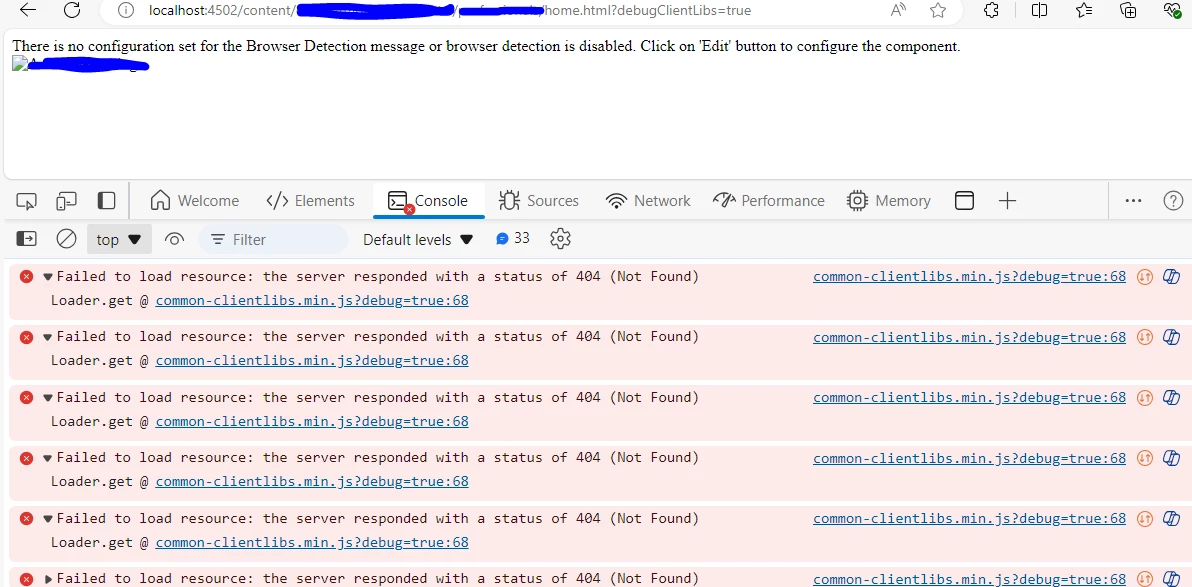
I am performing conversion of AEM pages from static templates to editable templates using AEM Modernization tool. After the conversion the JS files which are available under /apps/myproject/clientlibs folder are not loading for the converted page and throwing 404 error in preview mode.

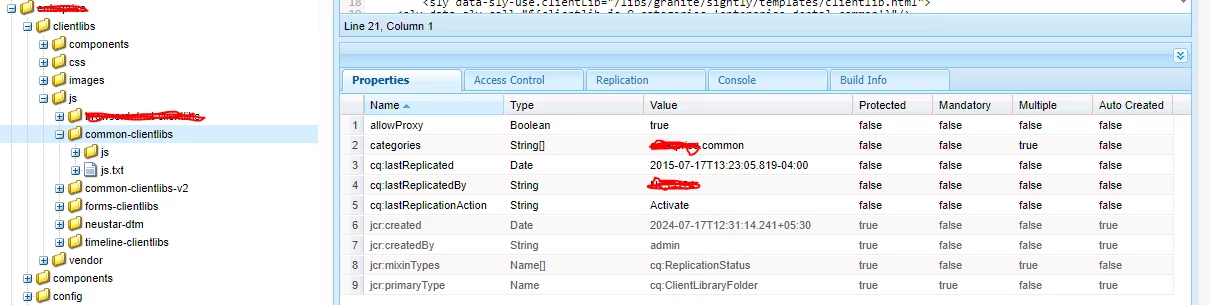
I am including global clientlibs using <sly data-sly-call> command at template level in customheaderlibs.html. Below is the structure for the clientlibs:
It is throwing below error in the converted page in view as published mode:
If someone has faced similar issue, please help me out with this.


This post is no longer active and is closed to new replies. Need help? Start a new post to ask your question.

3 replies

kautuk_sahni
Level 9
Oct 17, 2024 8:11 AM UTC

@asutosh_jena_ @love_sharma @sudheer_sundalam @swetab @bhuwan_b @asifchowdhury Curious to hear your perspectives on this question. Do you all mind sharing your thoughts?

Translate
Kautuk Sahni
AsifChowdhury
Community Advisor
Community Advisor
Oct 17, 2024 8:25 AM UTC

Hi @meghago 

It seems the clientlibs files are not present on the repository. Here are some steps that you can check first:

1. [If exists] Check on ui.apps.structure -> pom file that the filter exist for your project to the root

2. Check on ui.apps -> META-INF -> vault -> filter.xml - your clientlibs path exist on the filter or not like below:


<?xml version="1.0" encoding="UTF-8"?> <workspaceFilter version="1.0"> <filter root="/apps/{project}/components"/> <filter root="/apps/{project}/clientlibs"/> </workspaceFilter>


- Asif Chowdhury

Translate
MeghaGoAuthor
Level 2
Oct 18, 2024 2:48 PM UTC

Hi @asifchowdhury ,

I am already following above two steps mentioned by you.

The JS files are loading fine for the pages before conversion. Also, after converting the pages the JS files are loading fine in editor mode but failing to load in preview mode.

Translate