Where does AEM stores complied HTL code classes, where can I find bundle persistent storage area | Community
Skip to main content
Level 3
May 26, 2022
Solved

Where does AEM stores complied HTL code classes, where can I find bundle persistent storage area

  • May 26, 2022
  • 2 replies
  • 1577 views

Hi All,


Sometimes in my local I am observing changes in the HTL file are not reflecting properly even everything is correct. I suspect this is happening due the the Java classes created out of HTL file is cached and is not updating properly. I looked into the OSGI configuration for this "Apache Sling Scripting HTL Engine Configuration" (Image1) As shown below describing this path is determined by Class loader configuration (image 2)
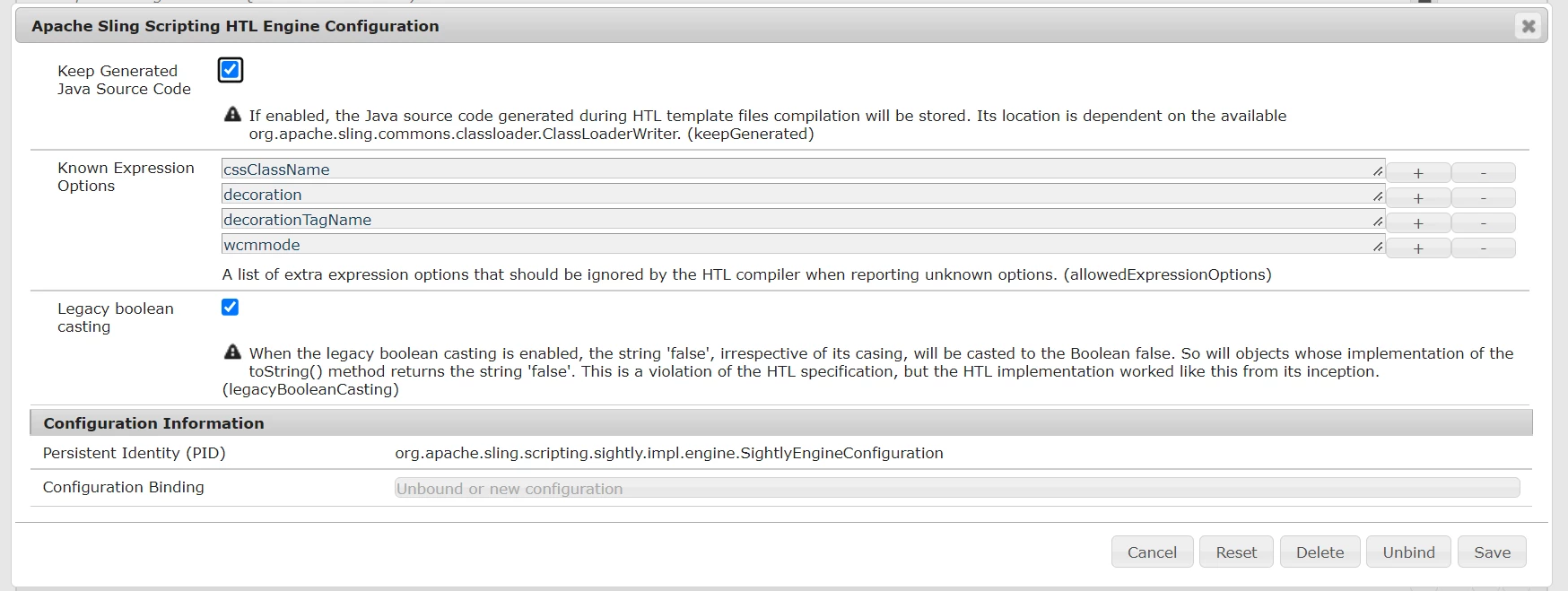
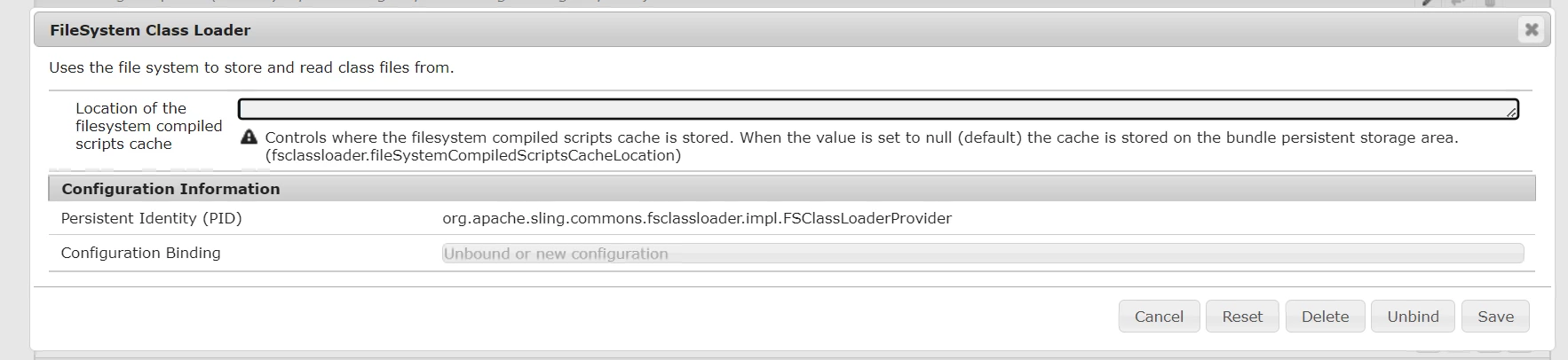


As described in image 2 the stored file are in "Controls where the filesystem compiled scripts cache is stored. When the value is set to null (default) the cache is stored on the bundle persistent storage area. (fsclassloader.fileSystemCompiledScriptsCacheLocation)" so where can I find bundle persistent storage area?


This post is no longer active and is closed to new replies. Need help? Start a new post to ask your question.
Best answer by shehjadk07

After googling a bit I found out

This was changed in AEM 6.1

Refer to this blog for more details

https://www.danklco.com/posts/2015/06/new-apache-sling-fs-classloader-console.html

Currently, to find the appropriate files, you will need to locate the bundle ID for the FSClassLoader bundle, then the java files will be located at:

 [AEM_INSTALL_DIR]/crx-quickstart/launchpad/felix/bundle[BUNDLE_ID]/data/classes

2 replies

SantoshSai
Community Advisor
Community Advisor
May 26, 2022

Hi @shehjadk07 

To find the location, please follow below steps:

  1. Navigate to Web console(/system/console)
  2. Search for FSClassLoader bundle
  3. Note down the ID of FSClassLoader bundle. Generally it is 515 but can change in deployed instance.
  4. Navigate to \crx-quickstart\launchpad\felix folder and search folder with name bundleXXX where XXX is bundle ID. You will see classes folder.

This is the folder where compiled classes are placed by AEM.

Here is the https://experienceleague.adobe.com/docs/experience-cloud-kcs/kbarticles/KA-16543.html?lang=en

resolution for how to clear classes and HTL cache.

Hope that helps!

Regards,
Santosh

Santosh Sai
shehjadk07AuthorAccepted solution
Level 3
May 26, 2022

After googling a bit I found out

This was changed in AEM 6.1

Refer to this blog for more details

https://www.danklco.com/posts/2015/06/new-apache-sling-fs-classloader-console.html

Currently, to find the appropriate files, you will need to locate the bundle ID for the FSClassLoader bundle, then the java files will be located at:

 [AEM_INSTALL_DIR]/crx-quickstart/launchpad/felix/bundle[BUNDLE_ID]/data/classes