What's the proper way to enable Classic UI in 6.3 | Adobe Higher Education
Skip to main content
Level 3
March 21, 2018
Besvarat

What's the proper way to enable Classic UI in 6.3

  • March 21, 2018
  • 4 svar
  • 1943 visningar

I tried following the instructions here - Enabling Classic UI in Editor in 6.3

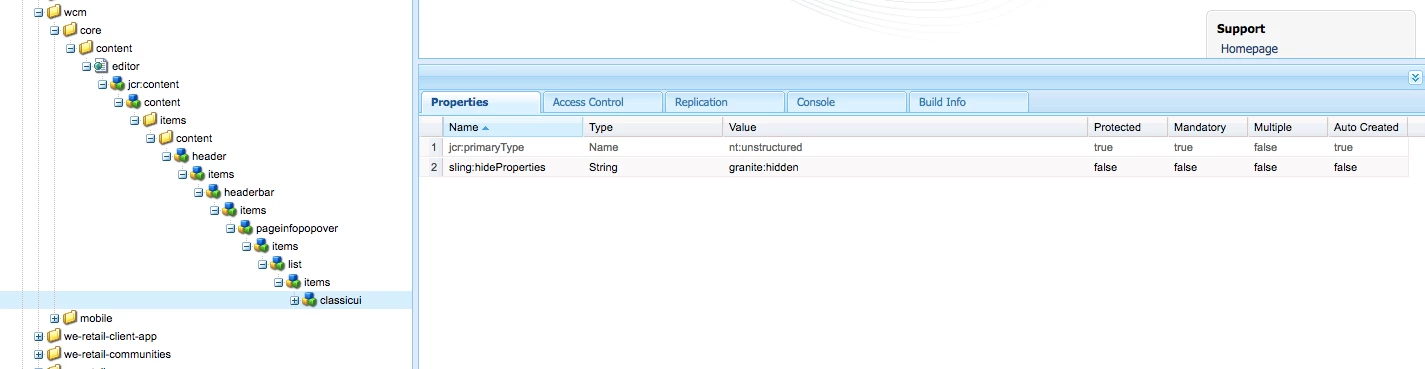
Here's what this looks like in CRXDE.
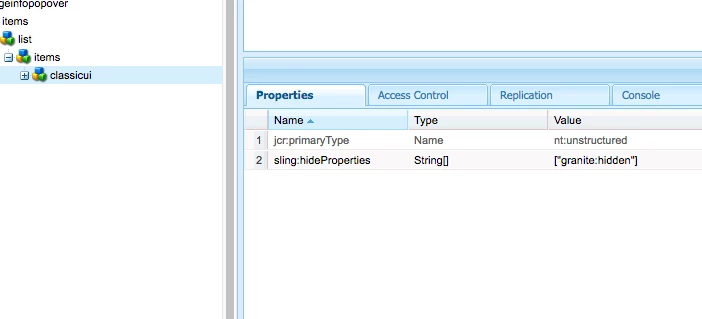
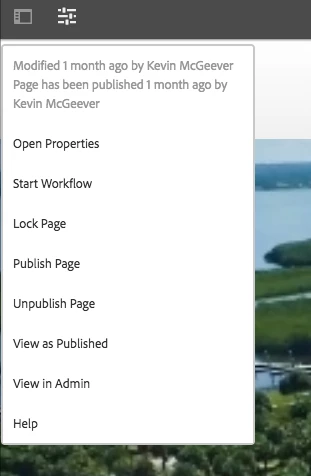
This didn't work, though.  https://helpx.adobe.com/experience-manager/6-3/sites/administering/using/enable-classic-ui-editor.html
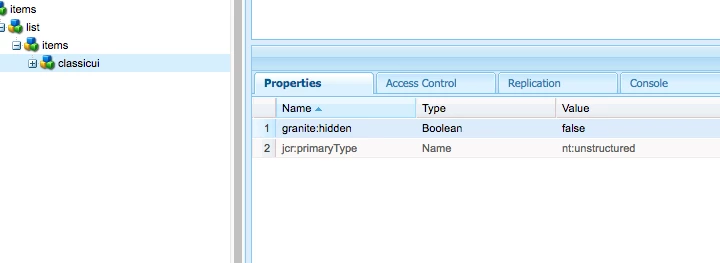
However, if in the overlay I just explicitly set that field ("granite:hidden") to false, it works as described in the linked article.
Does anyone know what's happening here? I'm happy to work with this, but I'd like to understand what's happening.

Det här ämnet har stängts för svar.
Bästa svar av Ratna_Kumar

Hi Preston,

I see that you are doing mistake while adding property to the overlaid node.

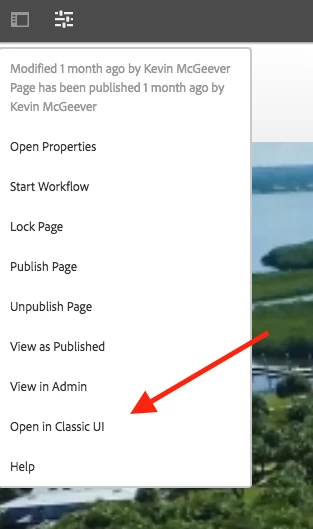
You must add as per the below screenshot. Property must be sling:hideProperties - String - granite:hidden not [granite:hidden]

And it will show Open in classic UI as shown below

Hope this helps!!

~Ratna.

4 svar

Hemant_arora
Level 8
March 22, 2018

Its working well for me. Opens fine in classic UI

Ratna_Kumar
Level 10
March 22, 2018

Hi Preston,

I see that you are doing mistake while adding property to the overlaid node.

You must add as per the below screenshot. Property must be sling:hideProperties - String - granite:hidden not [granite:hidden]

And it will show Open in classic UI as shown below

Hope this helps!!

~Ratna.

smacdonald2008
Level 10
March 22, 2018
prestonModOpSkribent
Level 3
March 23, 2018

Thanks, Ratna Kumar​! Does the documentation need to be updated on the page I linked to, then, to reflect this?