This post is no longer active and is closed to new replies. Need help? Start a new post to ask your question.
Jagadeesh_Prakash
Jagadeesh_PrakashAccepted solution
Community Advisor
December 11, 2023

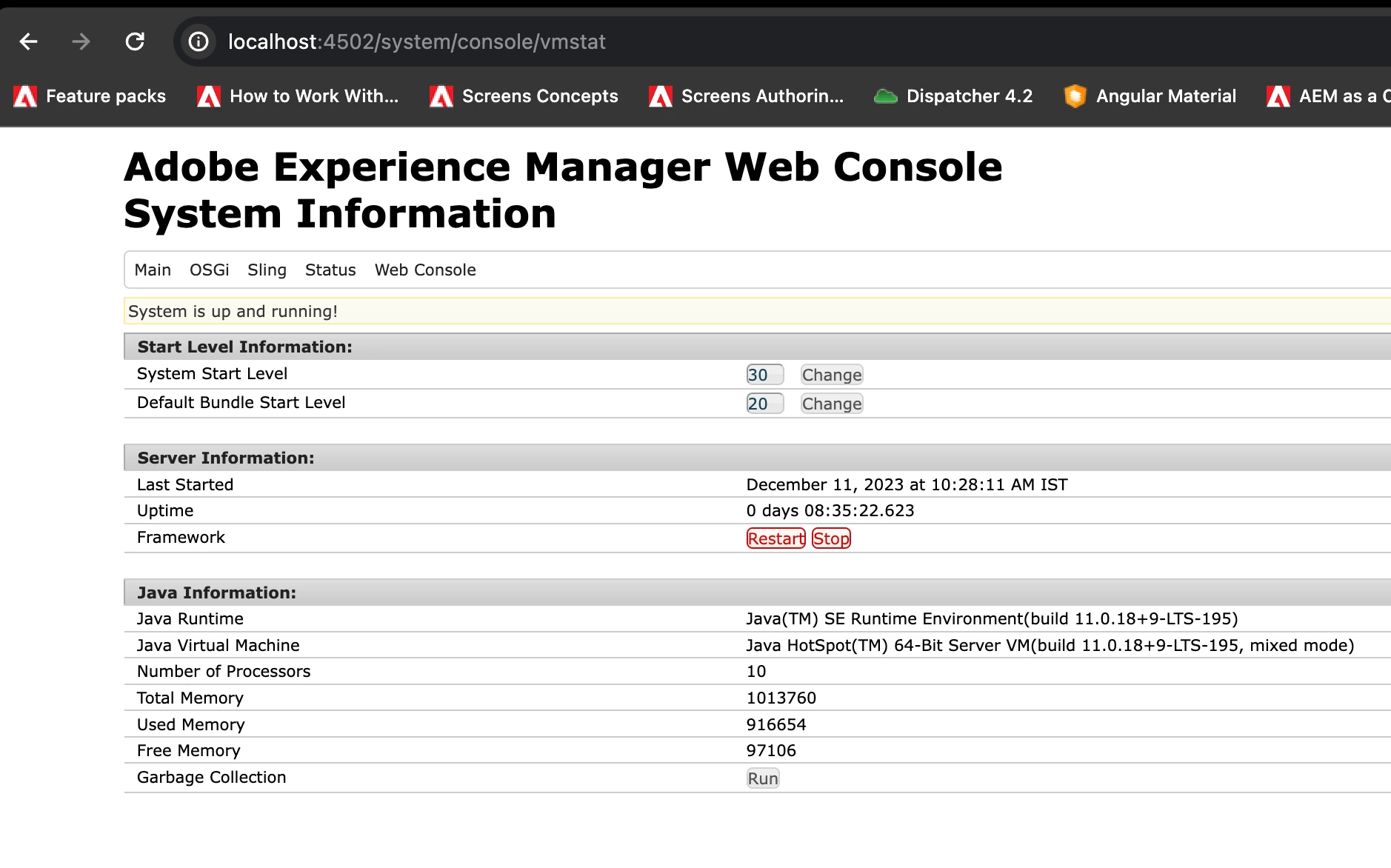
hi @vineetham123  can you try stoping the server using below screen.


7 replies

Jagadeesh_Prakash
Community Advisor
Jagadeesh_PrakashCommunity AdvisorAccepted solution
Community Advisor
December 11, 2023

hi @vineetham123  can you try stoping the server using below screen.


Translate
Level 3
December 11, 2023

The answer looks good! thaks. But what If I want to restart in debug mode?

Translate
Jagadeesh_Prakash
Community Advisor
Community Advisor
December 12, 2023

@vineetham123  if you want to start a jar in debug mode in local then use below command 


java -jar cq-author-p4502.jar -debug 30303 


where 30303 is the port on which the debug will be running. In your IDE you can start running the debug mode on 30303. 


refer to below article on how you can run debug mode on IDE 

https://technolearning-jags.blogspot.com/2023/08/how-to-set-debug-points-in-ide-intellij.html


Translate
aanchal-sikka
Community Advisor
Community Advisor
December 11, 2023

@vineetham123 


I hope you mean restarting local SDK.

Customers cannot restart AEMaaCS servers.

Translate
Aanchal Sikka
Level 3
December 11, 2023

@aanchal-sikka I meant local SDK. How can I restart in debug mode if I accidentally started aem in normal mode?

Translate
arunpatidar
Community Advisor
Community Advisor
December 11, 2023

Hi @vineetham123 
If you can stop AEM using below 2 commands.

ps -A | grep author kill -9 <PID>

First command will gve you the PID and second command will kill the process.

Translate
Arun Patidar
Level 3
December 11, 2023

 @jagadeesh_prakash , thanks for the response. Your method , followed by entering ctrl+C on the terminal(linux) opened where the jar is present, will stop the aem in local. Then we can start it again in the normal way.

Translate